
Claude
Anthropic's general-purpose AI assistant, widely used through its large context window and Projects feature to analyze, summarize, and synthesize large documents and document sets.
Visit website (opens in a new tab)Independent editorial listing. Features, pricing, and privacy terms can change; confirm details on the vendor site before buying or rolling out a tool.
What it does
Claude is Anthropic’s general-purpose AI assistant, used for research primarily through its large context window and Projects feature rather than through literature search. Users upload source documents into a Project, and Claude can then summarize, compare, extract data from, and answer questions about that material across any conversation in the Project. Its size and context capacity make it well suited to one-shot analysis of very long individual documents as well as synthesis across many shorter ones.
Ideal users
- Analysts and consultants who need to synthesize long reports, contracts, or transcripts
- Teams that want a persistent project workspace with reusable reference documents
- Researchers doing qualitative synthesis across many uploaded files at once
- Anyone who wants one assistant for both research synthesis and writing or analysis output
Who should avoid it
- You need live web search across current academic literature with citation counts — Consensus or Elicit are purpose-built for this
- You need automatic discovery of relevant papers you haven't already found or uploaded
- You need a dedicated systematic-review screening and extraction workflow
Key features
- Projects — a persistent workspace where uploaded documents are automatically available to every conversation
- Large context window, up to 1M tokens on paid plans for current-generation models
- Automatic retrieval-style behavior in Projects once uploaded content exceeds the active context window
- Per-file upload up to 30MB, with no fixed cap on number of files in a Project
- Support for many document formats including PDF, DOCX, CSV, TXT, and HTML
- Access to Claude Code, Cowork, and Design tools alongside chat on paid plans
Pros / Cons
Pros
- Very large context window enables one-shot analysis of long documents such as contracts and transcripts
- Projects reduce repetitive context-setting across conversations
- Strong at synthesis, summarization, and structured extraction from user-provided material
- Flexible — the same tool covers research synthesis and the resulting write-up
Cons
- Not a literature-discovery tool — it only reasons over documents you provide or web search results, not a curated academic index
- No built-in citation-count or evidence-strength visualization like Consensus
- Exact context-window availability varies by plan and model and has changed over time
- No dedicated systematic-review or PRISMA-style workflow
Pricing
Free — $20/month billed monthly ($17/month billed annually), Pro plan
Max is $100/month for 5x Pro usage or $200/month for 20x; Team is $25/seat/month (Standard) or $125/seat/month (Premium); Enterprise is custom, seat price plus usage billed at API rates.
Typical workflows
- A user uploads a set of source documents into a Project, then asks Claude to summarize themes, extract structured data, or compare documents, with every new conversation in the Project automatically inheriting the same reference set.
- For one-off analysis, a user can paste or upload a single large document, such as a 300-page report, directly into a chat and ask for a summary or targeted extraction.
Integrations
- Claude for Microsoft 365
- API / developer platform
- Claude Code
Privacy & security notes
Claude does not search the literature independently — its accuracy on research tasks depends entirely on the quality and completeness of documents provided, so gaps in the source material can lead to incomplete or misleading synthesis. Enterprise plans offer stronger data controls than consumer plans.
Frequently asked questions
Does Claude search academic databases like Elicit or Consensus?
No — Claude only reasons over documents you upload or, on some plans, web search results; it doesn't index a curated academic corpus.
How large a document can I upload?
Up to 30MB per file in a Project, with no fixed file-count limit, though total content still has to fit within the active model's context window or Projects' automatic retrieval mode.
Is Claude good for literature reviews?
It's useful for synthesizing papers you've already collected and uploaded, but it won't discover or rank new papers for you the way Consensus or Elicit do.
What's the benefit of Projects over a regular chat?
Projects let you set up a knowledge base once — documents and instructions — that every subsequent conversation in that Project reuses automatically, instead of re-uploading files each time.
Best alternatives
Perplexity
FreeAn AI-powered answer engine that searches the live web and returns cited, synthesized answers instead of a list of links.
Gemini Notebook
FreeGoogle's AI research and note-taking tool (renamed from NotebookLM in July 2026) that answers questions and generates study material strictly from documents the user uploads, rather than from open web search.
Related tutorials

12 Best AI Tools for Teachers in 2026 (That Save Time)
A plain-English guide to the best AI tools for teachers in 2026: lesson planning, grading, quizzes, and admin. No jargon, just what works and where to start.
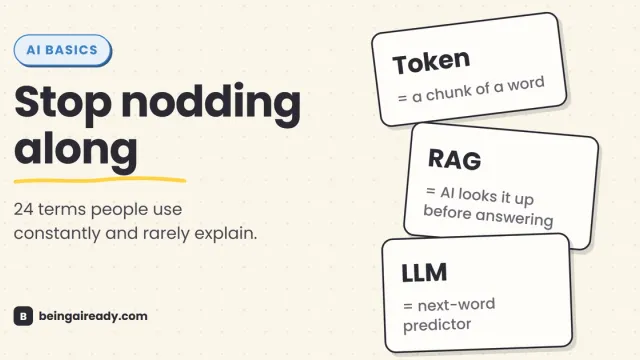
AI Terms Explained: A Plain-English Glossary of 24 Words
The 24 AI terms everyone uses but nobody defines — LLM, tokens, RAG, agents and more — explained in plain English, with analogies that actually stick.
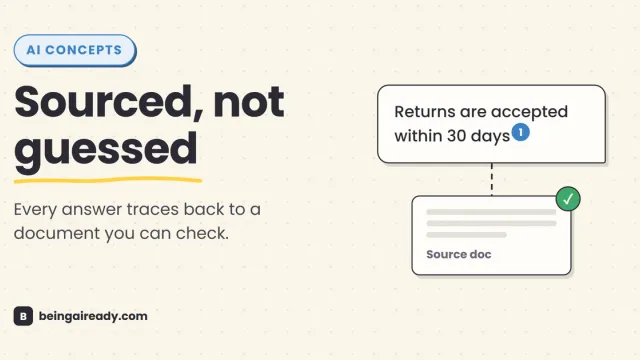
What Is RAG? Retrieval-Augmented Generation in Plain English
RAG is why some AI tools give a straight, sourced answer while others just guess with confidence. Here's what it is and how it works — without the jargon.
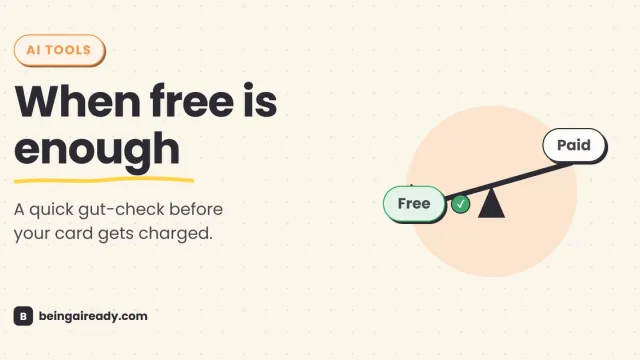
Free vs Paid AI Tools: What's Actually Worth Paying For
Free AI tools do more than ever, but a few paid upgrades quietly pay for themselves. A grounded, no-hype test for knowing which is which, tool by tool.