
AI Chat Assistants
Introduction
General-purpose AI chat assistants are the ask-anything tools you keep open all day. They answer questions, draft and edit text, read files and images you paste in, and hold a back-and-forth across almost any topic — one flexible place to think through a problem or get a first draft instead of a set of narrow tools. This page is for anyone who wants a single everyday assistant and a clear read on which one fits the software and ecosystem they already use.
Top recommendations
Google Gemini
FreeGoogle's general-purpose AI assistant, deeply integrated across Gmail, Docs, Sheets, Android, and Search, with a distinct advantage in real-time information and multimodal input.
Microsoft Copilot
FreeMicrosoft's general-purpose AI assistant, built into Windows, Edge, and the Microsoft 365 apps, aimed at users and organizations already standardized on Microsoft's productivity suite.
Comparison
| Tool | Best for | Pricing |
|---|---|---|
| Google Gemini | Google Workspace users who want AI assistance built into Gmail, Docs, Sheets, and Slides | $7.99/month (Google AI Plus) |
| Microsoft Copilot | Individuals who want a free assistant already built into Windows and Edge | $19.99/month (Microsoft 365 Premium, consumer) |
| Grok | X/Twitter users who want AI woven directly into the platform they already use | $10/month (SuperGrok Lite) |
| Mistral Vibe (formerly Le Chat) | Users and businesses wanting a Europe-based assistant with an emphasis on EU data protection | $14.99/month (Pro plan) |
| DeepSeek | Budget-conscious users who want a fully-featured assistant with no subscription | Free |
| Meta AI | People who already spend time in Facebook, Instagram, WhatsApp, or Messenger and want an assistant without installing anything new | Free |
Reviews
Google Gemini
Google's general-purpose AI assistant, deeply integrated across Gmail, Docs, Sheets, Android, and Search, with a distinct advantage in real-time information and multimodal input.
Read the full review — Google Gemini →Microsoft Copilot
Microsoft's general-purpose AI assistant, built into Windows, Edge, and the Microsoft 365 apps, aimed at users and organizations already standardized on Microsoft's productivity suite.
Read the full review — Microsoft Copilot →Grok
xAI's general-purpose AI assistant, built into X (formerly Twitter) and available standalone, distinguished by real-time access to X posts and a more casual, less filtered conversational style.
Read the full review — Grok →Mistral Vibe (formerly Le Chat)
Mistral AI's general-purpose assistant, rebranded from Le Chat to Vibe in 2026, combining everyday conversation with dedicated work and coding agent modes from Europe's leading AI lab.
Read the full review — Mistral Vibe (formerly Le Chat) →DeepSeek
A free, fully-featured AI chat assistant from the Chinese AI lab DeepSeek, notable for having no paid consumer tier and for releasing open-weight models, though data is processed on servers in China.
Read the full review — DeepSeek →Meta AI
Meta's free general-purpose AI assistant, built directly into Facebook, Instagram, WhatsApp, and Messenger, and also available as a standalone app and website.
Read the full review — Meta AI →Frequently asked questions
Do I need to pay for a general-purpose AI chat assistant?
Not necessarily. Every assistant on this page has a usable free tier, and DeepSeek and Meta AI currently have no paid consumer tier at all. Paying typically buys higher usage limits, more capable models, and deeper integration with paid productivity tools like Microsoft 365 or Google Workspace.
What's the difference between these assistants and ChatGPT, Claude, or Perplexity?
All of them are general-purpose conversational assistants solving a similar core job — answering questions, drafting text, analyzing files. The practical differences are ecosystem integration (Gemini with Google Workspace, Copilot with Microsoft 365, Grok with X), pricing, and data handling, rather than a fundamentally different category of capability.
Which one should I use if I already pay for Microsoft 365 or Google Workspace?
Start with the assistant bundled into the suite you already pay for — Copilot for Microsoft 365, Gemini for Google Workspace — since the in-app integration (drafting inside Docs or Outlook, referencing your own files) is hard for an unrelated assistant to match.
Is it safe to paste sensitive company data into these tools?
It depends on the assistant, the plan, and where data is processed and stored — this varies from EU-hosted options to servers located in China. Check each vendor's current privacy and data-retention policy, and your own organization's approved-tools policy, before pasting confidential material into any of them.
Can I use more than one of these at the same time?
Yes — many people default to whichever assistant is built into their existing software (Gemini, Copilot) for everyday tasks, while keeping a second one open for occasional needs like real-time social context (Grok) or a free fallback (DeepSeek).
When a general assistant is enough — and when a specialist wins
Most of the time a general-purpose assistant is all you need. It handles the everyday spread of work — a quick question, a first draft, explaining a concept, summarizing something you paste in, thinking out loud through a decision — and it does it well enough that many people never open a second tool. The appeal is exactly that breadth: one place, one habit, no switching.
The limit shows up when a task has a real specialist built for it. Dedicated literature search, brand-voice-governed marketing copy, fiction written to a house style, production coding — a tool tuned for that job usually beats a generalist at it. The sensible pattern for most people is a general assistant as the daily default, with a specialist reached for only when the same demanding task keeps coming up and the generic answer isn’t quite good enough.
How to choose the right AI chat assistant
The assistants are close enough in raw capability that the deciding factors are usually practical rather than technical:
- Which ecosystem do you already live in? The biggest real difference between assistants is how deeply each is woven into the software you open daily — your email, documents, operating system, or social feed. The one already built into your tools usually beats paying for a separate subscription.
- Free or paid? Every mainstream assistant has a usable free tier, and a few have no paid consumer tier at all. Paying mostly buys higher limits, a stronger underlying model, and deeper integration — not a different class of tool.
- Where is your data processed? If you’ll paste anything sensitive or work under compliance rules, check where each assistant stores and processes what you send. This varies widely, from EU-hosted options to servers based elsewhere.
- Does it need live information? Some assistants search the web or a real-time feed as they answer; others work mainly from what they were trained on. That gap matters for anything time-sensitive or fast-moving.
- Can you test it on your real questions? Run a few of your actual daily tasks through it before committing. A polished demo hides how an assistant handles your specific work.
How a chat assistant differs from a search engine
The old way to answer a question was to search, open several links, and piece the answer together yourself; the old way to write something was to start from a blank page. A chat assistant collapses both. You ask in plain language and get a direct answer or a usable draft, then keep refining in the same thread, hand it a file to work through, or ask it to try again a different way. The work shifts from gathering and assembling to reacting and editing.
The catch is that the model doesn’t actually know what’s true. It produces fluent, confident text whether or not the facts behind it are right, and unless it’s searching live it may be working from stale information. That makes it excellent for drafting, explaining, and exploring options, and unreliable as a final source for anything that matters. Use it to get to an answer faster, then verify the parts you’d be embarrassed to get wrong.
Related articles
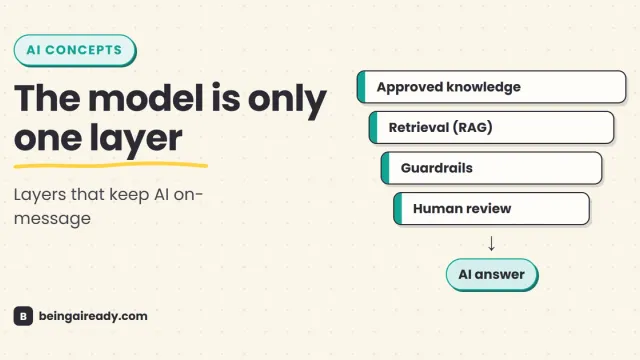
AI Answer Accuracy: How Companies Keep AI On-Message
How companies make AI answers accurate, consistent, policy-safe, and on-brand using approved knowledge, RAG, guardrails, evaluations, and human review.
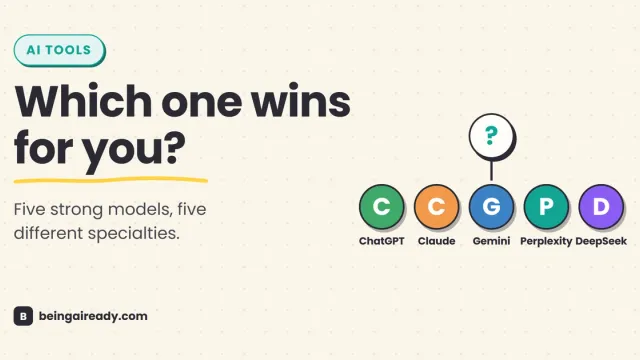
ChatGPT vs Claude vs Gemini vs Perplexity vs DeepSeek (2026)
ChatGPT, Claude, Gemini, Perplexity, and DeepSeek compared on pricing, strengths, and privacy — plus which one actually fits your use case in 2026.
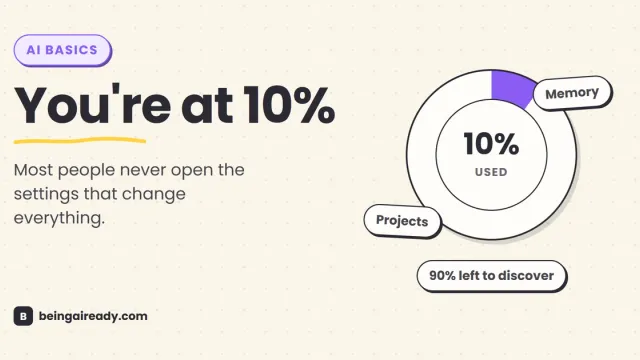
How to Use ChatGPT, Claude, and Gemini Well
Most people barely scratch the surface of ChatGPT, Claude, and Gemini. A practical guide to the settings and habits that turn a beginner into a confident user.