
Microsoft Copilot
Microsoft's general-purpose AI assistant, built into Windows, Edge, and the Microsoft 365 apps, aimed at users and organizations already standardized on Microsoft's productivity suite.
Visit website (opens in a new tab)Independent editorial listing. Features, pricing, and privacy terms can change; confirm details on the vendor site before buying or rolling out a tool.
What it does
Microsoft Copilot is Microsoft’s general-purpose AI assistant, available for free as a standalone chat experience in Windows and Edge, and integrated more deeply into Word, Excel, PowerPoint, Outlook, and Teams for users on a paid Microsoft 365 plan with Copilot included. Its core appeal mirrors Gemini’s relationship to Google Workspace: the assistant itself is broadly capable for general questions and drafting, but its real advantage shows up for people already working inside Microsoft’s productivity suite, where it can reference and act on existing documents, spreadsheets, and email.
For individuals, the free tier is a reasonable default with no separate subscription required. For businesses standardized on Microsoft 365, the paid Copilot add-on brings meeting summarization in Teams, spreadsheet analysis in Excel, and drafting help in Outlook and Word, along with admin controls that matter for regulated organizations — though it’s worth confirming current pricing carefully, since it’s layered on top of an existing Microsoft 365 subscription rather than sold as a single flat fee.
Ideal users
- Individuals who want a free assistant already built into Windows and Edge
- Microsoft 365 users who want AI drafting and analysis inside Word, Excel, PowerPoint, and Outlook
- Organizations standardized on Microsoft 365 that need admin controls, compliance, and governance around AI usage
- Teams who want meeting summaries and follow-ups generated directly inside Teams and Outlook
Who should avoid it
- You don't use Microsoft 365 and don't need the in-app integration — a standalone assistant is simpler
- You want the cheapest possible paid tier — the full Microsoft 365 Copilot experience requires layering a Copilot license on top of an existing Microsoft 365 subscription
- You need the largest third-party plugin and custom-agent ecosystem — ChatGPT's is more mature
Key features
- Free consumer chat at copilot.microsoft.com, plus built into Windows and Edge
- Copilot in Word, Excel, PowerPoint, Outlook, and Teams on paid Microsoft 365 plans
- Business-tier reasoning agents (e.g. researcher- and analyst-style agents) and adoption analytics
- Image generation and Copilot Vision for on-screen/webpage assistance
- Enterprise data governance and compliance controls on business and enterprise tiers
Pros / Cons
Pros
- Free tier is built directly into Windows and Edge at no extra cost
- Deep integration into Word, Excel, PowerPoint, Outlook, and Teams for users already on Microsoft 365
- Business and enterprise tiers bring compliance and governance features relevant to regulated organizations
Cons
- Full-featured business and enterprise pricing is layered on top of an existing Microsoft 365 license, which makes true total cost easy to underestimate
- The standalone consumer Copilot Pro plan was retired in favor of Microsoft 365 Premium, adding confusion about which plan to buy
- Less useful as a general-purpose chat assistant for people outside the Microsoft ecosystem
Pricing
Free — $19.99/month (Microsoft 365 Premium, consumer)
As of mid-2026: a free consumer tier remains at copilot.microsoft.com, Windows, and Edge. The standalone $20/month Copilot Pro plan was retired for new sign-ups in late 2025 (existing subscribers can keep it until August 1, 2026) and replaced by Microsoft 365 Premium at $19.99/month as the consumer path to fuller Copilot features. Business pricing layers a Copilot add-on onto an existing Microsoft 365 Business plan: $18/user/month paid yearly (promotional through September 30, 2026; $21 standard) or $25.20/user/month paid monthly, while bundled plans run $23.50/user/month for Business Standard with Copilot and $32/user/month for Business Premium with Copilot. The enterprise add-on is $30/user/month. Confirm current tiers directly at microsoft.com/microsoft-365-copilot/pricing, as this lineup has changed multiple times.
Typical workflows
- An Excel user asks Copilot to explain a formula, build a pivot table, or summarize a dataset directly inside the spreadsheet.
- A Teams user asks Copilot to summarize a meeting transcript and draft follow-up emails in Outlook, without leaving the Microsoft 365 apps.
Integrations
- Word, Excel, PowerPoint, Outlook, Teams
- Windows and Edge
- Microsoft 365 admin and compliance controls
Privacy & security notes
Data handling differs by tier: free consumer Copilot may use conversation data to improve models unless the user opts out, though Microsoft does not train on data from users signed in with an organizational Entra ID account, signed-out users, or users under 18. Microsoft 365 Copilot for business and enterprise, used with an eligible Entra ID account, carries stronger commercial data protection — prompts, responses, and data accessed through Microsoft Graph are not used to train foundation models and are protected under the same contractual terms as Exchange email and SharePoint files.
Frequently asked questions
Is Microsoft Copilot free?
A free tier is available at copilot.microsoft.com and built into Windows and Edge. Deeper integration into Word, Excel, PowerPoint, and Outlook requires a paid Microsoft 365 plan with Copilot included or added on.
What happened to Copilot Pro?
Microsoft retired the standalone $20/month Copilot Pro plan for new sign-ups in late 2025, replacing it with Microsoft 365 Premium as the consumer path to fuller Copilot features.
Do I need Microsoft 365 to use Copilot?
No for basic chat — the free consumer version works without a Microsoft 365 subscription. Yes for in-app integration inside Word, Excel, PowerPoint, and Outlook.
Is Microsoft Copilot the same product as GitHub Copilot?
No — they're distinct products. Microsoft Copilot is a general-purpose assistant across Windows, Edge, and Microsoft 365; GitHub Copilot is a coding-specific assistant covered separately in this site's coding-assistants category.
Best alternatives
Google Gemini
FreeGoogle's general-purpose AI assistant, deeply integrated across Gmail, Docs, Sheets, Android, and Search, with a distinct advantage in real-time information and multimodal input.
Grok
FreexAI's general-purpose AI assistant, built into X (formerly Twitter) and available standalone, distinguished by real-time access to X posts and a more casual, less filtered conversational style.
Related tutorials
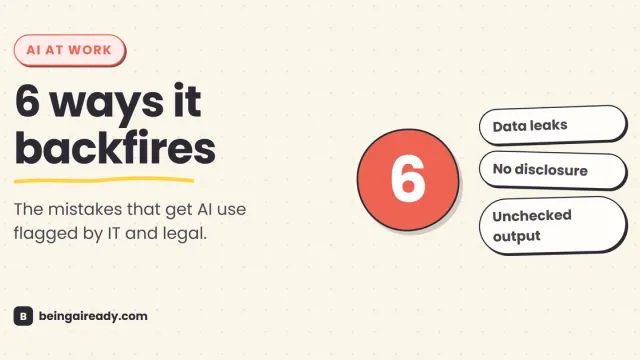
How to Use AI at Work Without Getting Into Trouble
AI at work isn't risky because it's AI — it's risky because most people never learn the six specific ways it backfires. Here's the practical rulebook.