
AI Automation
Introduction
AI automation platforms connect the apps you already use — email, spreadsheets, CRMs, chat, calendars — and run multi-step tasks across them so nobody has to repeat each step by hand. The workflows are mostly built in advance, when-this-then-that style, with AI increasingly able to handle the fuzzy parts of a step, like drafting a reply or deciding which record to update. This page is for anyone with a repetitive, well-defined process that spans several apps and would rather set it up once than keep doing it manually.
Top recommendations
Zapier
FreeThe most widely used no-code automation platform, connecting thousands of apps through trigger-and-action workflows called Zaps, with a growing set of AI agent and assistant features layered on top.
Make
FreeA visual automation platform (formerly Integromat) built around a drag-and-drop workflow canvas, favored for handling complex branching logic and data transformation more directly than Zapier.
Comparison
| Tool | Best for | Pricing |
|---|---|---|
| Zapier | Non-technical individuals and small teams who want to connect popular business apps quickly without writing code | $19.99/month (Professional plan, billed annually; $29.99/month billed monthly) for 750 tasks |
| Make | Teams that need complex branching logic, loops, or inline data transformation that simple trigger-action tools handle awkwardly | $9/month (billed annually) for the entry paid tier, with credit allotments scaling up from there |
| n8n | Developers and technical teams who want full source-level control and the option to self-host rather than depend entirely on a vendor's cloud | €20/month (Starter plan, billed annually) for n8n Cloud, or free to self-host (Community Edition, pay only for your own server) |
| Gumloop | Teams automating tasks that require AI judgment at each step — data enrichment, lead research, document processing — rather than simple data movement between apps | $37/month (Pro/Solo plan) for roughly 10,000-20,000 credits/month, depending on current plan structure |
| Lindy | Salespeople, consultants, recruiters, and other roles with heavy email, meeting, and scheduling loads who want an assistant handling the busywork around those tasks | $49.99/month (Plus plan) |
| Activepieces | Teams that want an open-source, self-hostable alternative to Zapier with a genuinely permissive (MIT-licensed) community edition | $5/month per active flow (Standard plan, after the first 10 free active flows) |
Reviews
Zapier
The most widely used no-code automation platform, connecting thousands of apps through trigger-and-action workflows called Zaps, with a growing set of AI agent and assistant features layered on top.
Read the full review — Zapier →Make
A visual automation platform (formerly Integromat) built around a drag-and-drop workflow canvas, favored for handling complex branching logic and data transformation more directly than Zapier.
Read the full review — Make →n8n
A source-available, self-hostable workflow automation platform built for technical teams, combining a visual canvas with the ability to drop in custom JavaScript or Python and build AI agents directly into workflows.
Read the full review — n8n →Gumloop
An AI-native workflow platform where individual steps are AI reasoning nodes — web scraping, document parsing, multi-model chaining — built for automating tasks that need judgment, not just data movement.
Read the full review — Gumloop →Lindy
An AI work assistant you delegate open-ended tasks to in plain English — inbox triage, meeting prep, calendar coordination, CRM updates — rather than a visual workflow you diagram step by step.
Read the full review — Lindy →Activepieces
An open-source, AI-first automation platform priced per active workflow rather than per task or credit, with a self-hostable MIT-licensed Community Edition as an alternative to Zapier or n8n.
Read the full review — Activepieces →Frequently asked questions
What's the difference between a workflow automation tool and an AI agent builder?
Classic automation tools like Zapier, Make, n8n, and Activepieces run explicit trigger-and-action workflows you design step by step — if X happens, do Y, then Z. AI agent builders like Lindy layer natural-language reasoning on top, so you describe an outcome ('triage my inbox and draft replies') and the AI figures out the steps and handles ambiguous judgment calls. Gumloop sits in between: a visual workflow canvas where individual steps can be AI reasoning nodes rather than fixed logic. The right choice depends on whether your process is well-defined enough to diagram, or open-ended enough to need judgment.
Do I need to know how to code to use these tools?
No, for most of them. Zapier, Make, Gumloop, and Lindy are built around visual, no-code interfaces. n8n and Activepieces are also usable without code, but both let technical users drop in custom JavaScript or Python for logic the visual builder can't express — which is part of why they appeal to developer-heavy teams.
Why isn't Relay.app included in this list?
Relay.app was a genuinely well-regarded human-in-the-loop automation tool, but the company announced on July 16, 2026 that it is shutting down, with free accounts closing August 15, 2026 and paid accounts winding down by September 14, 2026. It's a useful reminder that this market moves fast — verify a vendor's current status before building critical workflows on top of it.
How does pricing actually work on these platforms?
Most use one of three models: task-based (Zapier counts each completed action step), credit-based (Make, Gumloop, and n8n's cloud plans consume credits per operation, with AI steps often costing more credits than simple ones), or per-active-workflow (Activepieces charges per flow you keep running, with unlimited executions). None of these map cleanly onto each other, so compare based on your actual expected volume rather than the advertised entry price.
Can I connect these tools to the AI chatbots and coding tools I already use?
Yes. Most platforms on this page can call out to large language models like GPT, Claude, and Gemini as a step inside a workflow, and several (n8n, Zapier, Activepieces) support the Model Context Protocol (MCP), which lets AI coding assistants and chat tools trigger or use these automations directly. See AI Chat Assistants and AI Coding Assistants for the tools on the other side of that connection.
How to choose the right AI automation tool
Start with how technical your team is and how much control you need — that narrows the field faster than any feature list:
- No-code connector or developer platform? Non-technical teams that just want to link popular apps quickly are best served by a visual, no-code builder. Teams with developers who want self-hosting and source-level control should look at an open, self-hostable engine.
- Fixed workflow or AI reasoning? Some tools run a rigid trigger-and-action diagram you assemble; others let you describe an outcome in plain language and have AI plan the ambiguous parts. Match this to whether your process is well-defined enough to diagram.
- How does the pricing meter? Task-based, credit-based, and per-active-workflow pricing behave very differently at scale — a flow that looks cheap in a demo gets expensive once it runs thousands of times a month. Price your real volume.
- Does it connect the specific apps you use? The whole value here is integration, so check that the tools you actually run are supported natively before committing, not just the popular headline ones.
- How is your data handled? These platforms get read/write access to real business systems, so check each vendor’s data-handling and permission model before connecting anything sensitive.
How AI changes app-to-app automation
Automation used to mean strictly deterministic wiring: a new form submission always creates the exact same record, every time, with no interpretation. That’s still the backbone, and it’s the right tool when a process is predictable. What AI adds is a way to handle the parts that used to force a person back into the loop — summarizing a message, drafting a reply, classifying an item, deciding which record matches — as a step inside an otherwise automatic flow.
The catch is that an AI step doesn’t behave like a deterministic one. Its output can vary from run to run, so the same input won’t always produce the same result. That’s fine for drafting an internal summary and riskier for anything customer-facing or compliance-sensitive. The workable pattern is to automate the predictable plumbing deterministically and reserve AI steps for the judgment calls, with review wherever a wrong call would be costly.
Connecting apps versus managing work versus handing over a goal
It’s easy to confuse three nearby jobs. This category is about connecting apps and moving data between them — getting one system to talk to another automatically. That’s different from work-and-project management tools, which are where a team plans, assigns, and tracks its actual work day to day, with AI summarizing and triaging inside that shared system of record. And it’s different again from general-purpose AI agents, which take a goal you describe and plan their own multi-step path to it rather than running a workflow you built. Plenty of teams use more than one: a connector to sync data between systems, a work-management tool as the place the team actually lives. If your problem is “these apps should talk to each other,” you’re in the right category.
Related articles
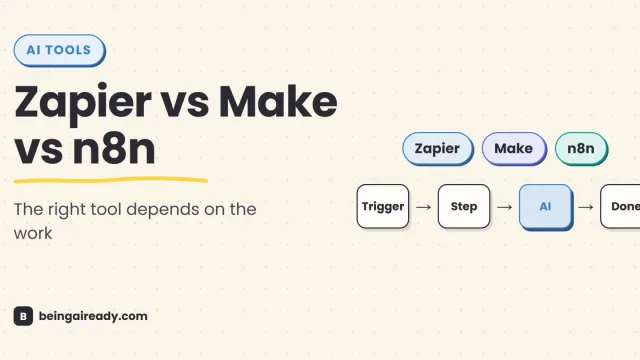
Best No-Code AI Automation Tools in 2026: Zapier vs Make vs n8n
Zapier, Make, or n8n? A practical 2026 comparison of ease of use, AI features, integrations, pricing, control, and real-world fit.
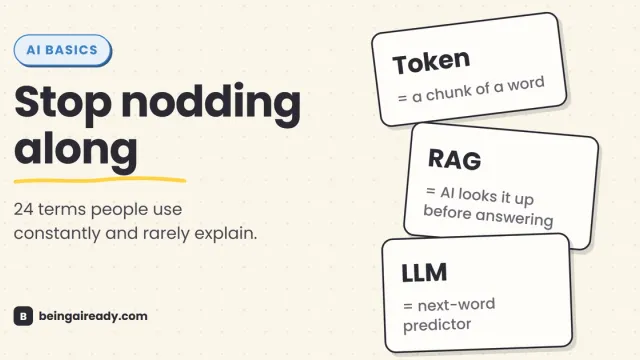
AI Terms Explained: A Plain-English Glossary of 24 Words
The 24 AI terms everyone uses but nobody defines — LLM, tokens, RAG, agents and more — explained in plain English, with analogies that actually stick.