
AI Note-Taking
Introduction
AI note-taking tools help you capture ideas quickly and — the harder part — find and reuse them later, instead of losing them in an ever-growing pile of unsorted text. AI does two things here: it takes over the busywork of tagging, filing, and linking notes, and it lets you ask questions of your own notes in plain language instead of relying on keyword search or memory. This page is for individuals and small teams building a personal knowledge base meant to grow and stay searchable over months or years.
Top recommendations
Notion AI
FreeThe AI features built into Notion, the all-in-one workspace — used for drafting, summarizing, and querying notes and documents inside pages you already keep in Notion.
Mem
FreeAn AI-native personal knowledge base that automatically organizes notes, meetings, and ideas, and lets you chat with your own notes to retrieve information instead of manually filing or searching for it.
Comparison
| Tool | Best for | Pricing |
|---|---|---|
| Notion AI | People and teams who already live in Notion for docs, wikis, and project tracking and want AI layered into that existing workspace rather than a separate app | $20/user/month (Business plan, billed annually) for full AI access |
| Mem | Individuals who want to capture notes quickly without manually organizing them into folders or tags | $12/month (Pro plan) |
| Reflect | People who want a networked, backlinked note structure (similar to Obsidian) but prefer a polished, hosted app over a plugin-based local setup | $10/month (or $100/year) |
| Tana | Power users who want notes to double as structured data — tasks, project records, or a lightweight personal CRM — not just plain text | $8/month (Plus plan, billed annually) |
| Obsidian | People who want full control over their notes as plain markdown files stored locally, not locked into a proprietary cloud format | Free (core app, including commercial and organizational use) |
| Craft | Users in the Apple ecosystem who want a beautifully designed notes and docs app with calendar and task integration | $8/month (Plus plan, billed annually; $10/month billed monthly) |
Reviews
Notion AI
The AI features built into Notion, the all-in-one workspace — used for drafting, summarizing, and querying notes and documents inside pages you already keep in Notion.
Read the full review — Notion AI →Mem
An AI-native personal knowledge base that automatically organizes notes, meetings, and ideas, and lets you chat with your own notes to retrieve information instead of manually filing or searching for it.
Read the full review — Mem →Reflect
An AI-powered networked notes app built around backlinking and end-to-end encryption, designed for people who want a private, structured 'second brain' with calendar-aware daily notes.
Read the full review — Reflect →Tana
An AI-native outliner that turns notes into structured data using 'Supertags,' letting the same note function as a task, a meeting record, or a CRM contact rather than staying plain text.
Read the full review — Tana →Obsidian
A local-first, markdown-based notes app where AI capabilities come entirely from optional community plugins like Smart Connections and Copilot for Obsidian, rather than a single built-in assistant.
Read the full review — Obsidian →Craft
A design-focused document and notes app that combines writing, task capture, and daily notes with a built-in AI assistant, including some AI features that run on-device via Apple's Foundation Models.
Read the full review — Craft →Frequently asked questions
How is this different from AI meeting assistants?
Meeting assistants like Otter.ai, Fireflies.ai, and Fathom join calls to transcribe and summarize conversations in real time. The tools on this page are for general personal or team notes — ideas, projects, research, journaling — not for recording and transcribing live meetings. See AI Meeting Assistants for that use case.
Is Gemini Notebook (formerly NotebookLM) covered in this category?
No. Gemini Notebook is built around answering questions from a specific set of source documents you upload, and is covered under AI Research. This category focuses on general-purpose note apps for your own ongoing notes rather than source-grounded document Q&A.
Do these tools work offline?
It varies. Obsidian stores notes as local files and can run some AI features fully offline. Reflect supports offline access with sync. Notion AI, Mem, Tana, and Craft's cloud AI features generally require an internet connection, even though some also offer limited local functionality.
Can I move my notes between these tools if I switch later?
Most support some form of markdown or plain-text export, but fidelity varies — networked features like backlinks and Tana's Supertags don't always translate cleanly to another tool's format. Check each tool's export options before committing your long-term notes to it.
Which of these is the most private option?
Obsidian is the strongest option if you want notes and AI processing kept fully on-device, since it's local-first and its Smart Connections plugin runs embeddings locally. Reflect is the strongest hosted option, since it uses end-to-end encryption. The other tools are standard cloud services with their own data-handling policies worth checking directly.
What AI note-taking is for (and what it isn’t)
A note-taking app is for your own ongoing notes — ideas, project work, research, reference material, the odd journal entry — captured over time and meant to stay findable. AI sits on top of that writing to help you organize and retrieve it. It doesn’t record anything for you.
That’s a different job from two things it’s often confused with. Transcribing a live meeting or call is a separate category with its own purpose-built tools, because the hard part there is accurate real-time speech-to-text. Interrogating a fixed set of documents you upload — a contract, a report, a stack of PDFs — is another job again, built around answering from those exact sources. A note-taking tool assumes the words are already yours and the point is keeping them usable.
How to choose the right AI note-taking tool
Start with how you want the AI delivered, then work through the practical questions:
- Layered onto a workspace, a dedicated app, or local-first? Some tools add AI to a workspace you already use for docs and projects; some are built from the ground up around AI-native notes; some keep everything in local files with AI added on top. This one choice rules out most of the list.
- How much organizing do you want the AI to do? A few tools file, tag, and link notes for you automatically; others hand you the structure and help only when asked. Automatic is less work; manual gives you more control over where things end up.
- How private does it need to be? Options range from ordinary cloud storage to end-to-end encryption to keeping both notes and AI processing entirely on your own device. If your notes are sensitive, this matters more than any feature.
- Is the AI metered or unlimited? Several tools cap AI features with a monthly credit allowance even on paid plans, which affects real cost more than the headline price. Check the allowance against how much you’d actually use.
- Can you get your notes back out? Most export to markdown or plain text, but networked features like backlinks and custom structures often don’t survive the move. If these are notes you’ll keep for years, check the exit before you commit.
How AI changes note-taking compared with doing it by hand
By hand, the writing is the easy part — it’s keeping it usable that fails. Notes pile up, the tagging and filing that would make them findable is tedious enough to skip, and six months later you can’t locate the thing you know you wrote down. AI targets exactly that gap. It can link and file notes as you go, and let you ask your own notes a plain-language question instead of remembering the right keyword. A passive archive becomes something you can actually interrogate.
The limits are worth being honest about. The AI can only work with what you captured, so it won’t rescue notes that were thin to begin with. Its summaries smooth over your original wording, which is sometimes the exact detail you needed. And conversational recall is a form of search that can return a confident but wrong or irrelevant answer, so treat it as a way to find things faster, not a reason to stop reading the note it points you to.
Related articles
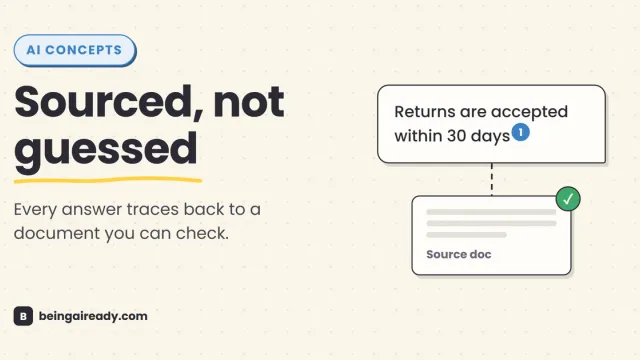
What Is RAG? Retrieval-Augmented Generation in Plain English
RAG is why some AI tools give a straight, sourced answer while others just guess with confidence. Here's what it is and how it works — without the jargon.
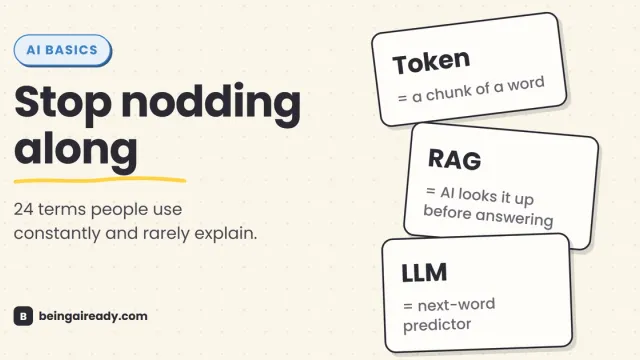
AI Terms Explained: A Plain-English Glossary of 24 Words
The 24 AI terms everyone uses but nobody defines — LLM, tokens, RAG, agents and more — explained in plain English, with analogies that actually stick.