
Mem
An AI-native personal knowledge base that automatically organizes notes, meetings, and ideas, and lets you chat with your own notes to retrieve information instead of manually filing or searching for it.
Visit website (opens in a new tab)Independent editorial listing. Features, pricing, and privacy terms can change; confirm details on the vendor site before buying or rolling out a tool.
What it does
Mem positions itself as an AI-native “second brain” rather than a traditional folder-and-tag notes app. Instead of asking users to manually organize where a note belongs, Mem uses AI to automatically surface related notes and lets people query their own notes conversationally through Mem Chat, similar to asking a question of a chatbot but grounded in what they’ve actually written. Mem 2.0, released in early 2026, focused on improving the speed and sync reliability that had been common complaints about the earlier version.
Because Mem is a smaller, venture-backed company rather than an established platform like Notion, it carries more uncertainty about long-term product direction — worth weighing against its lower setup overhead and affordable individual pricing.
Ideal users
- Individuals who want to capture notes quickly without manually organizing them into folders or tags
- People who prefer asking questions of their notes conversationally rather than searching by keyword
- Knowledge workers building a personal 'second brain' who don't want the setup overhead of a manual linking system like Obsidian
Who should avoid it
- You want full control over exactly how notes are structured and organized — Mem leans on automatic organization rather than manual folders
- You need a mature team-wide knowledge base with granular permissions — better served by Notion for larger teams
- You want a local-first, offline-capable tool — Mem is cloud-based
- You need deep bidirectional-linking and a visual graph view as your primary way of navigating notes — better served by Obsidian or Reflect
Key features
- Automatic organization — Mem surfaces and connects related notes without manual tagging or foldering
- Mem Chat: an AI chat interface that answers questions using your own notes as its knowledge base
- PDF ingestion so uploaded documents become part of your searchable knowledge
- Meeting notes capture
- Fast capture designed for quick note entry
Pros / Cons
Pros
- Low setup overhead — little manual organizing is required for the AI to make notes useful
- Mem Chat lets you ask questions in natural language instead of hunting through old notes
- Mem 2.0 (2026) addressed earlier complaints about speed and sync reliability
- Affordable individual pricing compared to enterprise workspace tools
Cons
- Smaller company and ecosystem than Notion or Obsidian, which carries more platform-risk uncertainty
- Less manual control over organization than tools built around explicit linking or tagging
- No local-first or offline mode
- Team/collaboration features are less mature than general-purpose workspace tools
Pricing
Free — $12/month (Pro plan)
Confirmed at get.mem.ai/pricing (mid-2026): Mem Free (25 notes, 25 Chat messages, and 25 PDF pages per month), Mem Pro at $12/month (unlimited notes, Chat, deep search, and PDF understanding, plus connected email, API access, meeting briefings, and AI model selection), and Mem Proactive at $99/month after a 7-day trial (adds the Mem Agent, which tracks decisions and open loops and proactively surfaces context before meetings and deadlines). The current public pricing page no longer lists a separate Teams plan.
Typical workflows
- Users jot down quick notes throughout the day without deciding where they belong, then rely on Mem's automatic organization to surface related notes later.
- Before a meeting or task, someone asks Mem Chat a question like 'what did we decide about X last month' instead of scrolling back through old notes.
Integrations
- Slack
- Google Calendar
- Gmail
- Google Drive and Google Sheets (via third-party automation platforms)
- Notion (via third-party automation platforms)
Privacy & security notes
Mem's privacy policy (get.mem.ai/pages/privacy) states that it does not use personal information, notes, or integration data (including third-party sources like Google Workspace) to train generalized AI/ML models, and does not sell user data to third parties. Data is retained only as long as necessary for its stated purposes, and Mem is SOC 2 Type II compliant with TLS-encrypted data in transit.
Frequently asked questions
How is Mem different from a traditional notes app?
Instead of relying mainly on folders and manual tagging, Mem uses AI to automatically surface related notes and lets you query your notes conversationally through Mem Chat.
Does Mem require me to organize notes as I write them?
No — Mem is designed for fast, low-friction capture, with organization and retrieval handled largely by AI rather than upfront manual filing.
Is Mem suitable for team knowledge bases?
Not really — Mem's current plans (Free, Pro, Proactive) are all individual-focused, with no dedicated team/shared-workspace plan, so its collaboration and permissions features are less mature than general-purpose workspace tools like Notion built specifically for teams.
Can I import PDFs and other documents into Mem?
Yes, Mem supports PDF ingestion so uploaded documents become part of your searchable, chattable knowledge base.
Best alternatives
Reflect
PaidAn AI-powered networked notes app built around backlinking and end-to-end encryption, designed for people who want a private, structured 'second brain' with calendar-aware daily notes.
Notion AI
FreeThe AI features built into Notion, the all-in-one workspace — used for drafting, summarizing, and querying notes and documents inside pages you already keep in Notion.
Related tutorials
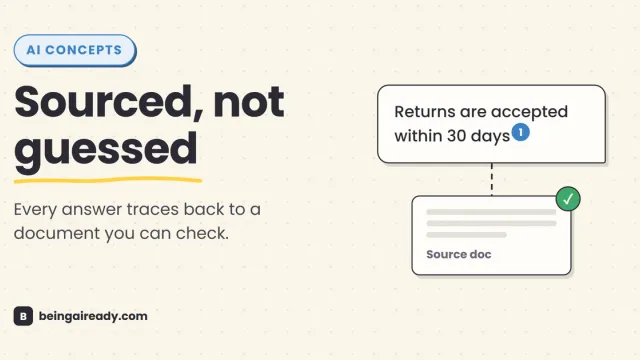
What Is RAG? Retrieval-Augmented Generation in Plain English
RAG is why some AI tools give a straight, sourced answer while others just guess with confidence. Here's what it is and how it works — without the jargon.