
Obsidian
A local-first, markdown-based notes app where AI capabilities come entirely from optional community plugins like Smart Connections and Copilot for Obsidian, rather than a single built-in assistant.
Visit website (opens in a new tab)Independent editorial listing. Features, pricing, and privacy terms can change; confirm details on the vendor site before buying or rolling out a tool.
What it does
Obsidian is a local-first notes app that stores everything as plain markdown files rather than in a proprietary cloud format, built around bidirectional links and a visual graph of connected notes. Unlike the other tools in this category, it ships with no AI features at all — every AI capability comes from optional, community-maintained plugins. Smart Connections adds local, offline semantic search that surfaces related notes automatically using an on-device embedding model, while Copilot for Obsidian adds a chat panel that can answer questions across a vault or generate and rewrite text, typically using your own API key from a provider like OpenAI or Anthropic.
This plugin-based approach is Obsidian’s main trade-off: there’s more setup than an AI-native app that works immediately, and chat-based AI usually carries its own separate API cost. In exchange, users get strong data ownership (their notes are just files on their device), a free core app, and the ability to combine exactly the plugins — AI and otherwise — that fit their workflow, rather than accepting one vendor’s fixed feature set.
Ideal users
- People who want full control over their notes as plain markdown files stored locally, not locked into a proprietary cloud format
- Privacy-conscious users who want AI features (like semantic search) that can run entirely on-device without an API key
- Power users comfortable installing and configuring plugins to assemble exactly the feature set they want
Who should avoid it
- You want AI features working out of the box with no setup — Obsidian ships with no AI at all until you install and configure plugins
- You want a single vendor to support the whole experience — Obsidian's AI capability depends on third-party, community-maintained plugins
- You want built-in real-time collaboration — Obsidian is built primarily around individual, local-first note vaults
- You don't want to manage your own API key — chat-based plugins like Copilot for Obsidian typically require your own OpenAI, Anthropic, or other provider key
Key features
- Local-first storage — notes are plain markdown files on your device, not locked in a proprietary format
- Smart Connections plugin: local-embedding semantic search that surfaces related notes automatically, with no API key required
- Copilot for Obsidian plugin: a chat panel that answers questions over your vault using retrieval-augmented generation and can rewrite or generate text inline
- Bidirectional linking and a graph view for networked notes
- Large, active plugin ecosystem covering AI, task management, and publishing
Pros / Cons
Pros
- Notes stay as local markdown files, giving strong data ownership and long-term portability
- Smart Connections offers genuinely free, offline, private semantic search with zero setup
- Highly customizable — users assemble the exact combination of AI and non-AI plugins they want
- Free for personal use, with a large, mature plugin community
Cons
- No AI at all out of the box — every AI capability requires installing and configuring a plugin
- Chat-based AI plugins like Copilot typically require bringing your own paid API key, adding a variable ongoing cost
- More setup effort than an AI-native app that works immediately after signup
- Sync and Publish, Obsidian's official cross-device sync and site-publishing features, are separate paid add-ons
Pricing
Free — Free (core app, including commercial and organizational use)
The core Obsidian app is free for personal use. Smart Connections and Copilot for Obsidian are free, open-source plugins, but Copilot requires your own paid API key from a provider like OpenAI or Anthropic, so real AI cost depends on usage. As of February 2025, Obsidian is also free for commercial and organizational use — the $50/user/year Commercial License is now a voluntary way to support development rather than a requirement. Optional Obsidian Sync ($4/user/month billed annually, or $5 billed monthly) and Obsidian Publish ($8/site/month billed annually, or $10 billed monthly) are paid separately.
Typical workflows
- While drafting a note, Smart Connections surfaces related past notes in a side panel automatically, without the user needing to search or add manual links.
- A user opens the Copilot for Obsidian chat panel to ask a question spanning many notes in their vault, and Copilot retrieves relevant passages before generating an answer.
Integrations
- Large community plugin ecosystem (task management, publishing, calendar, and more)
- Obsidian Sync (paid, official cross-device sync)
- Obsidian Publish (paid, official site publishing)
- Bring-your-own API key for AI plugins (OpenAI, Anthropic, and others)
Privacy & security notes
Because notes are stored as local markdown files, Obsidian itself has no server-side access to your content by default. Smart Connections runs its embedding model locally, so semantic search works fully offline with no data leaving the device. Copilot for Obsidian and similar chat plugins send relevant note content to whichever AI provider's API key you configure, so privacy in that case depends on that provider's own data policy, not Obsidian's.
Frequently asked questions
Does Obsidian have AI features built in?
No — the core app has no AI. All AI capability comes from optional community plugins such as Smart Connections (local semantic search) and Copilot for Obsidian (chat over your vault).
Do I need to pay for an API key to use AI in Obsidian?
It depends on the plugin. Smart Connections runs local embeddings at no extra cost. Chat-based plugins like Copilot for Obsidian typically require your own paid API key from a provider like OpenAI or Anthropic.
Is my data private in Obsidian?
Notes are stored as local files by default, and local-embedding plugins like Smart Connections keep AI processing entirely on-device. Chat plugins that call an external AI provider send relevant content to that provider, so privacy there depends on the provider you choose.
Is Obsidian free?
The core app is free, including for commercial and organizational use as of February 2025 — the $50/user/year Commercial License is now a voluntary way to support development rather than a requirement. Official Sync and Publish services remain separate paid add-ons.
Best alternatives
Reflect
PaidAn AI-powered networked notes app built around backlinking and end-to-end encryption, designed for people who want a private, structured 'second brain' with calendar-aware daily notes.
Tana
FreeAn AI-native outliner that turns notes into structured data using 'Supertags,' letting the same note function as a task, a meeting record, or a CRM contact rather than staying plain text.
Related tutorials
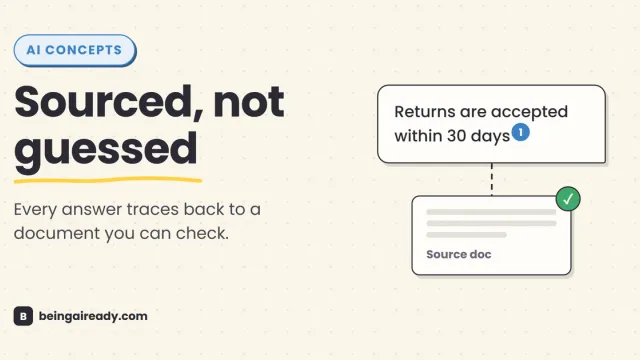
What Is RAG? Retrieval-Augmented Generation in Plain English
RAG is why some AI tools give a straight, sourced answer while others just guess with confidence. Here's what it is and how it works — without the jargon.
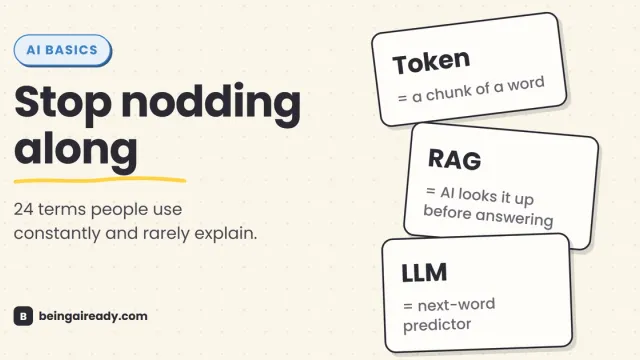
AI Terms Explained: A Plain-English Glossary of 24 Words
The 24 AI terms everyone uses but nobody defines — LLM, tokens, RAG, agents and more — explained in plain English, with analogies that actually stick.