
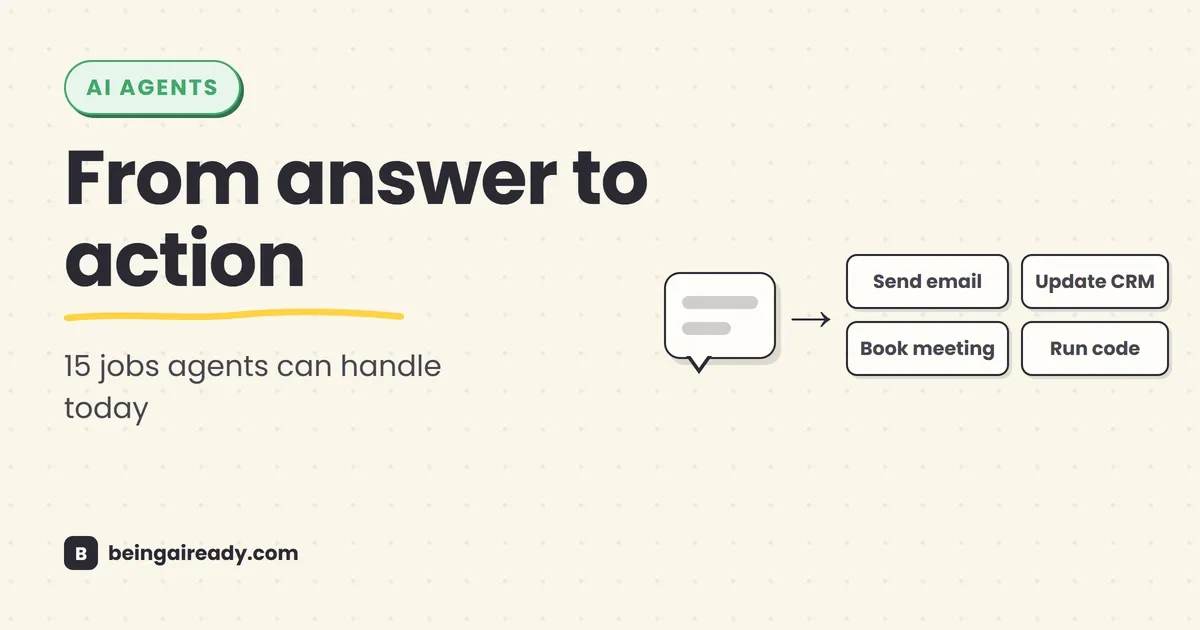
What Can AI Agents Actually Do? 15 Real Examples by Use Case
For the first two years of the generative AI boom, the main action happened inside a chat box. You asked for something; the model produced an answer. It could write an email, explain a spreadsheet formula, summarize a document, or generate a plausible marketing plan — useful, certainly, but the work still landed back on your desk. You had to open the other app, find the right record, copy the result across, check it, send it, and deal with whatever happened next.
AI agents are an attempt to cross that gap between answering and doing. An agent does not merely tell you how to complete a task; it can work through the task — decide which information it needs, use tools to retrieve it, take permitted actions in other systems, inspect the result, and continue until it reaches a stopping point. The difference sounds small when described in a product demo, but in practice it changes the unit of work from a prompt to a workflow.
That does not mean a digital employee has arrived, or that businesses can hand over entire departments. Most agents in production are narrower and more supervised than the name suggests. They handle a defined process, inside a limited set of systems, with rules about when to stop and ask a person. The useful ones look less like science fiction and more like a competent operations assistant with a tightly scoped login.
This guide looks at what that means in real terms. The 15 examples below are based on agentic products and deployments that exist now, not hypothetical claims about what a future model might do. Some are autonomous within strict limits; others pause for approval before acting. That distinction matters more than the word agent on the pricing page.
Quick answer: AI agents can already research topics, prepare meetings, manage routine email and calendar work, update spreadsheets and CRMs, qualify sales leads, book appointments, resolve common support requests, process expenses, verify documents, review contracts, answer employee questions, write and test code, investigate IT incidents, and triage security alerts. They work best on bounded digital workflows with clear goals, access to reliable tools, checkable results, and a human escalation path. They still struggle with vague objectives, high-stakes judgment, unusual edge cases, and actions that are expensive or impossible to reverse.
Here is what you will walk away knowing:
- What makes something an AI agent rather than a chatbot, copilot, or ordinary automation.
- Fifteen concrete jobs agents can perform today, including what happens step by step and where a person still belongs.
- Which use cases are mature enough to try now, and which ones need much tighter supervision.
- A simple test for deciding whether a workflow in your own work is a good candidate.
- The limits and risks that disappear from most agent demonstrations.
First, what counts as an AI agent?
The term has become loose enough to cover almost anything with an AI model inside it. A customer-service chatbot gets called an agent. A button that summarizes a PDF gets called an agent. A fixed Zapier workflow with one classification step gets called agentic. Vendors have a clear incentive to stretch the definition, because agent currently sounds more valuable than feature.
A more useful test is behavioral. An AI agent is a system that can pursue a goal by choosing and carrying out multiple steps with some independence: it uses a model to decide what to do next, tools to read information or change something outside the conversation, and instructions that define its boundaries. It then works in a loop — plan, act, observe, adjust, and either continue, finish, or escalate.
OpenAI’s practical guide defines agents as systems that independently accomplish tasks on a user’s behalf and distinguishes them from applications where a model produces text but does not control the workflow. Anthropic uses a similar definition: an agent directs its own process and tool use rather than following a completely fixed script. The wording differs, but the dividing line is consistent. A chatbot answers; an agent can decide and act. (OpenAI, Anthropic)
A basic agent therefore needs three things:
- A goal: “Resolve this support request,” “prepare me for tomorrow’s client meeting,” or “fix this bug.”
- Tools: Search, email, a calendar, a CRM, a browser, a database, a code editor, an expense system, or another application it can use.
- Boundaries: What it may read, what it may change, which actions require approval, and when it must stop.
Memory can help, and several specialized agents can work together, but neither is required for the basic idea. A single agent with five well-defined tools is often more useful than a theatrical “team” of 20 agents passing messages to one another.
For a deeper look at the moving parts, see How Do AI Agents Actually Work? Architecture in Plain English. For the naming confusion, see AI Agents vs Chatbots vs Copilots vs Assistants.
The four levels of agent autonomy
The question “Can an agent do this?” is incomplete. A better question is “How much of this should it do before a person checks?”
| Level | What the agent does | Example | Typical risk |
|---|---|---|---|
| 1. Read and recommend | Gathers information, analyzes it, and proposes a next step | Draft a refund decision for an employee to review | Low to moderate |
| 2. Act with approval | Prepares the action, then waits for confirmation | Compose an email and show it before sending | Moderate |
| 3. Act within limits | Completes routine actions under preset thresholds | Approve an expense that matches policy and is under a set amount | Moderate, if tightly bounded |
| 4. Handle the workflow and escalate exceptions | Runs the process end to end, involving a person only when rules, confidence, or risk thresholds are crossed | Resolve common support cases and transfer unusual ones | Higher operational complexity |
Most sensible deployments move through these levels gradually. They begin by showing recommendations, then earn permission for a narrow set of repeatable actions. The goal is not maximum autonomy. It is the lowest amount of human involvement that still produces a dependable outcome.
What AI agents can actually do: 15 real examples
The systems below do not all use the same architecture, and their vendors do not all use agent with the same precision. What they share is the important part: they can manage more than a single generation step, use external tools or data, and move a workflow forward.
Where a company reports a performance figure, treat it as a vendor or customer case-study result rather than an independent benchmark. The numbers are useful signals, but the workflow design matters more than the headline percentage.
1. Resolve routine customer-support issues
A support agent can do considerably more than search a help center and paste an answer. Given the right connections, it can identify the customer, retrieve account or order details, interpret the request, check the relevant policy, take an approved action, explain what it did, and escalate when the case falls outside its authority.
Consider a customer asking why a payment failed. A capable agent might:
- Verify the customer’s identity.
- Retrieve the transaction and account status.
- Check whether the failure matches a known issue or policy rule.
- Explain the cause in plain language.
- Retry a permitted operation, update a ticket, or route the case to the correct specialist.
- Record a summary so the customer does not have to repeat everything.
This is one of the most mature agent use cases because the workflow already exists, the knowledge base is usually documented, and the range of permitted actions can be limited.
In practice: Coinbase uses Claude across a customer-facing chatbot, an agent-assist system, and help-center search. Its chatbot can generate responses using Coinbase’s knowledge and customer context, while compliance guardrails constrain what it may say or do. Coinbase reports higher automation and lower handling time, although it does not publish a single universal resolution rate. (Anthropic customer story)
Intercom reports that its Fin agent resolves a substantial share of support volume for customers, while TELUS says its agentic customer-experience system autonomously resolves part of its call traffic and hands context to frontline staff when a person is needed. These are vendor-reported figures, but the workflow itself is now well established. (Intercom case study, TELUS case study)
Human checkpoint: account closure, large refunds, vulnerable customers, legal threats, safety issues, exceptions to policy, and any case where preserving the relationship matters more than closing the ticket quickly.
2. Act as a product or service concierge
A product concierge sits between marketing, sales, and support. It helps a visitor work out what they need, compares options, answers detailed questions, and moves them toward the next useful step rather than merely returning a list of links.
On a software website, for example, the agent might notice which product page a visitor is viewing, ask about team size and requirements, compare plans, retrieve current pricing, explain a technical limitation, suggest a trial, and hand the conversation to a salesperson when the questions become commercial or unusually complex.
This is agentic when the system decides which specialist knowledge source or tool to use, combines information from several of them, maintains the context of a multi-turn conversation, and triggers a follow-up action.
In practice: Microsoft’s “Ask Microsoft” web agent uses multiple specialized sub-agents for areas such as Microsoft 365, Azure, pricing, and trials. It can combine answers across those sources, adapt its response to the page a visitor is on, transfer to live chat, and trigger an email follow-up when a visitor abandons a trial flow. Microsoft reports lower latency, fewer human escalations, and higher trial initiation in its own tests. (Microsoft customer story)
The useful part here is not a conversational interface. Websites have had chat windows for years. It is the ability to move between explanation, recommendation, routing, and follow-up without making the visitor restart the process in each system.
Human checkpoint: negotiated pricing, contractual commitments, unusual technical architectures, regulated products, and any recommendation where the agent has incomplete customer context.
3. Qualify leads, book meetings, and complete simple sales steps
Many small businesses lose leads for an uninteresting reason: nobody replies while the prospective customer is still interested. An agent can watch incoming messages, ask the basic qualifying questions, answer common objections, check availability, book an appointment, write the lead into a CRM, and follow up if the conversation goes quiet.
For a home-services company, the flow could look like this:
- A customer sends a photo and voice note through Instagram or WhatsApp.
- The agent identifies the type of job and asks for the postcode, urgency, and preferred time.
- It checks the service area and pricing rules.
- It offers suitable appointment slots.
- It books the visit, creates the CRM record, and sends a confirmation.
- It alerts a person if the job is large, unclear, or outside the normal policy.
In practice: ChatPlace describes an agent that handles Instagram messages and comments in a creator or business’s documented voice. It can understand text, images, video, and voice messages; qualify leads against actual products and pricing; re-engage stalled conversations; book Google Calendar meetings; update CRMs; and process payments. (Anthropic customer story)
That is a genuine end-to-end sales loop, but it is also a good illustration of why permissions matter. An agent that can message prospects, access a calendar, update a CRM, and take payment has four separate ways to cause an expensive mistake.
Human checkpoint: discounts, custom scopes, high-value purchases, refunds, sensitive customer situations, and any outbound claim that has not been grounded in approved material.
4. Conduct multi-source research and produce a usable report
Research agents are among the easiest to try because they can create value without changing an external system. You provide a question; the agent plans searches, opens sources, follows promising leads, compares conflicting information, extracts evidence, and produces a cited report.
A useful business request might be:
Compare the five main competitors in our market. Focus on pricing, target customer, product changes in the last year, distribution, and likely strategic direction. Use primary sources where possible and flag anything uncertain.
A simple search chatbot may return the first plausible answer. A research agent can run dozens of searches, inspect company pages and filings, keep track of the evidence, revise its direction as it learns, and structure the final output around the decision you need to make.
In practice: OpenAI’s deep research system was introduced as an agent that finds, analyzes, and synthesizes large numbers of online sources into a report. The later ChatGPT agent combined that research capability with tools for taking action, so the result can feed into a spreadsheet, presentation, or other workflow. (Deep research, ChatGPT agent)
Research is an ideal “read and recommend” use case. The agent can save the mechanical work of gathering and organizing evidence while leaving the actual business judgment with you.
Human checkpoint: source quality, recent facts, statistics, legal or medical claims, competitor conclusions based on weak evidence, and any number that will appear in a decision or published document. Use the verification habits in How to Fact-Check AI Answers.
5. Prepare for meetings using scattered company context
Meeting preparation often involves a small scavenger hunt: search the calendar invitation, read the last email thread, inspect the CRM, find the previous deck, check open support issues, and remember what was promised six weeks ago. An agent can assemble that context automatically and turn it into a briefing.
For a client meeting, it could:
- Read the calendar event and attendee list.
- Retrieve recent emails and previous meeting notes.
- Check the CRM for deal stage, renewal date, and open tasks.
- Find support tickets or product feedback from the account.
- Summarize recent developments at the client’s company.
- Produce an agenda, unresolved questions, risks, and suggested next actions.
After the meeting, the same agent can compare the transcript with the agenda, extract commitments, draft the follow-up, and create tasks for the people responsible.
In practice: OpenAI demonstrates ChatGPT agent preparing a client-meeting report and slide deck from calendar and account context. The system can also rearrange meetings and work with connected information sources, while requiring user control for consequential actions. (OpenAI)
The summary itself was never the hard part — meeting transcription tools have handled that for years. What’s genuinely new is joining the scattered context before the meeting, then carrying the decisions back into the systems where the work happens afterwards.
Human checkpoint: the agenda’s political or relationship-sensitive points, external follow-up messages, commitments on price or delivery, and any interpretation of what another person “really meant.”
6. Triage an inbox and coordinate routine calendar work
Email is a natural agent environment because it mixes unstructured language with repetitive actions. Messages need to be understood, classified, connected to prior context, and turned into replies, tasks, meetings, records, or deliberate non-action.
A bounded inbox agent might:
- identify messages that need a reply rather than merely an archive;
- separate customer issues, invoices, leads, newsletters, and internal requests;
- retrieve the relevant account or project context;
- draft a response in the user’s normal style;
- suggest or find meeting times;
- create tasks from explicit commitments;
- surface only the messages that require judgment.
A stronger agent can handle routine replies on its own, but that should be earned category by category. “Always send the requested invoice copy” is a sensible rule. “Reply to anything that sounds important” is not.
In practice: ChatGPT agent can use connected inbox and calendar information to summarize mail, find available meeting slots, and perform browser-based workflows, while requiring takeover or active supervision for actions such as logging in or sending certain messages. Anthropic similarly describes permission controls that can allow an agent to read a calendar while still requiring approval before it sends an invitation. (OpenAI, Anthropic)
Human checkpoint: first contact with a new customer, emotionally charged messages, complaints, confidential threads, unusual calendar changes, and anything that creates a promise on your behalf.
7. Create and update spreadsheets, documents, and presentations
An agent can increasingly produce the actual work product rather than giving you text to paste into it. It can inspect source material, choose an appropriate format, create a file, run calculations, preserve formatting, add citations, and revise the deliverable after checking its own output.
Examples include:
- updating a monthly financial model with fresh data and formulas;
- turning a dashboard into an editable management presentation;
- creating a project plan from notes, emails, and a statement of work;
- producing a comparison spreadsheet from vendor quotes;
- generating a client report and checking that all claims link back to evidence;
- converting a folder of research into a brief, slide deck, and executive summary.
In practice: ChatGPT agent was launched with demonstrations that include updating spreadsheets while retaining formatting, building presentations from dashboards, and creating financial models. Genspark describes a “Super Agent” that coordinates more than 150 tools to produce slides, spreadsheets, documents, posters, and websites from a single request. (OpenAI, Anthropic customer story)
This is a meaningful shift from generation to production, but files can look finished while containing bad formulas, unsupported conclusions, or formatting errors hidden three sheets deep.
Human checkpoint: final numbers, formulas, external citations, brand-sensitive design, financial assumptions, and any document that will be sent to a customer, investor, regulator, or board.
8. Review expenses and enforce routine spending policy
Expense management is full of small judgments that traditional rules handle badly. A receipt may be incomplete, a merchant name may be obscure, a hotel may exceed policy for a valid reason, or a single charge may contain several line items with different categories.
An expense agent can:
- Read a receipt or card transaction.
- Extract the merchant, date, amount, currency, and line items.
- Match it to the employee, trip, project, and company policy.
- Categorize the expense and request missing evidence.
- Approve straightforward items under a threshold.
- Flag anomalies or policy exceptions with an explanation.
- Sync the result to the accounting or spend-management system.
In practice: Brex says its AI-driven expense system automates 75% of expense transactions, checks all transactions for anomalies at line-item level, and achieves a higher compliance rate than the industry benchmark it cites. The exact results are Brex and Anthropic’s reported figures, but the workflow is a clear example of an agent combining document reading, policy reasoning, transaction data, and action. (Anthropic customer story)
The best autonomy boundary is usually not “approve all expenses.” It is “approve ordinary expenses that match policy, have complete evidence, and fall below a defined threshold; route everything else.”
Human checkpoint: large amounts, missing receipts, unusual merchants, suspected fraud, executive expenses, tax treatment, and any exception that changes company policy rather than applying it.
9. Verify documents and triage fraud or risk cases
Banks, insurers, lenders, marketplaces, and property businesses receive large numbers of documents that do not arrive in a neat database. They arrive as scans, screenshots, PDFs, statements, IDs, payslips, invoices, and forms. A risk agent can read this material, compare it with application data and external records, identify inconsistencies, and assemble a case for review.
A lending workflow might include:
- extracting income and employer details from submitted documents;
- checking whether names, dates, balances, and addresses agree across files;
- spotting signs of alteration or suspicious repetition;
- retrieving relevant policy and risk signals;
- asking the applicant for a missing document;
- recommending approval, rejection, or manual investigation;
- recording the reasoning and evidence used.
In practice: Inscribe uses AI Risk Agents for fraud detection, document verification, and risk analysis at banks and fintech companies. It reports reducing a typical fraud review from 30 minutes to 90 seconds and increasing output substantially in one client deployment. Those figures are vendor-reported, but they illustrate why the use case suits agents: the inputs are messy, the process involves several tools and checks, and the result must be explained rather than merely classified. (Anthropic customer story)
Human checkpoint: adverse decisions, borderline cases, identity mismatches, legal reporting obligations, discrimination risk, and any model conclusion that cannot be traced to evidence.
10. Review contracts and support legal workflows
Legal work combines long documents, precise language, institutional rules, external law, and expensive consequences. That makes it a strong use case for supervised agents and a poor use case for unsupervised final decisions.
A legal-operations agent can:
- compare a contract with the company’s approved playbook;
- identify missing or non-standard clauses;
- extract obligations, dates, renewal terms, and liability limits;
- research a legal question using approved sources;
- connect conclusions to exact quotes in the source material;
- draft fallback language or an internal response;
- route high-risk clauses to the right lawyer.
In practice: GC AI provides in-house legal teams with workflows for legal research, contract review, document drafting, and internal legal guidance. The company says its platform is used by more than 1,500 organizations and that surveyed users save an average of 14 hours per week. Its “Exact Quote” feature links conclusions back to source text, which is the right design direction for a domain where a fluent unsupported answer is dangerous. (Anthropic customer story)
Harvey, Legora, and other legal AI platforms use similar agentic patterns for due diligence, compliance, litigation support, and large-document analysis. None removes the lawyer’s professional responsibility.
Human checkpoint: legal advice, filings, negotiated language, jurisdiction-specific conclusions, privilege decisions, litigation strategy, and every citation that will be relied upon.
11. Answer employee questions and complete routine HR service tasks
HR teams repeatedly answer questions whose correct response depends on the employee’s country, contract, tenure, benefits, manager, leave balance, and company policy. An agent can retrieve that context and guide the employee through a routine process without forcing them to search a portal or wait for a ticket response.
Typical tasks include:
- explain leave, benefits, payroll, travel, and remote-work policies;
- retrieve a personal balance or eligibility status;
- help an employee submit a request;
- collect missing information;
- update a case or route it to the correct HR specialist;
- guide a new employee through onboarding steps;
- remind managers about outstanding approvals.
In practice: Consulting firm Mantel describes building an agent for a retail client that integrates several HR systems, answers policy questions, and performs tasks such as booking leave. Commercial platforms from Salesforce and ServiceNow offer the same broad pattern for personalized employee support and non-critical HR cases. (Google Cloud customer story, Salesforce, ServiceNow)
The safe boundary is important. An agent can explain the parental-leave policy and help submit the form. It should not decide who deserves a promotion or infer that an employee is likely to resign from private messages.
Human checkpoint: hiring and firing, compensation, performance management, accommodations, grievances, health information, investigations, and any decision with legal or discriminatory consequences.
12. Write, test, and submit software changes
Coding agents have moved furthest from “autocomplete” toward owning a complete unit of work. Given a ticket and access to a repository, an agent can inspect the codebase, form a plan, edit several files, run tests, diagnose failures, revise its implementation, and open a pull request for review.
A typical task might be:
Add an audit log for changes to account permissions. Follow the existing event pattern, update the API tests, add a database migration, and document the new event fields.
The agent needs to understand a repository it has never seen, locate the relevant components, respect project conventions, coordinate changes across them, and verify that it did not break existing behavior. This is much closer to junior engineering work than to predicting the next line of code.
In practice: Delivery Hero’s internal software-delivery agent, Herogen, picks up work from Jira, writes code, runs and iterates on tests, and submits pull requests. A group of reviewing agents checks the change from different angles before a human performs the final review. Delivery Hero reports that the system merges more than 100 pull requests per day with an 85% success rate on assigned tickets. (Anthropic customer story)
The key phrase is assigned tickets. Coding agents perform much better when the outcome can be described and tested than when asked to “improve the product” or make an architectural decision with unclear trade-offs.
Human checkpoint: architecture, security-sensitive changes, migrations, production access, unclear requirements, generated dependencies, and final merge approval.
13. Review code and run quality checks
As coding agents generate more code, review becomes a bottleneck. A review agent can inspect a proposed change in the context of the wider codebase, run static analysis or tests, look for likely bugs, check architecture and security patterns, and produce specific comments for the author.
This is different from a one-shot “review this snippet” prompt. A real review agent can navigate files, trace data flow, inspect definitions, compare the change with repository conventions, and decide which tools to run before reaching a conclusion.
In practice: Cubic gives Claude development tools similar to those a human reviewer would use, allowing it to navigate a codebase and investigate problems. Cubic reports delivering first review feedback in about two minutes rather than two hours and says most AI comments receive positive feedback from developers. (Anthropic customer story)
Delight.ai uses coding-agent-built internal tools to regression-test customer-service agents before deployment, and says the time to fix and redeploy a production issue fell from roughly a week to one or two days. (Anthropic customer story)
Review agents are useful precisely because generated code can be confidently wrong. They should add a layer of scrutiny, not become an excuse to remove it.
Human checkpoint: subtle business logic, security boundaries, privacy implications, performance trade-offs, and any change whose tests do not capture the full consequence.
14. Triage IT requests and investigate operational incidents
Internal IT and site-reliability teams spend much of their time gathering context. A user says an application is slow; an alert says a service is failing; a deployment may or may not be related. The first part of the work is to query several systems, reconstruct what changed, identify likely causes, and route or apply the correct fix.
An IT or operations agent can:
- classify a service request and retrieve the user’s device, access, or application context;
- search known issues and runbooks;
- check recent deployments, logs, and monitoring data;
- propose or execute a low-risk remediation;
- open, update, and route the incident record;
- produce a timeline and stakeholder update;
- escalate when the evidence is contradictory or the fix is high-risk.
In practice: LaunchNotes reports using Claude-powered workflows to identify engineering incidents five times faster and cut meeting time through automated, personalized updates. ServiceNow offers agentic workflows for IT service management that can create resolution plans and execute approved steps across enterprise systems. (Anthropic customer story, ServiceNow)
The distinction between IT automation and an IT agent appears when the situation deviates from a script. Restarting a known service after a specific alert is automation. Investigating several signals, deciding whether the restart is appropriate, checking the result, and changing course is agentic.
Human checkpoint: production changes, broad access modifications, destructive commands, customer-facing outages, uncertain root causes, and incidents where preserving evidence matters.
15. Triage cybersecurity alerts and recommend remediation
Security operations produce more alerts than most teams can investigate manually. Many are false positives; some are routine; a small number are urgent. An agent can gather the evidence around each alert, correlate it with other activity, classify the likely risk, explain its reasoning, and recommend or prepare a response.
For a reported phishing email, an agent might:
- Inspect the sender, headers, links, attachments, and message content.
- Compare the indicators with threat intelligence and activity elsewhere in the organization.
- Determine whether the message is malicious, suspicious, or benign.
- Explain which evidence drove the conclusion.
- Isolate the message or prepare a remediation action when permitted.
- Learn from the analyst’s correction and improve future triage.
In practice: Panther uses an AI agent to analyze and correlate security alerts, write queries, summarize context, and add compliance-ready comments. The company reports lower alert fatigue and faster triage. Microsoft offers a Phishing Triage Agent that classifies user-reported messages and separates threats from false alarms, alongside agents for vulnerability remediation, data-loss alerts, identity policy gaps, and threat briefings. (Anthropic customer story, Microsoft Security)
Security is also where agent risk becomes unusually clear. The agent is reading untrusted content while holding tools that can affect accounts, devices, and data. A malicious instruction hidden in an email, document, or webpage may try to manipulate the agent — a problem known as indirect prompt injection.
Human checkpoint: containment, account disabling, data deletion, legal notification, public communication, high-severity incidents, and any remediation with a large blast radius.
What these 15 examples have in common
The industries differ, but the successful workflows have a remarkably similar shape.
The task has a clear finish line
“Process this expense,” “resolve this support case,” and “prepare a pull request for this ticket” all have observable end states. “Run the finance department” does not. Agents need room to choose steps, but they still benefit from a precise destination.
Most of the work happens in software
Agents are strongest when the information and actions are available through documents, APIs, databases, browsers, and business applications. They can coordinate physical work — booking a technician, dispatching a driver, ordering a part — but somebody or something in the real world still has to carry it out.
The process contains judgment, but not unlimited judgment
A fixed automation is enough when every case follows the same rules. An agent becomes useful when the inputs vary, the evidence is unstructured, or the next step depends on context. The sweet spot is “messy but bounded,” not “anything could happen.”
The result can be checked
A support case is closed or escalated. A meeting brief includes the right accounts and issues. A pull request passes tests. An expense matches policy. Workflows with visible evidence and measurable outcomes are easier to evaluate and safer to expand.
There is a sensible exception path
The most important tool in an agent is often the handoff. Reliable systems know when they are uncertain, outside policy, missing information, or approaching a high-risk action. An agent that escalates 20% of cases intelligently may be far more useful than one that “autonomously” completes 95% and quietly mishandles the difficult 5%.
Salesforce’s own enterprise data offers a useful counterpoint to the idea that fewer escalations are always better: it reported human escalations increasing as agents became better at recognizing when expert help was needed. The goal is correct resolution, not an autonomy score. (Salesforce)
A simple test: should this workflow use an agent?
Score a candidate task against these six questions.
| Question | Good sign | Warning sign |
|---|---|---|
| Is the goal specific? | “Reconcile this month’s card expenses” | “Improve our finances” |
| Does it happen often? | Daily or weekly, with meaningful volume | A rare one-off task |
| Does it require interpretation? | Messy emails, documents, exceptions | A fixed rule would work perfectly |
| Can the agent access the necessary tools? | Approved APIs, files, databases, or browser access | Key information lives in people’s heads |
| Can you verify the outcome? | Tests, policy checks, source links, clear status | Quality is subjective and noticed much later |
| Can mistakes be contained? | Reversible action, threshold, approval, escalation | Irreversible or high-impact action |
A task that scores well across all six is a promising agent use case. A task that is frequent and digital but entirely predictable probably needs ordinary automation, which will be cheaper and more reliable. A task that is vague, political, high-stakes, or hard to verify should stay primarily human even if a model can help with parts of it.
What AI agents still cannot do reliably
The current limitation is not that agents can do nothing. It is that their competence is uneven, and their mistakes can travel further than a chatbot’s because they have tools.
They cannot guarantee that their information is true
An agent can search more sources and show citations, which makes checking easier. It can still misread a source, combine incompatible figures, miss a date, invent a detail, or take action based on an incorrect conclusion. More steps do not automatically produce more truth; they create more places where an error can enter.
They do not understand your unstated priorities
A human colleague may know that a particular client needs extra care, that this month’s budget is politically sensitive, or that a technically correct email would land badly. An agent only knows what is represented in its instructions, accessible data, and current context. The invisible part of an organization remains invisible.
They are weak at genuinely novel exceptions
Agents can handle variation within a known process. They are less dependable when the situation changes the process itself: a new regulation, an unprecedented customer problem, a major outage with contradictory signals, or a negotiation where the objective changes mid-conversation.
They cannot carry accountability
An agent can recommend a hiring decision, refund, legal position, security response, or medical action. It cannot be professionally responsible for the consequence. The organization and the people deploying it remain accountable, which is why approval and audit trails are not optional administrative overhead.
They cannot safely use unlimited access
The more systems an agent can read and change, the more useful it appears — and the larger the damage from a mistake, compromised account, or prompt-injection attack. Microsoft recommends least privilege, explicit human oversight, deterministic controls for prohibited actions, and the ability to pause or stop agent behavior. (Microsoft guidance)
The risks nobody puts in the demo
A polished demonstration usually begins with clean inputs, working integrations, current data, and a task the agent has seen before. Production begins when a customer uploads the wrong file, a policy contradicts another policy, an API times out, a webpage contains malicious instructions, or an employee grants broader access than intended — and the risks that surface then are practical rather than philosophical.
Wrong actions: A chatbot can give a bad answer. An agent can give a bad answer and send it, write it into a system, approve it, or trigger the next workflow.
Permission creep: A small trial gradually accumulates access to email, files, finance, CRM data, and customer systems. Nobody revisits whether the original reason still justifies the current permissions.
Prompt injection: An agent may treat text found in a webpage, email, PDF, or support ticket as an instruction rather than untrusted data. Because it can use tools, the attack can aim at real actions or data extraction.
Weak visibility: If people cannot see what the agent read, which tools it used, what it changed, and why, they cannot review failures or build trust.
Automation bias: Once an agent is usually right, people stop checking the categories where it is occasionally and expensively wrong.
Agent sprawl: Teams create many narrowly owned agents without consistent identity, logging, permissions, testing, or shutdown procedures. The result resembles the earlier problem of unmanaged SaaS tools, except these tools can act.
The answer is not to avoid agents. It is to treat them like software with judgment-shaped failure modes: test them against real edge cases, limit their access, log their work, require confirmation for consequential actions, and expand autonomy only when measured performance supports it.
How to start without turning this into an AI transformation program
Choose one workflow, not one department. A good first agent project is boring, frequent, and mildly annoying — it might prepare a weekly client brief, classify inbound support cases, reconcile straightforward receipts, draft CRM follow-ups, or investigate a narrow class of IT alerts. The task should already have an owner and a reasonably documented process.
Then roll it out in stages:
- Observe the work. Collect 20 to 50 real examples, including failures and awkward cases. Write down how a good employee decides what to do.
- Start read-only. Let the agent retrieve context and propose an answer or action. Compare it with what the person actually did.
- Measure by outcome. Track correctness, time saved, rework, escalation quality, customer impact, and the cost per completed case. Do not measure the number of prompts or how impressive the demo looked.
- Add one action. Allow a reversible, low-risk step such as updating a ticket field or preparing a draft.
- Set thresholds. Define the amounts, categories, confidence levels, and exceptions that require approval.
- Review failures weekly. Improve instructions, tools, source data, and policies. Do not solve every failure by adding a longer prompt.
- Expand only when the narrow version works. More tools and more autonomy increase both value and failure surface.
For workflows that follow a fixed trigger and sequence, a conventional no-code automation may be the better tool. The practical comparison in How to Automate Your Busywork With AI, No Coding Required can help separate the two.
The bottom line
AI agents can do real work now, but “real work” is not the same as “any work.” Their useful territory is a defined digital workflow where the inputs are messy enough to require judgment, the available actions are limited, the outcome can be checked, and a person can take over when the situation stops being ordinary.
That territory is already broad. It includes customer support, sales qualification, research, meeting preparation, administrative coordination, document production, expenses, risk review, contracts, HR service, software development, IT operations, and cybersecurity. The common thread is not a humanoid worker hiding behind the screen. It is software that can choose the next step instead of waiting for you to specify every one.
The sensible way to adopt it is equally unglamorous: start with one bounded process, give the agent the minimum access it needs, watch how it fails, keep consequential decisions reviewable, and earn autonomy a little at a time. The companies getting useful results are not handing over the keys. They are redesigning small sections of work so that people handle the exceptions, judgment, and accountability while agents absorb more of the search, coordination, and routine execution around them.
Frequently asked questions
What can AI agents actually do today?
AI agents can complete bounded, multi-step digital workflows: research a topic, retrieve company data, update records, draft and send approved messages, schedule meetings, process expenses, review documents, resolve routine support issues, write and test code, and triage operational alerts. They are most reliable when the goal is clear, the tools are limited, the result can be checked, and unusual cases are handed to a person.
How is an AI agent different from a chatbot?
A chatbot mainly returns an answer. An AI agent can decide which steps to take, use tools such as search, email, calendars, databases, browsers, and code runners, observe the results, adjust its plan, and continue until the task is finished or it needs human help. Some products called agents are really fixed automations with an AI step, so the label alone is not enough.
What are the best first use cases for AI agents?
Start with high-volume, low-risk workflows that already have a clear process: support triage, meeting preparation, research, inbox sorting, CRM updates, document intake, expense checking, internal IT requests, or small coding tasks. Avoid starting with payments, hiring decisions, legal conclusions, account deletion, or anything else that is difficult to reverse.
Can AI agents send emails, book appointments, and make purchases?
Yes, when they are connected to the relevant tools and given permission. Sensible products require confirmation before consequential actions such as sending an external message, making a purchase, moving money, or canceling an account. Capability is not the same as safe autonomy; approval rules should match the cost of a mistake.
Will AI agents replace employees?
Most current agents replace portions of workflows rather than complete jobs. They are good at repetitive search, drafting, data movement, classification, and first-pass decisions. People remain necessary for ambiguous goals, exceptions, relationships, accountability, sensitive judgment, and checking whether the outcome is actually correct.
What are the biggest risks of using AI agents?
The main risks are wrong actions, fabricated information, excessive permissions, sensitive-data leakage, prompt-injection attacks, weak audit trails, and automation that continues after the situation has changed. Reduce them with narrow access, approval gates, reversible actions, clear stop conditions, logs, testing, and a reliable route to a human.
Related articles
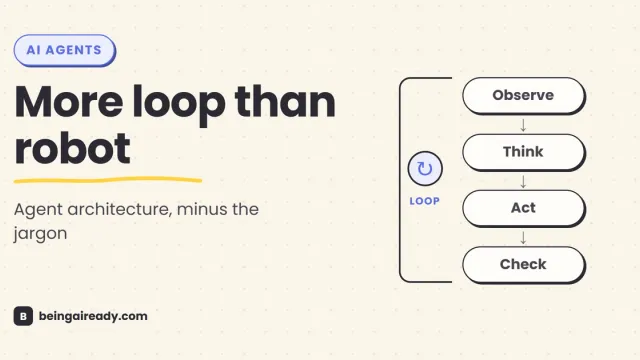
How Do AI Agents Actually Work? Architecture in Plain English
A plain-English guide to AI agent architecture: models, tools, memory, orchestration loops, guardrails, and what happens when an agent takes action.
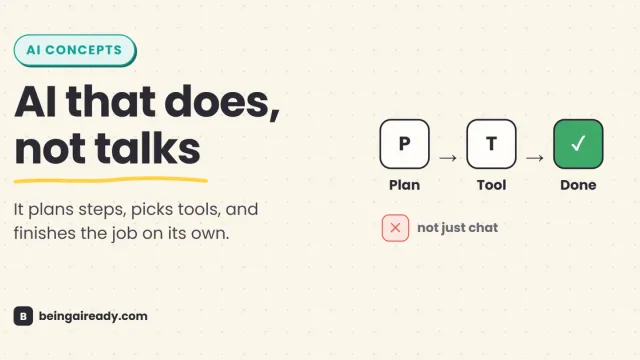
What Are AI Agents? A Plain-English Guide to Agentic AI
AI agents plan their own steps and use tools to finish a job, instead of just chatting about it. Here is what agentic AI actually is, and where it still fails.
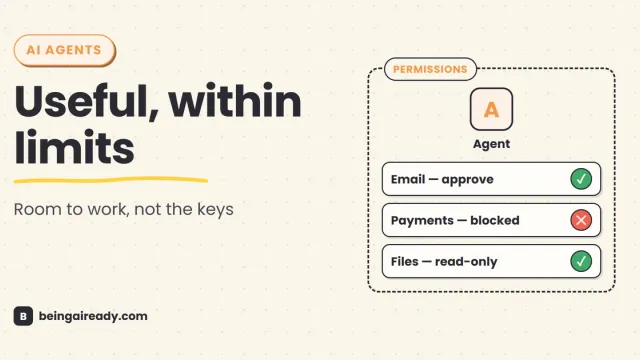
Are AI Agents Safe? Risks, Limits & How to Use Them Responsibly
AI agents can act, not just answer. A practical guide to their real risks, current limits, and the controls that make them safer to use.