
AI Agents vs Chatbots vs Copilots vs Assistants: What's the Difference?
Open the pricing page for a single customer-support product and you may find it described four different ways: a chatbot, a virtual assistant, a service copilot, and an autonomous agent — sometimes in the same paragraph. A writing tool that only suggested sentences last year now says it can run whole workflows. A general chat app will answer a question, search your files, draft a report, call other software, and finish a task while you watch. The old labels have not disappeared; the industry has simply stacked them on top of one another.
That stacking makes comparisons harder than they need to be. It also props up a misleading idea: that these are four tidy generations of the same technology, first chatbots, then assistants, then copilots, then agents, each cleanly replacing the last. They are not.
The more useful way to see them is this:
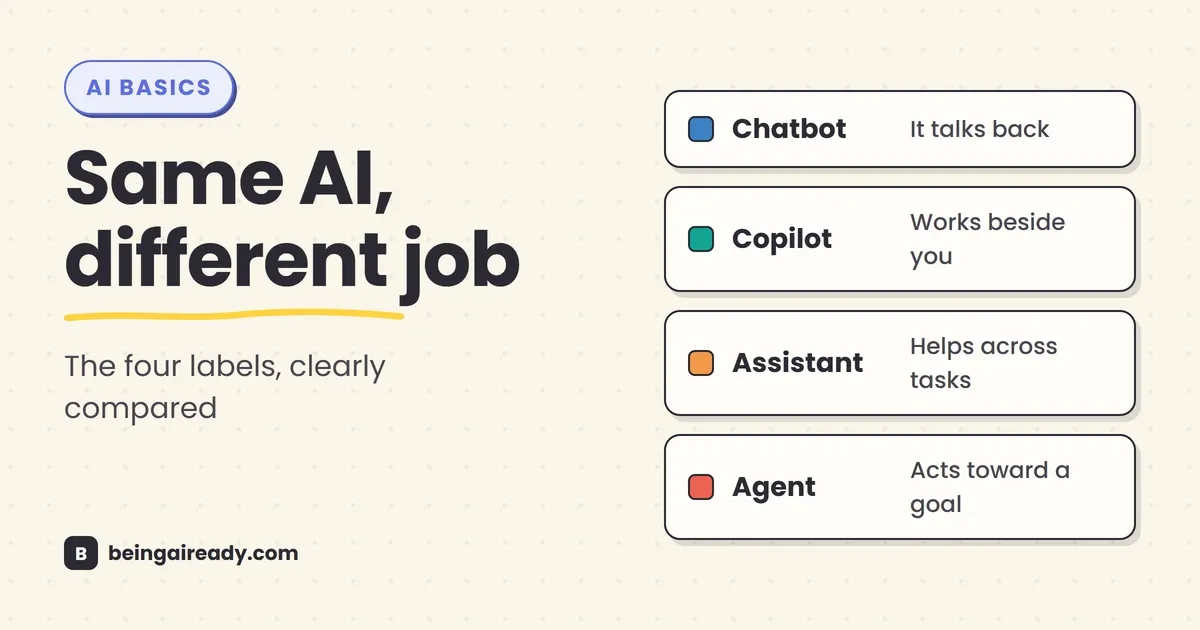
- A chatbot describes how you interact with the system: through conversation.
- A copilot describes the working relationship: it helps while you remain in charge.
- An assistant describes the system’s role: it helps you across one or more tasks.
- An agent describes how the system operates: it works toward a goal with some freedom to choose and execute steps.
Those categories overlap. A chatbot can be the front door to an agent. A copilot can contain several agents. An assistant can behave like a simple chatbot in one moment and like an agent in the next. That overlap is not a technicality to note and set aside; it is the main thing to understand about all four terms.
Quick answer: A chatbot talks with you, usually one turn at a time. A copilot works beside you inside a task while you keep control. An assistant is the broadest label: a system that helps with questions, planning, creation, organization, and sometimes actions. An agent is given an outcome and can decide what to do next, use tools, inspect the result, and continue. The same product may fit two, three, or all four descriptions, so judge what it can actually see, decide, and do — not what the vendor calls it.
Here’s what you’ll walk away knowing:
- The practical difference between a chatbot, copilot, assistant, and agent.
- Why these are overlapping labels rather than four clean product categories.
- How the same task changes as you move from conversation to assistance to action.
- The difference between an AI agent and a normal automation.
- How to tell whether a product marketed as “agentic” can genuinely act on your behalf.
- Which kind of system is appropriate for support, writing, research, operations, and higher-risk work.
The comparison at a glance
| Label | The simplest definition | Who drives the work? | Typical behavior | Usual level of autonomy | Best suited to |
|---|---|---|---|---|---|
| Chatbot | A system you interact with through conversation | Mostly the user | Answers, asks questions, retrieves information, guides a dialogue | Low | FAQs, support, intake, simple guidance |
| Copilot | AI that works beside you in a specific activity | The user | Suggests, drafts, analyzes, completes parts of a task | Low to medium | Coding, writing, design, spreadsheets, case review |
| Assistant | A broad AI helper for one or many areas of work or life | Usually the user, sometimes shared | Answers, plans, remembers context, creates, organizes, may use connected tools | Low to medium | General knowledge work, planning, personal productivity |
| Agent | A system that pursues a goal and chooses actions toward it | Shared, or delegated within limits | Plans, uses tools, acts, checks results, adapts, escalates | Medium to high | Multi-step research, operations, software work, workflow execution |
The table is a useful starting point, not a standards document. There is no industry referee assigning these names. Vendors use them differently, and the capabilities underneath them keep changing.
A better comparison starts with three questions:
- Does it only produce information, or can it take action?
- Do you choose every step, or can it choose the next step?
- Are you working continuously with it, or delegating an outcome to it?
Those questions reveal far more than the product name.
These labels describe different layers
The confusion becomes easier to untangle once you notice that the four terms do not all describe the same part of a system.
Chatbot describes the interface
“Chatbot” tells you that the experience is conversational. You type or speak; the system replies. It says very little about what happens behind the interface.
A chatbot might be a rigid decision tree that recognizes a few intents. It might be powered by a large language model and capable of discussing almost anything. It might retrieve an order status from a database, or even hand work off to an agent behind the scenes. Either way, the chat is only the surface you see, and it tells you little about the machinery behind it.
Copilot describes the relationship
“Copilot” is a metaphor for AI that works beside a human operator. The person remains responsible for direction, judgment, and the final result. The AI reduces effort by suggesting, drafting, analyzing, or handling a bounded subtask.
This is why the label became popular in coding and office software. The AI can see the work already in front of you — code, a document, an email thread, a spreadsheet — and help in context. You do not have to explain the whole situation from scratch, but you still steer.
Assistant describes the role
“Assistant” is the broadest and least precise label. It describes a product designed to be helpful across tasks. That might include answering questions, drafting messages, explaining files, planning a trip, managing reminders, searching connected apps, or controlling a device.
An assistant may be conversational, embedded, voice-based, personalized, or agentic; the word itself says nothing about how autonomous the system actually is.
Agent describes the operating model
“Agent” says something about how work gets done. Rather than waiting for you to specify each step, the system can decide how to pursue a goal, call tools, observe what happened, adjust its plan, and continue.
OpenAI describes agents as systems that independently accomplish tasks on a user’s behalf. Anthropic draws a similar line between fixed workflows and systems in which the model dynamically directs its own process and tool use. The shared idea is not that the AI is fully independent; it is that some control over the sequence of work has moved from the user or programmer to the model. That is a meaningful architectural change, and it plays out as a spectrum rather than an on-off switch.
What is an AI chatbot?
An AI chatbot is a system designed to hold a conversation with a user, usually through text or voice. Its core unit of work is the turn: you say something, it interprets the message, and it produces a response.
Traditional chatbots were usually built from rules, menus, and predefined intents. A banking bot might recognize “check balance,” “replace card,” and “find branch,” then route each request through a fixed flow. These systems could be useful, but the conversation broke easily when a user phrased something in an unexpected way.
Generative AI made chatbots much more flexible. An LLM-powered chatbot can handle open-ended wording, maintain conversational context, summarize information, and generate a tailored response rather than selecting one from a script. Google Cloud, for example, distinguishes AI chatbots from standard chatbots by their use of large language models rather than only pre-programmed conversational flows. But flexibility in conversation does not, by itself, create autonomy.
A chatbot can:
- Answer a customer’s question from a knowledge base.
- Ask for the information needed to open a support case.
- Explain a policy in simpler language.
- Look up an order or account status.
- Recommend a next step.
- Hand the conversation to a person.
It may still wait for the user at every turn. It may not decide to investigate three systems, update a record, send a message, and verify that the issue is resolved unless those actions have been explicitly built into its flow.
The practical test for a chatbot
Ask: Is conversation the product, or is conversation just the control panel for a larger process?
If the main value is answering and guiding through dialogue, it is primarily a chatbot. If the conversation launches a system that independently pursues an outcome, you are probably looking at a chatbot interface connected to an agent.
Where chatbots work well
Chatbots are often the sensible choice when the task is bounded, repetitive, and easy to inspect:
- Customer FAQs and first-line support.
- Lead qualification and appointment intake.
- Employee questions about policies or benefits.
- Product discovery within a defined catalog.
- Guided troubleshooting.
- Collecting information before a human takes over.
The biggest mistake is treating “chatbot” as an insult or an obsolete category. Many business problems do not need an autonomous system. A reliable bot that answers known questions and escalates cleanly can be more valuable than an impressive agent that occasionally takes the wrong action.
What is an AI copilot?
A copilot is an AI system designed to help a person perform a task while the person remains the primary operator.
The important idea is shared context. A useful copilot is not sitting in a blank chat window asking you to paste everything. It is usually embedded in the place where the work happens and can see some of the relevant material:
- A coding copilot sees the file, repository, errors, and nearby code.
- A writing copilot sees the draft and perhaps the source material.
- A sales copilot sees the account record, recent activity, and email thread.
- A spreadsheet copilot sees the workbook, formulas, and selected data.
- A security copilot sees alerts, logs, and investigation context.
GitHub’s original “AI pair programmer” framing captured the basic relationship well: the software suggests code alongside the developer. The user reviews, accepts, rejects, or edits the suggestion. Newer versions of products branded as copilots can now delegate work to coding agents, which shows why the label is about the user relationship rather than a fixed technical capability.
Microsoft makes the overlap explicit: a copilot can serve as the interface through which a user interacts with multiple agents. In other words, the copilot may be the colleague at your side while agents do specialized work underneath.
What makes a copilot different from a chatbot?
A chatbot is organized around conversation. A copilot is organized around the work in progress.
You might chat with both, but the copilot’s value comes from being situated inside a task. It can point to a line of code, rewrite the selected paragraph, generate a formula for the current sheet, or summarize the meeting you are attending.
A generic chatbot can still help with those things, but you often have to supply the context manually. A copilot is expected to pick up context from the environment.
What makes a copilot different from an agent?
The cleanest distinction is who owns the next move.
With a copilot, the usual pattern is:
- You choose the task.
- The AI suggests or completes a piece of it.
- You inspect the result.
- You choose what happens next.
With an agent, the pattern is closer to:
- You specify the outcome and boundaries.
- The AI chooses a sequence of steps.
- It uses tools and checks results.
- It continues, pauses for approval, or escalates when it cannot proceed.
Modern copilots increasingly include agentic modes, so the boundary is not fixed. But the human remains the pilot unless they deliberately delegate a section of the journey.
Where copilots work well
Copilots make sense when the work benefits from constant human judgment:
- Writing and editing.
- Software development.
- Data analysis and spreadsheet modeling.
- Design iteration.
- Legal or compliance review, with qualified oversight.
- Medical documentation, with clinician review.
- Sales preparation and account research.
These are not good candidates for “set it loose and hope.” The person’s expertise is part of the system.
What is an AI assistant?
An AI assistant is software designed to help a user perform tasks, answer questions, and manage information. That definition is deliberately broad because the market uses the term broadly.
ChatGPT is officially described as an AI assistant for everyday tasks. Anthropic introduced Claude as an AI assistant. Google describes Gemini as a personal, AI-powered assistant. Microsoft describes Copilot as an AI assistant and companion. The products differ, but the common promise is the same: one place to ask for help across a range of activities.
An assistant is usually broader than a copilot in scope. It may not live inside one application or one workflow. You can ask it to explain a concept, review a file, draft a message, plan a project, analyze an image, or prepare questions for a meeting.
The more capable assistants may also have:
- Memory: preferences or facts retained across conversations.
- Personal context: access to selected files, email, calendars, photos, or business systems.
- Multiple interfaces: text, voice, images, mobile, desktop, or devices.
- Tools: search, code execution, data analysis, document creation, or app connections.
- Proactive features: reminders, scheduled tasks, daily briefs, or alerts.
- Agentic modes: the ability to carry out longer, multi-step work.
None of those features is required by the word “assistant.” A simple voice assistant that sets timers and answers weather questions is still an assistant. So is a general-purpose AI product that can research a market and prepare a finished report.
Assistant vs chatbot
The two are often used as synonyms, but they suggest different ambitions.
A chatbot emphasizes the conversation. It may have a narrow domain and no enduring relationship with the user.
An assistant implies broader utility. It may understand more context, help across tasks, remember preferences, and connect to the user’s digital environment.
A support bot for an airline is clearly a chatbot. A general tool that helps you write, research, plan, analyze files, and manage work is more naturally called an assistant — even though you access it through chat.
The older phrase virtual assistant does not create a cleaner boundary. It has been used for voice assistants, customer-service bots, human administrative services, and now generative AI products. In current software, “virtual assistant” usually signals a helper with a conversational or voice interface; it does not tell you whether the system has memory, tools, or autonomy.
Assistant vs copilot
A copilot is usually anchored to a specific activity and assumes the human is actively doing the work.
An assistant may be more general and more independent of any single workflow. You can open it before you know exactly what form the work will take.
In practice, many products fit both descriptions. “Copilot” says, “I work beside you here.” “Assistant” says, “Bring me whatever you need help with.”
What is an AI agent?
An AI agent is a system that can pursue a goal on a user’s behalf with some freedom to decide how the work should be done.
That does not mean it is conscious, generally intelligent, or fully autonomous. It means the system is allowed to control part of the process rather than simply generate one response.
A basic agent loop looks like this:
- Understand the goal. What outcome is the user asking for, and what constraints apply?
- Choose a next step. Search, inspect a file, query a database, run code, open a webpage, or ask a question.
- Use a tool. Take the selected action in the relevant system.
- Observe the result. Did the action work? What new information appeared?
- Revise the plan. Continue, try another route, correct an error, request approval, or stop.
This plan–act–observe–adjust loop is what separates an agent from a one-shot answer. You can see a deeper breakdown in How Do AI Agents Actually Work?.
Agents need tools, not just language
A language model can describe how to submit an expense claim. An agent needs access to the expense system, the receipt, the relevant policy, and a way to fill or submit the form.
Tools are the agent’s hands. They might include:
- Web browsing and computer control.
- Search over company documents.
- Email, calendar, CRM, and help-desk access.
- Code execution and command-line tools.
- Databases and APIs.
- Document, spreadsheet, and presentation creation.
- Messaging and project-management systems.
But tool use alone does not make a system an agent. A chatbot that performs a single scripted order lookup is using a tool. An agent has some discretion over which tools to use, in what order, and what to do with the results.
Agents are not the same as automations
A conventional automation follows a path that a person designed in advance:
When a form is submitted, add a row to the CRM, send a confirmation email, and alert the sales channel.
An agent is useful when the path is harder to specify:
Review the incoming lead, research the company, decide whether it fits our target profile, enrich the record, draft an appropriate reply, and flag anything uncertain for review.
The automation executes a recipe. The agent interprets the situation and chooses among possible actions.
That does not make the agent automatically better. If the recipe is stable, normal automation is cheaper, faster, more predictable, and easier to audit. Use AI for the parts that require interpretation, not for steps that can be expressed cleanly as rules. Our guide to automating busywork with AI without code explores that spectrum in more detail.
Autonomy is a dial, not a switch
An agent can operate at several practical levels:
- Recommend only: it proposes a plan but takes no action.
- Prepare actions: it drafts emails, changes, or transactions for approval.
- Act with checkpoints: it works independently but pauses before consequential steps.
- Act within boundaries: it can complete approved types of work without asking each time.
- Run proactively: it starts on a schedule or trigger and reports exceptions.
Most useful business agents sit somewhere in the middle. They can do enough to remove coordination work, but they stop before spending money, deleting data, publishing externally, or making a high-impact decision.
The question is rarely “Is this autonomous?” The better question is “Autonomous over what, for how long, with which permissions, and who is accountable when it fails?”
The same task, four different systems
Consider a simple business task: preparing a trip for a conference.
The chatbot version
You ask, “What is the best area to stay near the conference venue?”
The chatbot explains the neighborhoods, suggests what to consider, and answers follow-up questions. It may search the web, but you drive the conversation and make every decision.
The copilot version
You open a travel-planning document or booking tool. The copilot helps compare options, extracts dates from the conference email, drafts an itinerary, and highlights trade-offs while you choose flights and hotels. The work is collaborative, and you stay at the controls throughout.
The assistant version
You tell your general AI assistant that you are attending the conference. It pulls together the dates, venue, loyalty preferences, past travel habits, and your calendar, then prepares a plan. It can answer questions across the whole trip rather than one narrow booking flow, though it may still leave every final action to you.
The agent version
You give the system a goal and constraints: arrive before 6 p.m., stay within a 15-minute walk, keep the total below a budget, use refundable fares, and ask before any purchase.
The agent searches multiple options, compares them, notices that one flight creates a hotel check-in problem, revises the itinerary, and presents the best package for approval. After approval, it completes the booking and adds the details to your calendar.
The visible interface could still be a chat window in all four cases. What changed was the context, control, and ability to act.
One product can be all four
This is where neat definitions collide with real software.
A general-purpose product might be:
- A chatbot when you ask it a question and receive an answer.
- An assistant because it helps across writing, research, planning, coding, and files.
- A copilot when it is embedded in your document or coding environment and works alongside you.
- An agent when you hand it a multi-step outcome and it uses tools to complete the work.
The products themselves make this overlap obvious. Microsoft describes Copilot as an interface that can connect users with a set of specialized agents. GitHub Copilot combines inline suggestions, chat assistance, and coding agents. Google positions Gemini as an assistant while adding agentic capabilities. OpenAI describes ChatGPT as an assistant and also offers systems for longer work that can research, use connected apps, and create finished deliverables.
So asking “Is Product X a chatbot or an agent?” may be the wrong question. The answer often depends on the mode, permissions, tools, and task.
Ask instead: What is it doing in this particular workflow?
A practical spectrum from answer to action
These systems are easier to compare as a spectrum of delegated control:
| Level | What the AI does | What the human does | Typical label |
|---|---|---|---|
| 1. Respond | Produces an answer or explanation | Asks and interprets | Chatbot |
| 2. Suggest | Recommends wording, code, analysis, or next steps | Reviews and applies | Copilot |
| 3. Coordinate | Uses broader context to help across related tasks | Directs and approves | Assistant |
| 4. Execute with approval | Plans and prepares a sequence of actions | Approves important steps | Agent |
| 5. Execute within limits | Runs the task and handles routine variation | Sets policy and reviews exceptions | Agent |
This is not a maturity ladder. Moving to the right does more of the work for you, but it also raises the cost of mistakes.
A chatbot that gives a wrong answer can mislead someone. An agent with permission to edit customer records, send emails, or purchase services can create a real operational problem before anyone notices.
That is why “more autonomous” should never be treated as a synonym for “more advanced” in the business sense. The right level is the lowest level of autonomy that removes the bottleneck without creating a larger control problem.
How to tell what you are actually buying
When every product page says “agentic,” the useful questions are operational.
1. Can it take actions, or only recommend them?
Ask for a precise list. Can it send the email, update the CRM, submit the form, merge the code, publish the post, or place the order? Or does it only draft and suggest? A polished plan is not an executed task, and a surprising number of products quietly stop at the plan.
2. Does it choose the sequence of steps?
A fixed workflow can use AI without ever being an agent, so look for evidence that the system can select tools, revise its approach, or recover when a first attempt fails. “Uses AI” and “acts agentically” are not the same claim.
3. What context can it see?
A copilot or assistant is only as useful as the context it can access. Does it see the current document, your full project, selected email, company knowledge base, or every connected account? That is both a capability question and a privacy question, and the two are easy to conflate.
4. What permissions does it have?
Separate read, draft, edit, send, delete, approve, and purchase permissions. A product that can read a calendar is not equivalent to one that can reschedule meetings. A system that drafts a refund is not equivalent to one that can issue it.
The safest design follows the principle of least privilege: give the system only the access needed for the task.
5. Where are the approval points?
Look for preview screens, confirmation gates, spending limits, restricted actions, and escalation rules. The important actions should be easy to identify and hard to trigger accidentally.
6. Can you see what it did?
An agent should leave a usable trail: steps taken, tools called, records changed, sources used, errors encountered, and approvals received. Without that trail, a failed agent turns every incident into an archaeology project.
7. What happens when it is uncertain?
Good systems do not merely have a happy path. They know when to ask, stop, retry, or hand the task to a person. Ask how exceptions are handled and what prevents the system from repeating a failing action.
8. How is success measured?
Chatbots are often measured by response quality, resolution rate, or handoff rate. Copilots may be measured by time saved and acceptance of suggestions. Agents should be measured by completed outcomes, error rates, intervention rates, cost per task, and the quality of the audit trail. Fluent conversation, on its own, is no evidence that the workflow underneath actually works.
Which one should you use?
The answer depends less on the glamour of the technology and more on the shape of the job.
Use a chatbot when the job is mainly conversation
Choose a chatbot for questions, triage, intake, navigation, and bounded support. It is especially useful when users need a simple front door to information or a well-defined process.
Examples:
- “Where is my order?”
- “Which plan includes this feature?”
- “Collect the details for a support ticket.”
- “Help an employee find the right policy.”
Use a copilot when judgment should stay with the person
Choose a copilot when the AI can accelerate the work but a skilled user needs to inspect the result continuously.
Examples:
- Drafting and editing a client proposal.
- Writing and reviewing code.
- Analyzing a financial model.
- Preparing a legal document.
- Reviewing a medical note.
- Designing a campaign.
In high-stakes work, the copilot model is often the sensible default. The AI contributes speed and breadth; the qualified person remains accountable.
Use an assistant when the scope is broad and user-led
Choose an assistant when one person needs flexible help across many small or medium tasks: thinking, research, files, planning, communications, and organization.
Examples:
- A solopreneur moving between marketing, customer replies, and planning.
- A manager preparing for meetings and tracking follow-ups.
- A student explaining material and organizing study work.
- A household coordinating schedules, travel, and information.
The value comes from breadth and context, not necessarily autonomy.
Use an agent when the outcome matters more than the conversation
Choose an agent when the task is multi-step, the route varies, tools are required, and delegating the coordination itself would save meaningful time.
Examples:
- Researching a market and assembling a sourced report.
- Triaging support cases and updating the help desk.
- Investigating a software issue, editing code, running tests, and opening a pull request.
- Reviewing invoices against policy and routing exceptions.
- Monitoring a process and acting when defined conditions occur.
Start with work that is reversible, observable, and low-stakes. Do not begin by giving an unfamiliar agent permission to spend, publish, delete, or make consequential decisions.
Use normal automation when the path is predictable
If the workflow can be written as a stable set of “if this, then that” rules, you may not need an agent at all.
That is not settling for older technology. It is choosing the simpler machine for the job.
Common misconceptions
“An agent is just a smarter chatbot”
Not quite. Intelligence and agency are different dimensions. A powerful model can sit inside a chatbot that only answers questions. A less capable model can operate as an agent if it has tools and control over a task loop.
The key difference is delegated action, not IQ.
“Anything that calls a tool is an agent”
A chatbot can use search, retrieve an account balance, or query a database without choosing a broader plan. Tool access is part of agent architecture, but it does not settle the question by itself.
“A copilot never acts autonomously”
That was closer to the original idea, but current products blur the line. A copilot can offer an agentic mode or delegate work to specialized agents. The label still tells you how the product wants to relate to the user, not every technical behavior it contains.
“An assistant remembers me”
Some do; some do not. Memory and personalization are product features, not guaranteed by the word “assistant.” Check what is retained, what is connected, how it is used, and how to delete or disable it.
“More autonomy means more productivity”
Only when the task, permissions, and controls are well designed. Autonomy can remove coordination overhead. It can also scale errors, increase usage costs, and make failures harder to diagnose.
“Agentic AI can replace a whole role”
Most real jobs are collections of tasks with different levels of ambiguity, risk, social judgment, and accountability. An agent may handle a workflow inside a role without replacing the role itself. It is usually more useful to ask which part of the job can be delegated than whether the job can be automated.
The risks change when AI can act
All generative AI can produce incorrect information. Agents add a second category of failure: they can do the wrong thing with the information.
The main risks are practical rather than cinematic:
- Permission mistakes: the system can access or change more than the task requires.
- Prompt injection: content in an email, webpage, or document tries to manipulate the agent into following malicious instructions.
- Compounding errors: one bad assumption affects several later steps.
- Silent failure: the system marks a task complete even though an action failed.
- Runaway loops or costs: the agent keeps retrying, browsing, or calling paid services.
- Poor accountability: nobody can reconstruct why a decision was made or which record changed.
- Over-delegation: a business hands judgment to the system where review should remain human.
OpenAI’s agent documentation highlights prompt injection as a particular risk when an agent operates across the live web and connected data. NIST’s AI Risk Management Framework also treats human–AI configurations as a spectrum and emphasizes that the required level of human oversight depends on the system and context.
For a practical deployment, use five controls:
- Narrow the job. Define a clear outcome and explicit stopping conditions.
- Limit permissions. Start read-only, then add draft or action rights only when necessary.
- Require approval for consequential steps. Money, deletion, publication, external messages, access changes, and regulated decisions deserve checkpoints.
- Keep logs and test exceptions. Evaluate what happens when data is missing, instructions conflict, a tool fails, or a malicious document is encountered.
- Verify the output. An agent’s confidence is not proof that the work was completed correctly. Use the same discipline described in How to Fact-Check and Verify Anything an AI Tells You.
A simple decision rule
When you are deciding what kind of AI you need, finish this sentence:
“I want the system to…”
- “…answer and guide.” Start with a chatbot.
- “…help me do the work.” Start with a copilot.
- “…help across whatever I am working on.” Start with an assistant.
- “…take this outcome and handle the steps.” Consider an agent.
- “…repeat these exact steps whenever X happens.” Use normal automation.
Then add one more question:
“What is the cost of a wrong answer or wrong action?”
The higher that cost, the more the system should recommend, prepare, and ask — rather than act silently.
The bottom line
Chatbots, copilots, assistants, and agents are not four rival species of AI. They are overlapping descriptions of interface, role, relationship, and autonomy.
A chatbot gives you a conversational way to interact. A copilot stays beside you inside the work. An assistant offers broad help across tasks. An agent takes responsibility for some of the steps between a goal and a result.
The market will keep blurring these names because products are absorbing more capabilities. A coding copilot now contains agents. A general assistant can run longer workflows. A chatbot can trigger real actions. That makes labels less reliable, but it does not make the distinctions useless.
Ignore the badge and inspect the behavior:
- What context can it see?
- What decisions can it make?
- What actions can it take?
- Where does it need approval?
- What evidence does it leave behind?
That is the difference that matters. Not whether the product can call itself an agent, but whether giving it agency improves the work without giving away more control than the task deserves.
Sources and further reading
- OpenAI: A practical guide to building AI agents
- OpenAI: What is ChatGPT?
- Anthropic: Building effective agents
- Anthropic: Trustworthy agents in practice
- Microsoft: Copilot and AI agents
- GitHub Copilot
- Google Cloud: AI chatbots
- Google Cloud: What are AI agents?
- NIST AI Risk Management Framework
Frequently asked questions
What is the main difference between an AI agent and a chatbot?
A chatbot is primarily a conversational interface: you send a message and it replies. An AI agent is organized around completing a goal. It may decide which steps to take, use tools, inspect the results, and continue until the task is finished or it needs your approval. An agent can use a chat window, but the chat window is not what makes it an agent.
Is an AI copilot the same as an AI assistant?
They overlap, but the emphasis is different. A copilot usually works beside you inside a specific activity, such as writing code, reviewing a document, or analyzing a spreadsheet. You remain in control of the work. An assistant is a broader label for a system that helps with many kinds of tasks and may carry context across them. Many products can reasonably be called both.
Is ChatGPT a chatbot, an assistant, or an agent?
It can be more than one, depending on how it is being used. Its conversational interface behaves like a chatbot, the overall product is described as an AI assistant, and tool-enabled modes can perform longer, multi-step work in a more agentic way. The same is increasingly true of other general-purpose AI products.
Does using tools make an AI system an agent?
Not by itself. A chatbot can call a search tool or look up an order while still following a fixed, turn-by-turn flow. The more useful test is whether the system can choose and revise its own sequence of actions in pursuit of a goal. Tool access is usually necessary for an agent to act, but tool access alone is not enough.
Are AI agents better than chatbots?
They are better for some jobs and unnecessarily risky for others. A chatbot is often the right choice for answering questions, collecting information, or guiding a customer through a bounded process. An agent is useful when the work is multi-step and the path cannot be fully specified in advance. More autonomy is not automatically more value.
When should a business use an agent instead of normal automation?
Use normal automation when the steps are stable and predictable: when X happens, do Y. Consider an agent when the system must interpret messy information, choose among several possible next steps, recover from small failures, or adapt the plan as it works. Even then, start with narrow permissions and human approval for consequential actions.
Related articles
AI Terms Explained: A Plain-English Glossary of 24 Words
The 24 AI terms everyone uses but nobody defines — LLM, tokens, RAG, agents and more — explained in plain English, with analogies that actually stick.
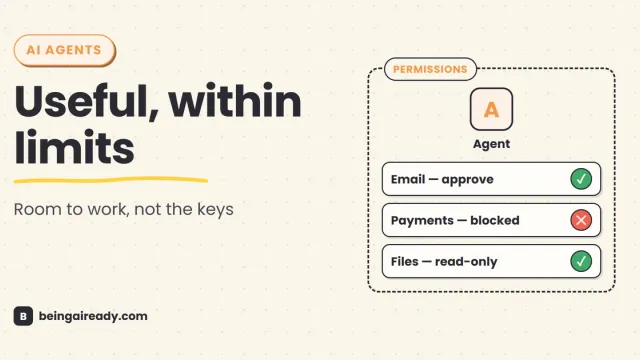
Are AI Agents Safe? Risks, Limits & How to Use Them Responsibly
AI agents can act, not just answer. A practical guide to their real risks, current limits, and the controls that make them safer to use.
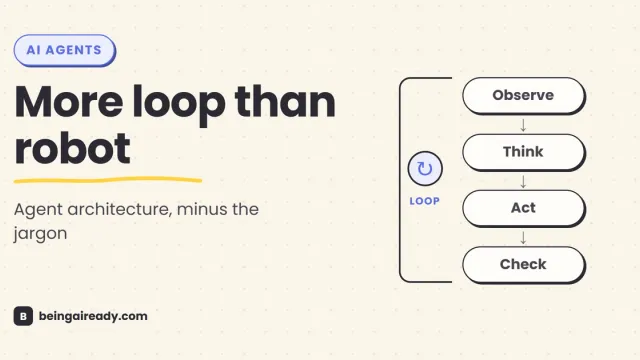
How Do AI Agents Actually Work? Architecture in Plain English
A plain-English guide to AI agent architecture: models, tools, memory, orchestration loops, guardrails, and what happens when an agent takes action.