
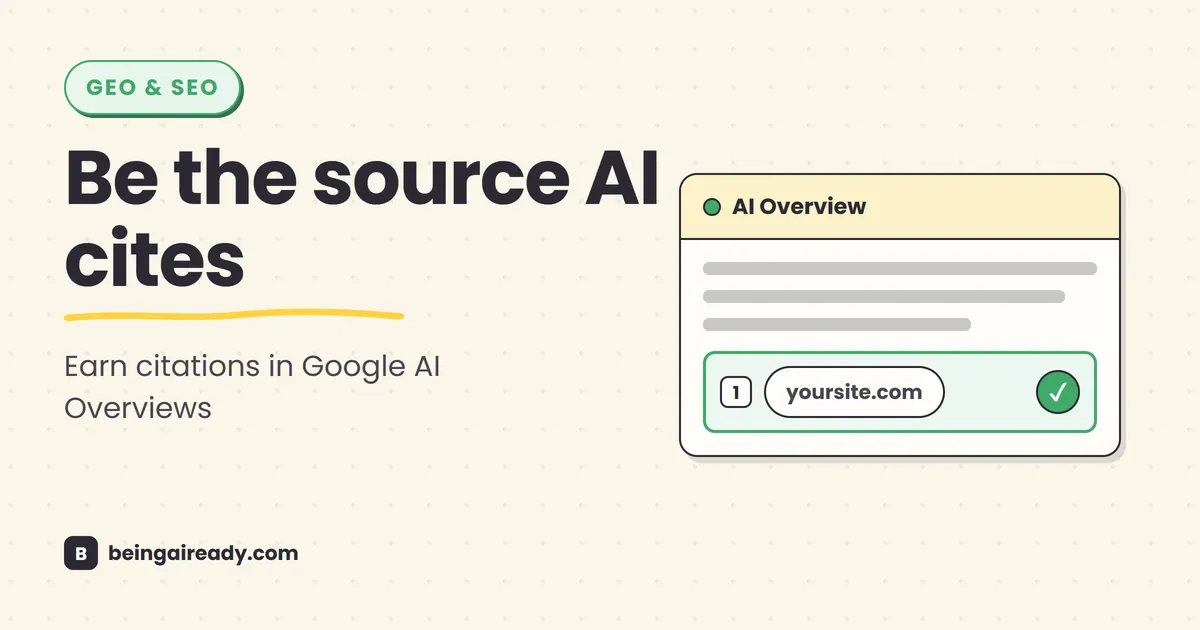
How to Show Up in Google AI Overviews
You can rank number one for a query and still watch the AI Overview at the top of the page cite three other sites instead of yours. You can also turn up as a source for a question your page never ranked on the first page for at all. Both happen constantly now, and between them they have turned a familiar SEO question into a more awkward one. It is no longer enough to ask, “Can this page rank?” You also have to ask, “Can Google confidently use this page to help answer the question?” — related questions, but not the same one.
The second case is possible because Google does not build an AI Overview from a single result page. Its systems may run several related searches, retrieve useful passages from different sources, and assemble an answer around the specific problem the user is trying to solve — which is exactly how a page that ranks well gets passed over while a page that ranks poorly gets pulled in.
That sounds like a new discipline, and the industry has supplied several names for it: GEO, AEO, AI SEO, answer optimization. But Google’s own position is less dramatic. Its official 2026 guidance says the fundamentals are still SEO: make the site crawlable, publish useful and distinctive content, explain things clearly, and give people a good reason to trust the page.
The difficulty is not that the rules have been replaced. It is that the standard has become less forgiving. A generic article assembled from the same five sources as everyone else may be indexable, readable, and technically correct, yet still give Google’s AI systems no particular reason to select it. This guide explains what to do instead.
Quick answer: To improve your chances of appearing in Google AI Overviews, make sure the page is indexed and eligible to show a search snippet, then build it around a specific user problem rather than a broad keyword. Answer the main question early, cover the natural follow-up questions, add original evidence or first-hand experience, make every important claim easy to verify, and use clear headings, tables, images, and internal links where they genuinely help. There is no special AI schema, no guaranteed submission process, and no reliable “GEO hack.” The strongest approach is still good SEO, made more specific, more useful, and easier to substantiate.
What you will learn in this guide:
- How AI Overviews choose and cite sources, in plain English.
- Why ranking for the exact query is useful but no longer the whole game.
- The content, technical, authority, and measurement work that matters most.
- How to improve an existing page without rewriting your entire site.
- Which popular AI-search tactics are useful, and which are mostly theatre.
What it actually means to “show up” in an AI Overview
An AI Overview is a generated answer that may appear above or among the normal Google results. It usually contains a short synthesis, sometimes with steps, comparisons, product information, images, or follow-up prompts. It also includes links to web pages that support parts of the answer.
Showing up usually means one of three things:
- Your page is linked as a supporting source. This is the most visible and measurable form of inclusion.
- Your content helps ground the answer. Google may use information from the page when generating the response, although the user-facing citation may not always make the relationship obvious.
- Your product, business, image, or video appears inside the experience. For ecommerce and local searches, visibility may come through Merchant Center, a Google Business Profile, product data, images, or video rather than a conventional article link.
The practical goal is not to “rank the whole AI Overview.” There is no single position to win. The goal is to become a credible source for one or more parts of the answer.
That distinction matters because an AI Overview about “how to choose accounting software for a small agency” may need several different kinds of support:
- A definition of what accounting software does.
- A comparison of cloud and desktop options.
- An explanation of multi-currency support.
- Pricing or plan information.
- A warning about migration or data portability.
- A first-hand view of what implementation is actually like.
One page may supply the comparison. Another may supply the pricing. A third may be used for the migration warning. The winning page is often not the one that tries to say everything. It is the one that says one useful thing unusually well and supports it properly.
How Google builds AI Overviews, without the engineering fog
Google describes two ideas that are especially important: retrieval-augmented generation and query fan-out.
Retrieval-augmented generation: the model looks things up
A language model can generate fluent text from what it learned during training, but that is not enough for a search product. Search results need to be current, relevant, and connected to sources. So Google retrieves pages from its search index and uses them to help ground the generated answer.
In plain terms, the system does not simply “know” the answer and then add links afterwards. It can retrieve material from the web, inspect relevant information, and use those sources while constructing the response.
This is why the basic eligibility rules still matter. According to Google’s AI features documentation, a page must be indexed and eligible to appear in Google Search with a snippet before it can be shown as a supporting link in AI Overviews or AI Mode — no indexing, no citation opportunity.
Query fan-out: Google may search around the question
For a complex question, Google may issue several related searches at the same time. Google calls this query fan-out.
Suppose someone searches:
What is the best project management setup for a five-person design agency working with clients?
The system might explore related questions such as:
- project management tools for creative agencies
- client approval workflow software
- time tracking for design teams
- project management software with guest access
- how small agencies manage revisions
- best way to share project status with clients
The final AI Overview can therefore cite pages that are highly relevant to one of those subquestions, even if they do not rank for the exact original wording.
This helps explain a significant change in citation patterns. In a March 2026 Ahrefs study of roughly four million AI Overview URLs, about 38% of cited URLs also appeared in the top 10 for the same query. Organic rankings still mattered, but a large share of sources came from lower positions, other search features, or pages that did not rank in the top 100 for that exact query.
Do not read that as “rankings no longer matter.” Read it as: the relevant search surface is wider than the exact keyword you typed into your rank tracker.
Why this matters now
AI Overviews are no longer a small test visible to a narrow group of users. Google said at I/O 2026 that AI Overviews had more than 2.5 billion monthly active users. In January 2026, Google also made Gemini 3 the default model for AI Overviews globally and made it easier to move from an Overview into follow-up questions and AI Mode.
The traffic consequences are less tidy than either Google or the SEO industry would like them to be.
Google argues that AI features encourage more complex searches and send engaged users to a wider range of sites. Publishers and independent researchers have found that AI summaries can also reduce clicks. A Pew Research Center analysis of U.S. browsing data found that people clicked a traditional result in 8% of visits when an AI summary appeared, compared with 15% when it did not. Only 1% of visits to pages with an AI summary produced a click on a cited source.
Both things can be true. AI Overviews may expand the kinds of questions people ask while reducing the click rate on any single answer. That changes the job of SEO.
You are no longer optimizing only for a blue-link click. You are also trying to earn:
- Visibility inside the generated answer.
- Brand recognition before the click.
- Trust when the user sees your name repeatedly.
- Higher-intent visits from people who still need depth, proof, a tool, a product, or a decision.
This does not mean traffic is dead. It is that generic informational traffic is becoming harder to defend. The pages most likely to keep earning attention are the ones that provide something the summary cannot fully replace.
The core principle: publish something worth retrieving
A great deal of AI-search advice is about formatting. Use short paragraphs. Add FAQs. Put the answer under the heading. Create tables. Those things can help, but they are downstream of the real question:
Why should this page be one of the sources?
If the page merely recombines information already published by larger, more trusted sites, formatting will not create uniqueness. It may make the article easier to read, but it does not give the retrieval system a new reason to choose it.
Google’s 2026 guidance uses the phrase non-commodity content. That is a useful way to think about the problem.
Commodity content is interchangeable. It could have been written by almost anyone after reading the same search results. Non-commodity content contains something specific to the publisher: experience, evidence, data, a tested process, a strong point of view, a useful model, a primary source, or an unusually clear explanation. The difference is easiest to see side by side.
Commodity version:
Good customer support software should be easy to use, affordable, and scalable. Look for automation, reporting, integrations, and multichannel support.
Non-commodity version:
For a support team with fewer than five agents, advanced routing is usually less important than setup friction. In our test, the largest implementation delay was not importing tickets; it was rebuilding saved replies and assigning ownership rules. Before switching, export your macros, list every automated tag, and measure how many weekly conversations actually need more than one agent.
The second passage contains a decision, an observed constraint, and an actionable method. It is more useful to a reader and more distinctive as source material.
The 10-part playbook for appearing in Google AI Overviews
There is no guaranteed formula, but the following work improves both conventional search performance and the likelihood that a page can support an AI-generated answer.
1. Start with a real task or question, not a keyword fragment
Traditional keyword research often reduces a topic to a phrase: “CRM software,” “solar panel cost,” “email automation.” AI Overviews are more likely to appear when the query carries a problem, a comparison, a constraint, or a sequence of decisions, so build the page around that fuller need rather than the bare phrase.
Instead of targeting:
employee onboarding software
Build for:
how to choose employee onboarding software for a remote team with no HR department
Instead of:
home battery cost
Build for:
is a home battery worth it if I already have net metering?
This does not mean stuffing a long question into every title. It means understanding the situation behind the search.
A useful research process is:
- Write the primary decision the reader is trying to make.
- List the constraints that change the answer.
- List the questions they will ask immediately afterwards.
- Separate questions that belong on the same page from questions with a genuinely different intent.
For the project-management example, the primary decision may be choosing a setup; the constraints may be a small team, client access, revision-heavy work, and limited admin time; and the follow-ups may concern pricing, permissions, templates, migration, and reporting. Answer that cluster and you have a page with a real job to do rather than a keyword to chase.
2. Answer the main question early, then earn the nuance
A page should not make the reader cross a desert of scene-setting before reaching the answer. State the practical conclusion near the top, then explain the conditions and exceptions.
A useful opening pattern is:
- Direct answer: one short paragraph.
- Important condition: when that answer changes.
- Decision criteria: the factors the reader should use.
- Deeper explanation: evidence, examples, trade-offs, and steps.
For example:
A small service business usually does not need a complex CRM first. It needs one place to track contacts, next actions, and deal status. Choose the simplest product that can enforce those three habits. Add advanced automation only when lead volume or handoffs make manual follow-up unreliable.
That passage is concise enough to be useful in a generated answer, but the page should not stop there: the sections below it need to prove the claim and help the reader apply it. The aim is not to write for a robot — it is to remove avoidable ambiguity for everyone.
3. Cover the natural fan-out questions
Because Google may search across related subtopics, a strong page should answer the adjacent questions that are necessary to solve the main problem.
This is not a licence to add 40 loosely related headings. Use a tighter test:
Would the reader need this answer before they can act confidently?
For a guide about choosing payroll software, the natural fan-out questions might include:
- Which payroll taxes does the software handle?
- Does it support contractors as well as employees?
- What happens when the company operates in more than one state or country?
- How difficult is migration?
- What data should be exported before cancellation?
- Which costs appear outside the advertised base price?
A page that answers those questions can support several parts of an Overview and several follow-up searches. A page that repeats the phrase “best payroll software” in twelve headings cannot.
A good structure usually contains:
- The direct answer.
- A definition or scope note.
- The decision factors.
- A comparison or process.
- Risks and exceptions.
- A worked example.
- A checklist or next step.
- A concise FAQ for genuine leftovers.
4. Add original evidence, experience, or a useful model
For most sites, this is the single most valuable improvement on the list, and it does not always require a large research budget. Original evidence can be:
- Results from your own test.
- Screenshots from a real workflow.
- A small but transparent dataset.
- Before-and-after measurements.
- A calculation with stated assumptions.
- A customer pattern you have observed repeatedly.
- A comparison based on the same test criteria.
- A framework you use in practice.
- A failure you can explain precisely.
- A primary document other articles have not examined closely.
The key is transparency. Explain what you tested, when you tested it, what the sample included, and what the evidence does not prove.
Weak:
We tested the leading tools and found Tool A was the best.
Better:
We created the same five-step onboarding workflow in four tools in July 2026. We measured setup time, number of manual corrections, and monthly cost at 500 runs. Tool A was the fastest to configure, but Tool C was cheaper once the workflow exceeded 1,000 runs. This test does not cover enterprise security or custom API work.
The better version gives Google, the reader, and other publishers something concrete to reference.
5. Make important claims easy to verify
AI systems need supporting material, and readers need reasons to trust you. Treat every consequential claim as a small audit trail.
For factual claims:
- Link to the primary source where possible.
- Name the organization, not just “a study.”
- Include the date when freshness matters.
- Distinguish measured facts from your interpretation.
- State the population or sample if it changes the meaning.
- Avoid false precision when the evidence is approximate.
For product claims:
- Link to official pricing or documentation.
- Record the date checked.
- Clarify whether a feature is generally available, beta, region-limited, or plan-dependent.
- Separate vendor claims from your own test results.
For experience-based claims:
- Explain the context.
- Say what happened.
- Note the limits of the example.
A useful sentence often has this shape:
Google began rolling out a dedicated generative AI performance report in Search Console on June 3, 2026; the report currently shows impressions by page, country, date, and device, and access is still limited to a subset of properties.
That statement is specific, dated, and easy to verify against the official Search Console documentation.
6. Use clear structure, without turning the page into fragments
Clear headings help readers scan and help search systems understand the shape of a page. Use descriptive headings that state what the section is actually about.
Weak headings:
- Things to know
- More information
- Key considerations
- Final thoughts
Better headings:
- What changes when you have contractors in multiple countries
- The hidden cost of migrating saved replies and automations
- When a spreadsheet is still better than a CRM
- How to measure AI Overview impressions in Search Console
Within sections:
- Put the key sentence first when possible.
- Keep one main idea per paragraph.
- Use lists for actual lists, not to avoid writing transitions.
- Use tables when readers need comparison, not decoration.
- Define technical terms on first use.
- Keep examples close to the claim they illustrate.
Google explicitly says there is no requirement to “chunk” content into tiny pieces for generative search. Its systems can understand longer pages and multiple related topics. The goal is a coherent article, not a pile of isolated answer cards.
7. Make the entity behind the page unmistakable
“Entity” is SEO language for a recognizable person, organization, product, place, or concept. In practice, the advice is simple: make it clear who published the information, why they are qualified to publish it, and how the topic connects to the rest of the site.
Useful signals include:
- A real author byline.
- An author page with relevant experience.
- A clear About page.
- Editorial and correction policies where appropriate.
- Contact details.
- Consistent organization naming.
- Publication and update dates.
- Sources and methodology notes.
- Product, organization, person, or article structured data that matches the visible page.
Do not add a biography full of vague superlatives. “Industry-leading expert with extensive experience” says little. Specific experience is more credible:
Priya has implemented customer-support systems for 18 small ecommerce teams and writes about support operations, automation, and service metrics.
For high-stakes topics such as health, finance, law, and safety, subject-matter review and editorial accountability matter even more. A page should make it easy to see who wrote it, who reviewed it, and when it was last checked.
8. Build topical depth and useful internal links
A single article can earn visibility, but a coherent body of work helps both readers and search systems understand what your site is genuinely about.
Topical depth does not mean publishing 100 slight variations of the same article. It means covering different jobs within the same subject.
For a site about AI search visibility, a sensible cluster might include:
- What Is GEO? A Complete Guide
- GEO vs SEO: What Is Different?
- The GEO Checklist: Make Any Page AI-Citable
- How to show up in Google AI Overviews
- How to measure AI search visibility
- How companies keep AI answers accurate and on-message
Each page should answer a different question. Internal links should help the reader move to the next logical step, not merely distribute authority mechanically.
Use descriptive anchor text. “Read our guide to measuring AI search visibility” is more useful than “click here.”
Also link outward when an external source is the right place for proof. Hoarding links does not make a page more authoritative. Good citation practice does.
9. Fix technical eligibility before polishing prose
Content cannot be cited if Google cannot reliably access, render, index, and understand the page.
At minimum, check the following:
| Check | What good looks like |
|---|---|
| Indexing | The canonical URL is indexed and not excluded by noindex |
| Snippet eligibility | The page can appear with a normal search snippet |
| Crawl access | Googlebot is not blocked from essential content or resources |
| Canonicalization | The intended URL points to itself or the correct canonical |
| Rendering | Main content is present in rendered HTML and not hidden behind broken scripts |
| Internal links | The page is reachable through normal crawlable links |
| Status code | The page returns a clean 200 response |
| Mobile experience | Main content works and remains readable on small screens |
| Page experience | Ads, overlays, and layout shifts do not bury the answer |
| Duplicate control | Near-identical URLs are consolidated where appropriate |
Use Google Search Console’s URL Inspection tool to verify the canonical URL, indexing state, and rendered page. Do not assume that because the page opens in your browser, Google sees the same thing.
Check the new Search generative AI control
In 2026, Google began rolling out a Search generative AI control in Search Console. The default setting includes a site’s links and content in AI Overviews, AI Mode, and supported generative features in Discover.
For sites that want visibility, confirm that the property is set to Include my site’s links and content in Search generative AI features. The control is rolling out gradually, so it may not yet appear in every account.
This is not a ranking boost. It is an inclusion control. Excluding a site prevents its links and content from appearing in those generative Search features, but it does not remove the site from ordinary Google Search.
Do not block the wrong crawler for the wrong reason
Google’s controls are easy to confuse:
Googlebotaffects crawling for Google Search.noindexremoves a page from Google Search.- Snippet controls such as
nosnippetormax-snippetaffect previews and can limit how content appears in search features. Google-Extendedcontrols whether content Google has crawled may be used to train future Gemini models and for grounding in Gemini Apps and Vertex AI. Google says it does not affect inclusion or ranking in Google Search.- The Search generative AI control manages inclusion in supported generative Search features.
Make these decisions deliberately. A blanket robots.txt block copied from a social post can remove the exact eligibility you are trying to create.
10. Use images, video, product data, and local data where they solve the query
AI Overviews are not limited to text. Google’s systems can surface images, video, products, and local business information when those formats are useful.
For images:
- Use original or genuinely useful visuals.
- Place them near the relevant explanation.
- Use descriptive filenames and alt text.
- Provide enough surrounding text to establish context.
- Avoid stock images that add no information.
For video:
- Demonstrate a process that is easier to see than describe.
- Use a clear title and description.
- Provide accurate captions or a transcript.
- Organize longer videos into useful chapters.
- Embed the video on a relevant page with supporting text.
The opportunity is larger than many publishers assume. Ahrefs’ 2026 citation study found that YouTube represented a meaningful share of AI Overview citations that did not rank in the top 100 blue-link results for the same query. That does not mean every article needs a video. It means the best source format may differ from the best reading format.
For ecommerce:
- Keep Merchant Center feeds current.
- Use accurate product structured data.
- Match price and availability across the page, feed, and checkout.
- Publish useful product images.
- Make shipping, returns, variants, and compatibility clear.
For local businesses:
- Maintain a complete Google Business Profile.
- Keep hours, address, phone, categories, and service areas accurate.
- Publish location-specific information that is genuinely useful.
- Earn real reviews and respond to them appropriately.
- Keep business details consistent across the web.
These data sources can be more useful than another 2,000-word blog post for queries such as “open now,” “near me,” “in stock,” or “fits this model.”
A page template that works for humans and AI search
There is no mandatory format, but the following structure is a strong default for practical guides, comparisons, and decision pages.
# Clear title that matches the real problem

Opening context: two or three paragraphs explaining why the question matters.

> Quick answer: a direct, qualified answer in 60–120 words.

## What the term or problem means

Define the scope and remove ambiguity.

## The short decision framework

List the factors that change the answer.

## The detailed explanation

Work through each factor with evidence, examples, and trade-offs.

## A comparison, calculation, or worked example

Show how the decision works in practice.

## Risks, exceptions, and when the advice changes

Explain where the simple answer breaks.

## A practical checklist or next step

Give the reader something they can use immediately.

## Frequently asked questions

Answer only the genuine leftovers.

## Sources and methodology

Explain what was tested, checked, or reviewed.
This format is effective because it supports several reading modes. A hurried reader can use the quick answer. A careful buyer can inspect the framework. A researcher can verify the sources. A search system can locate distinct, well-supported passages.
A worked example: improving a weak page for AI Overviews
Imagine a software company has an article titled:
Best CRM Software for Small Businesses
The article contains 2,500 words, a list of ten products, short descriptions copied from vendor pages, and a conclusion that says every business has different needs.
It may be long, but it is commodity content. It has no original test, no clear audience, no decision rule, and no information that cannot be reconstructed from the same vendor pages.
Here is how to improve it.
Step 1: Narrow the decision
Change the job of the page from “list CRMs” to:
How to choose a CRM for a five-person service business that currently manages leads in email and spreadsheets
Now the article has a specific reader and a specific migration problem.
Step 2: State the practical answer
Open with a conclusion:
For a five-person service business, the best first CRM is usually the one the team will update after every client interaction. Prioritize contact history, next-action reminders, a simple pipeline, email integration, and easy export. Defer advanced lead scoring and complex automation until missed follow-ups or handoffs become a measurable problem.
Step 3: Define the fan-out questions
The page now needs to answer:
- When has the spreadsheet actually become a problem?
- Which five CRM features matter first?
- How should data be cleaned before import?
- How much setup time should the business expect?
- Which automations are worth building immediately?
- What should be exported before cancelling the old system?
- How do you measure adoption after 30 days?
Step 4: Add original evidence
Test three or four products with the same small dataset and workflow. Record:
- Time to import 200 contacts.
- Duplicate-handling quality.
- Time to create a simple pipeline.
- Number of clicks to log a follow-up.
- Mobile usability.
- Cost for five users.
- Export format and cancellation friction.
Publish the method and the date.
Step 5: Add a decision table
| Situation | Best fit |
|---|---|
| One owner, fewer than 50 active leads | A lightweight CRM or structured spreadsheet may be enough |
| Several people contact the same accounts | Shared contact history and ownership become essential |
| Leads are being lost after the first call | Next-action reminders matter more than advanced reporting |
| Sales process changes by service line | Custom pipelines become useful |
| Marketing and sales data must stay connected | Native integration quality should drive the choice |
Step 6: Add implementation detail
Explain data cleanup, ownership rules, required fields, saved views, and the first weekly review. This is the information a generic list rarely contains and the reader actually needs.
Step 7: Strengthen trust
Add the tester’s name, test date, product versions or plans, limitations, screenshots, and links to official pricing and export documentation.
The improved page is not merely “more optimized.” It is a better source.
Structured data: useful, but not a special access pass
Structured data gives search engines explicit information about page elements and entities. It can help a page qualify for rich results and reduce ambiguity. But Google says there is no special schema required for generative AI search and warns against overfocusing on markup.
Use structured data when it accurately describes visible content, including:
ArticleorBlogPostingfor editorial pages.Organizationfor the publisher.Personfor authors where appropriate.Product,Offer, and review-related markup for eligible product pages.LocalBusinessfor eligible local organizations.BreadcrumbListfor navigation context.VideoObjectfor eligible video pages.HowToor FAQ-related markup only where supported and appropriate; note that visible rich-result eligibility can change over time.
Three rules matter:
- The markup must match what users can see.
- It must follow Google’s feature-specific policies.
- It should describe the page, not exaggerate it.
Adding five schema types to a thin article does not make the article authoritative. A clean page with accurate markup is useful. A weak page wrapped in elaborate JSON-LD is still a weak page.
Authority beyond the page: links, mentions, and reputation
A page does not exist in isolation. Google’s systems also consider the broader quality and reputation signals available across Search.
The durable work is familiar:
- Publish material other people genuinely want to reference.
- Earn links from relevant, credible sites.
- Contribute expert commentary where you have real expertise.
- Maintain accurate profiles and business information.
- Encourage authentic customer reviews.
- Correct errors publicly and promptly.
- Build a consistent body of work around the subject.
Brand mentions can matter because AI systems draw on many kinds of web sources, including articles, videos, forums, and reviews. But that has produced a predictable cottage industry of fake Reddit posts, planted forum comments, and manufactured “best brand” lists.
Do not do this. Google’s own guidance explicitly warns against seeking inauthentic mentions, and the practice is fragile even before spam systems catch it. It also creates a reputation problem if customers discover it.
The better strategy is slower and less exciting: become mentionable. That might mean publishing a dataset, a free calculator, a useful template, a transparent benchmark, a careful teardown, or a genuinely good product. The asset earns discussion because it helps, not because an agency placed the brand name in a thread.
How to update an existing article for AI Overview visibility
You do not need to rebuild every page from scratch. Start with pages that already have impressions, backlinks, rankings, or commercial importance.
Use this sequence.
1. Check whether the intent has changed
Search the topic manually. Look at the questions, comparisons, videos, products, local results, and AI Overview structure that appear. Do not copy the result page. Use it to understand what Google believes the task now contains.
2. Compare the page with the actual decision
Ask:
- Does the opening answer the real question?
- Does the page explain when the answer changes?
- Are important subquestions missing?
- Is the content still accurate?
- Does the page contain anything original?
- Can a reader verify important claims?
- Is the author and publication context clear?
3. Remove generic padding
Delete paragraphs that restate obvious ideas without helping the reader decide or act. This often improves a page more than adding another thousand words.
4. Add one defensible original asset
A small table, calculation, screenshot sequence, template, test, expert interview, or methodology note can materially improve the page.
5. Improve passage-level clarity
Rewrite vague sections so each one has a clear point. Use descriptive headings, direct topic sentences, and specific examples.
6. Refresh sources and dates
Replace secondary citations with primary ones where possible. Check product prices, policies, statistics, and availability. Show the updated date only when the page has been meaningfully reviewed.
7. Strengthen internal links
Link to the pages that answer necessary follow-up questions. Remove links that exist only for SEO and interrupt the reader.
8. Request reindexing when the update is substantial
Use URL Inspection in Search Console after publishing a meaningful revision. This does not guarantee faster inclusion, but it is a reasonable final step.
How to measure whether the work is paying off
Until 2026, site owners had very limited first-party reporting for AI Overviews. Google has now started rolling out a dedicated Generative AI performance report in Search Console.
The report includes impressions from AI Overviews and AI Mode and can be broken down by:
- Page.
- Country.
- Date.
- Device.
At launch, it is primarily an impression report. It does not provide the same query-level diagnostic detail SEOs are used to in the standard Performance report, and not every property has access yet.
That means measurement still needs several layers.
Layer 1: Search Console visibility
Track:
- Total generative AI impressions.
- Pages gaining or losing impressions.
- Country and device shifts.
- Changes after major content updates.
Do not overreact to daily movement. AI Overview inclusion can vary by query wording, location, model changes, and the set of sources retrieved at that moment.
Layer 2: Normal organic performance
Continue tracking:
- Impressions.
- Clicks.
- Click-through rate.
- Average position.
- Non-brand and brand query growth.
- Indexed pages and crawl issues.
AI visibility is not a substitute for SEO performance. It is another layer of it.
Layer 3: Business outcomes
The most valuable visitors may be fewer but more informed. Measure:
- Conversion rate by landing page.
- Qualified leads.
- Assisted conversions.
- Newsletter signups.
- Product trials.
- Demo requests.
- Revenue per organic visit.
- Branded searches and direct visits over time.
A page that loses 20% of clicks but sends better-qualified prospects may still be commercially stronger. A page that earns many AI impressions but no brand recognition or downstream action may be less useful than the visibility number suggests.
Layer 4: Manual citation checks
For a small set of strategically important queries, record:
- Whether an AI Overview appears.
- Which domains are cited.
- Which section of your page appears relevant.
- Whether the answer changes across close query variants.
- Whether your page appears in follow-up questions.
Treat this as qualitative research, not a precise rank tracker. AI-generated results are variable by design.
Be careful with third-party AI visibility scores
Third-party tools can be useful for sampling citations, competitor patterns, and broad trends. They do not have access to Google’s internal ranking or AI systems. Their results depend on the queries, locations, devices, and collection methods in their dataset.
Use them to generate questions, not to manufacture certainty.
What not to do
Several tactics are repeatedly presented as requirements for AI Overviews. Most are exaggerated, misapplied, or directly contradicted by Google’s guidance.
Do not treat llms.txt as a Google ranking factor
Google says it does not use llms.txt for inclusion or ranking in Search, including generative AI features. Maintain one for another service if you have a clear reason, but do not expect it to earn you AI Overview citations.
Do not split one good article into dozens of query variants
Pages such as “best CRM for agencies,” “best CRM for small agencies,” “best affordable CRM for small agencies,” and “best easy CRM for five-person agencies” are likely to overlap heavily. If the intent is the same, consolidate it. Google warns that creating large numbers of pages mainly to capture variations can violate its scaled content abuse policy.
Do not write tiny answer fragments for machines
A concise answer near the top is useful. A page made of disconnected 40-word blocks is not automatically more retrievable. Coherence, evidence, and reader satisfaction still matter.
Do not add FAQs solely to repeat keywords
A strong FAQ answers real leftover questions. A weak one restates headings in slightly different language. More questions do not equal more coverage.
Do not publish unreviewed AI drafts at scale
AI tools are useful for outlining, summarizing source material, and improving structure. They are also very good at producing plausible, interchangeable prose. If the final page has no original judgment, evidence, or editorial review, it is unlikely to become less generic simply because you generated more of it.
Google’s position is not “AI content is banned.” It is that low-value scaled content can violate spam policies regardless of how it was produced.
Do not invent first-hand experience
False test claims, fabricated quotations, fake author credentials, and synthetic case studies are not clever GEO. They are misinformation. They also create legal and reputational risk.
Do not abandon conventional SEO
Technical SEO, internal linking, relevant backlinks, good titles, useful snippets, page experience, and crawlable architecture still matter. Google’s generative features are built on its Search index and quality systems. AI Overview optimization without SEO is a house without foundations.
A practical 30-day plan
You do not need to optimize the entire site at once. Use one month to improve a small number of pages properly.
Week 1: Find the best opportunities
Choose three to five pages that meet at least two of these conditions:
- They already receive meaningful impressions.
- The topic commonly triggers complex or question-based searches.
- The page supports a product, service, or important conversion.
- The content is outdated or generic.
- You have original experience or data to add.
- Competitors are being cited where you are not.
Check indexing, canonicalization, snippet eligibility, and the Search generative AI control before rewriting anything.
Week 2: Rebuild the content around the decision
For each page:
- Write the user’s actual task in one sentence.
- Draft a direct answer.
- List the conditions that change the answer.
- Identify the necessary fan-out questions.
- Remove sections that do not help the decision.
- Plan one original asset.
Week 3: Add proof and improve trust
- Run the test, calculation, or comparison.
- Replace weak citations with primary sources.
- Add author and methodology information.
- Update screenshots, prices, and dates.
- Add useful internal and external links.
- Check structured data against visible content.
Week 4: Publish, measure, and learn
- Publish the revised pages.
- Inspect them in Search Console.
- Request indexing for substantial changes.
- Record baseline organic and generative AI impressions.
- Manually review a small set of target queries.
- Watch business outcomes, not just citation screenshots.
After four to eight weeks, compare the pages. Which gained impressions? Which began appearing for new subtopics? Which produced better leads or conversions? Use those patterns to guide the next batch.
A compact AI Overview readiness checklist
Use this before publishing or updating an important page.
Search eligibility
- The canonical URL is indexable.
- The page is eligible to show a normal search snippet.
- Important content is crawlable and renderable.
- The page returns a clean
200status. - The page is linked from the site through crawlable navigation.
- The Search generative AI control is set to include the site, where available.
Content usefulness
- The page solves a specific user problem.
- The main answer appears early.
- Important conditions and exceptions are clear.
- Natural follow-up questions are covered.
- The page contains original evidence, experience, or a useful model.
- Generic filler has been removed.
Trust and verification
- Important factual claims link to reliable sources.
- Time-sensitive facts include dates.
- Vendor claims and editorial conclusions are distinguished.
- The author and publisher are clear.
- The methodology and limitations are stated where relevant.
- The updated date reflects a real review.
Structure and media
- Headings describe the actual content of each section.
- Tables are used for genuine comparisons.
- Images or video add information rather than decoration.
- Alt text and surrounding context are useful.
- Structured data matches visible page content.
- Internal links lead to the next logical questions.
Measurement
- Baseline Search Console data has been recorded.
- Generative AI impressions are tracked where available.
- A small set of important queries is reviewed manually.
- Conversions and lead quality are measured.
- The page has a scheduled accuracy review.
The bottom line
Showing up in Google AI Overviews is not a matter of finding the right schema type or adding a block of FAQs to every page. It is a source-selection problem.
Google needs pages it can access, understand, trust, and use to support a particular part of an answer. That favours strong SEO, but it also favours specificity. The page should solve a real problem, state the answer clearly, cover the necessary follow-ups, and contribute something that is not available everywhere else.
The uncomfortable part is that this is harder to scale than generic content. Original tests take time. First-hand experience cannot be copied. Sources have to be checked. Product details go out of date. Useful pages need maintenance.
That is also where the opportunity is. As generated summaries make ordinary explanations easier to produce and easier to consume without a click, the durable advantage moves toward material that cannot be reduced to an ordinary summary: evidence, tools, judgment, examples, comparisons, and experience. Build those well, and you improve more than your chance of earning an AI Overview citation — you create a page worth visiting after the Overview has done its job.
Sources and further reading
- Google: Optimizing your website for generative AI features on Google Search
- Google: AI features and your website
- Google: Search generative AI control
- Google: Google-Extended crawler control
- Google: Generative AI performance report in Search Console
- Google: Introducing Search Generative AI performance reports
- Google I/O 2026: Sundar Pichai’s opening keynote
- Google: Gemini 3 and follow-up questions in AI Overviews
- Ahrefs: 38% of AI Overview citations pull from the top 10
- Pew Research Center: Clicking behaviour when AI summaries appear
- Research paper: Measuring Google AI Overviews
Frequently asked questions
Can you guarantee a page will appear in Google AI Overviews?
No. Google decides when an AI Overview is useful and which sources support it. You can improve eligibility and usefulness through strong technical SEO, original content, clear evidence, and topical coverage, but there is no submission form or guaranteed placement method.
Do I need special schema markup for Google AI Overviews?
No. Google says there is no special structured data required for AI Overviews or AI Mode. Use normal structured data where it accurately describes visible page content and makes the page eligible for relevant rich results.
Does a page need to rank number one to be cited in an AI Overview?
No. Strong organic visibility still helps, but Google can retrieve sources through related fan-out searches rather than only from the exact query's first page. A 2026 Ahrefs study found that about 38% of cited URLs also ranked in the top 10 for the same query.
Does llms.txt help a site appear in Google AI Overviews?
No. Google's official guidance says Google Search does not use llms.txt for ranking or inclusion in its generative AI search features. It may be useful for other services, but it neither helps nor harms visibility in Google Search.
Are FAQs useful for AI Overview visibility?
They can be useful when they answer real follow-up questions clearly, but adding repetitive or manufactured FAQs is not a shortcut. The page still needs original value, trustworthy information, and a coherent main argument.
How do I track Google AI Overview visibility?
Google began rolling out a dedicated Generative AI performance report in Search Console in June 2026. It reports impressions from AI Overviews and AI Mode by page, country, date, and device, although the rollout is gradual and not every property has access yet.
Should I write separate pages for every possible AI follow-up query?
Usually not. Google warns against creating many near-duplicate pages mainly to capture query variations. Build one strong page around a real user need, cover the important subquestions naturally, and create separate pages only when the search intent genuinely changes.
Can AI-generated content rank in Google AI Overviews?
AI assistance is not automatically disqualifying. What matters is whether the finished page is accurate, useful, original, and compliant with Google's spam policies. Publishing large volumes of generic AI-generated pages without added value can violate Google's scaled content abuse policy.
Related articles
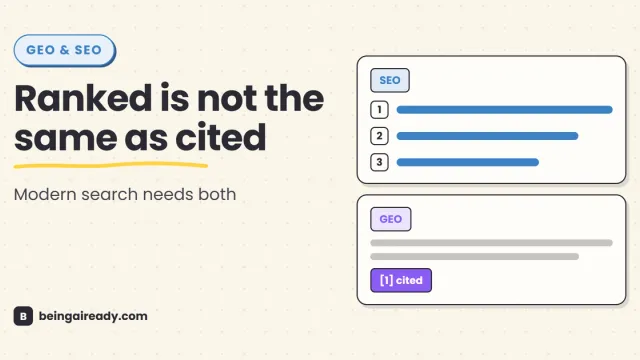
GEO vs SEO: What's Different and Why You Now Need Both
SEO earns rankings and clicks. GEO helps content get selected and cited in AI answers. Learn what differs, what overlaps, and why you need both.
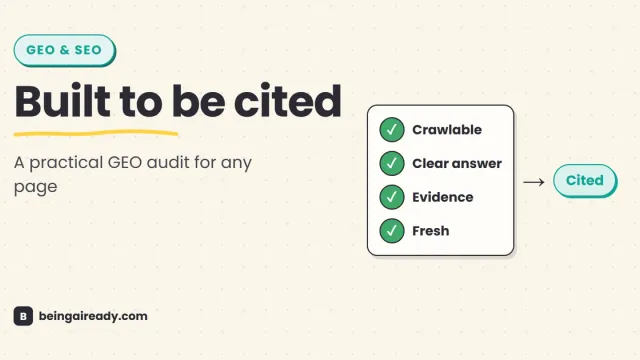
The GEO Checklist: Make Any Page AI-Citable
A practical, evidence-based GEO checklist for making any page easier for AI search systems to discover, understand, verify, quote, and cite.
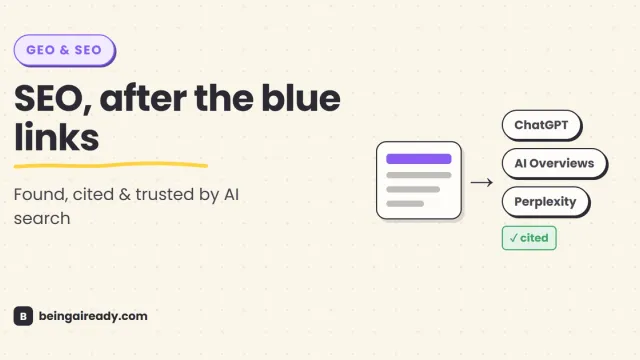
What Is GEO (Generative Engine Optimization)? Complete 2026 Guide
Learn what Generative Engine Optimization is, how GEO differs from SEO and AEO, and how to improve visibility in ChatGPT, AI Overviews, Copilot, and Perplexity.