
How to Choose the Right AI Tool: A Buyer's Framework
There is a moment, somewhere in the first week of taking AI seriously, when the problem quietly flips. At the start, the hard part is using the tools at all — learning what a prompt is, getting a useful answer out of a chatbot, figuring out what any of this is for. Then, almost overnight, the tools stop being the obstacle. The obstacle becomes choosing between them.
The biggest AI-tool directories now index tens of thousands of products, and new ones arrive every single day. Type any task you can think of — “summarize a PDF,” “make a slide deck,” “clean up a recording,” “write a cold email” — into a search bar and you’ll get back not one answer but forty, each with a confident landing page, a free trial, and a testimonial from someone who says it changed their life. This is the paradox of a mature market arriving all at once: the scarcity was never going to be tools. The scarcity is judgment about which tool.
That’s what this article is. Not another list of the fifty best AI tools — the directory this article sits on top of is where the specific recommendations live. This is the layer above that: a durable way to decide, so that when a new tool shows up next month with a slicker demo than the one you’re using, you have a framework to evaluate it instead of a reflex to switch. The tools will keep changing. The way you choose between them shouldn’t have to.
The approach here is deliberately unglamorous. No hype about which tool is “winning,” no fear that you’re falling behind, no pretending there’s one right answer for everyone. Just a repeatable process for matching a real task to the tool actually built for it — and, just as important, knowing when the tool you already have is good enough.
Quick answer: Start with the job, not the tool. Write down what “done” actually looks like — the input, the output, how often, and who’s doing it. Map that job to a category rather than a brand. Judge your shortlist on the criteria that decide real outcomes: fit for your specific task, output quality, how it fits your existing workflow, the true cost over a year, and data safety — not the length of the feature list. Narrow to two or three, then run each on five to ten real tasks before you commit. Prefer month-to-month until a tool earns its place, and default to the tool you already have until you feel genuine friction.
Here’s what you’ll walk away knowing:
- Why “which AI tool is best?” is almost always the wrong question, and “best for what job” is the one that actually has an answer.
- A six-step buyer’s framework — job, category, criteria, shortlist, trial, decision — that works for any task, from writing to coding to transcription, and doesn’t go stale when the tools change.
- The real criteria that separate a good buy from an expensive mistake, most of which never appear on the marketing page: total cost over a year, switching cost, data handling, and how well the tool fits the workflow you already have.
- When a general-purpose assistant like ChatGPT, Claude, or Gemini is genuinely all you need, and the specific signals that mean it’s time to reach for a specialist.
- How to run a cheap, honest trial that tells you what a tool does on an average day, not the best day its demo was built to show.
Why choosing became the hard part
For most of software history, the constraint was supply. If you needed to edit video, there were maybe three serious options and two of them cost more than your laptop. Choosing was easy because the field was small and the switching cost was brutal, so you picked the industry standard and learned to live with it. Abundance has inverted that completely. The field for almost any task is now enormous, the tools are cheap or free to try, and switching is a click. The friction moved from acquiring a tool to deciding on one.
And deciding badly is not free, even when the tool is. Three costs make the wrong choice more expensive than it looks:
The direct cost is the smallest part. A wasted $20-a-month subscription is annoying, not ruinous. But those subscriptions accumulate quietly — the average organization now runs well over a hundred software applications, and by common industry estimates a large share of that spend, often around a quarter to a third, goes to licenses nobody meaningfully uses. AI tools are especially prone to this, because signing up takes ninety seconds and cancelling requires remembering you signed up.
The switching cost is bigger and less visible. Once you’ve built a habit around a tool — learned its quirks, wired it into your routine, accumulated projects and history inside it — leaving is genuinely painful, even when a better option exists. This is why the first choice matters more than it seems. You’re not choosing a tool for this week; you’re choosing what you’ll be reluctant to leave in six months.
The opportunity cost is the largest of all. The worst outcome isn’t buying the wrong tool. It’s the hours spent evaluating, second-guessing, and tool-hopping — the afternoons lost to comparison videos and free trials that could have gone into the actual work. A framework’s real job is to end that loop quickly and get you back to doing the thing.
There’s a second reason this matters now, especially for teams. Your colleagues are already choosing tools, whether or not anyone gave them a process. Survey after survey puts the share of employees using AI tools their employer never formally approved somewhere between half and four-fifths — the phenomenon the security world has started calling “shadow AI”. People aren’t waiting for permission; they’re solving today’s problem with whatever they found this morning. A shared way to choose well isn’t bureaucracy. It’s the difference between a team that adopts AI deliberately and one that accumulates it accidentally.
The market itself is real, not hype, which is exactly why the noise is so loud. Enterprise spending on generative AI roughly tripled in a single year, from $11.5 billion in 2024 to about $37 billion in 2025, according to Menlo Ventures’ annual survey — and notably, AI tools convert from trial to real production use at nearly twice the rate of traditional software. People try these tools and keep them. That’s the good news and the trap in one sentence: the tools work well enough to stick, which means choosing carelessly means sticking with the wrong thing.
The whole framework, in one picture
Before the detail, here’s the shape of the entire process. It’s a funnel: you start with a fuzzy need and thousands of options, and each step removes a layer of choice until one sensible answer is left. Every step exists to spend as little effort as possible before the next one, so you never sink hours into evaluating a tool that a thirty-second question could have ruled out.
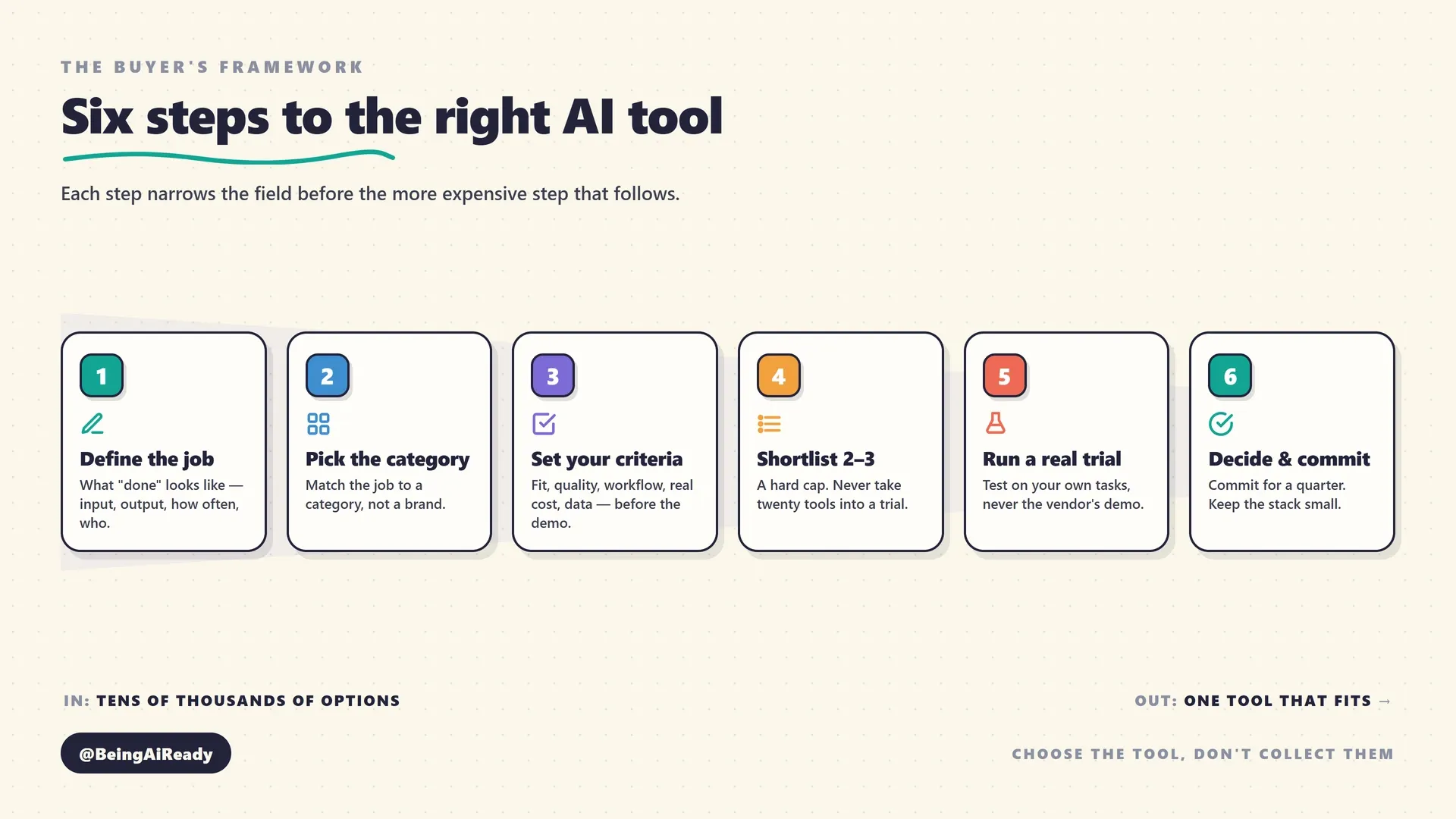
The order is the point. Most people start in the middle — at step four or five, comparing specific tools — without having done steps one through three, which is why tool comparisons feel so exhausting and inconclusive. If you don’t know precisely what job you’re hiring a tool to do, every option looks plausible and every feature looks relevant. Define the job first and most of the field disqualifies itself before you’ve watched a single demo.
Step 1: Define the job, not the tool
Start by writing down the actual job in plain language, before you look at a single product. This is the step that does most of the work, and the one almost everyone skips. Borrow the framing from the old “jobs to be done” idea: you don’t want a tool, you want a task completed. Nobody wants a transcription subscription; they want the words from a meeting turned into something they can search and quote without typing it all out.
Four questions pin the job down. Answer them in a sentence each:
- What does “done” look like? Describe the finished output concretely. Not “help with writing” but “a 600-word LinkedIn post in our company’s voice, ready to publish.” Not “coding help” but “working Python that passes our existing tests.” The sharper the definition of done, the easier every later step becomes.
- What goes in, and what comes out? A tool that turns a rough voice memo into a polished article is solving a different problem from one that turns a finished article into ten social posts. Naming the input and the output usually points straight at the right category.
- How often will you do this? A once-a-quarter task and a daily task justify completely different amounts of setup, cost, and learning. High-frequency jobs reward specialized tools and integrations; one-off jobs almost never do.
- Who’s actually doing it? A tool a non-technical colleague will use every day has different requirements — mostly around learning curve and guardrails — than one a specialist will drive. Buying a powerful, fiddly tool for a casual user is a common and expensive mismatch.
The reason this step matters so much is that it converts a shopping problem into a matching problem. “What’s the best AI tool?” has no answer. “What’s the best tool for turning a recorded interview into a captioned highlight clip, done weekly, by someone who isn’t a video editor?” nearly answers itself. Vague inputs produce vague, endless comparisons; a precise job description is already half the decision.
One honest caution here, in keeping with not overselling: for a genuinely one-off task, the right “tool” is often the general-purpose assistant you already pay for. Don’t stand up a new subscription to do something once. The framework that follows is for the tasks you’ll do repeatedly, where getting the choice right compounds.
Step 2: Pick the category before the product
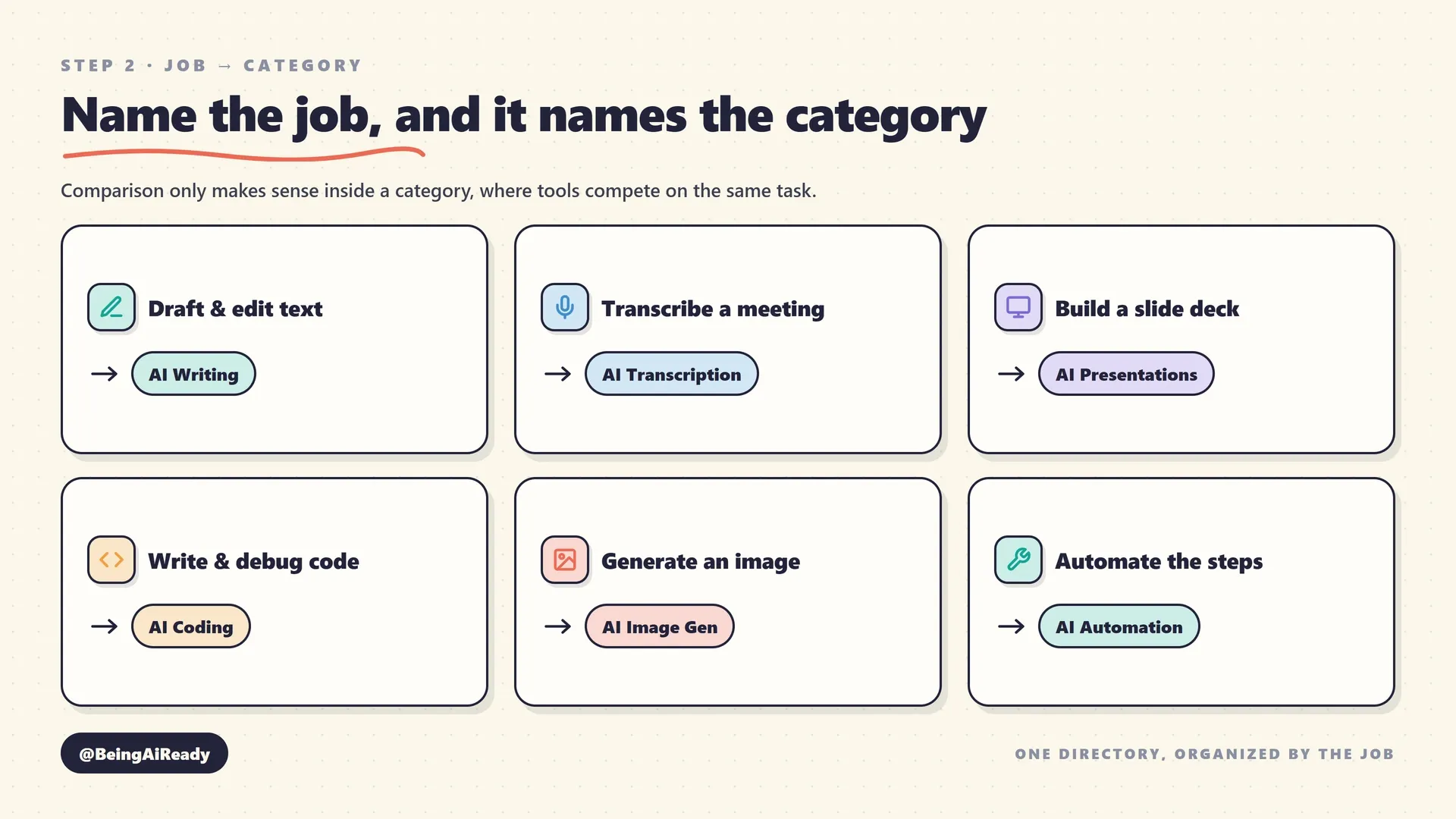
Once the job is clear, match it to a category of tool, not a specific brand. Categories are how a chaotic field of tens of thousands of products becomes navigable: within a category, the tools genuinely compete on the same job, so comparison finally means something. Comparing across categories — a writing tool against a transcription tool — is meaningless, but it’s what a raw search feels like.
This is exactly what a well-organized AI tool directory is for. It does the first cut for you, grouping tools by the job they do so you can start comparing like with like. A rough map from common jobs to categories:
- Draft, edit, or polish text → AI writing tools
- Answer questions, brainstorm, summarize, general help → AI chat assistants
- Research with sources you can check → AI research tools
- Write or debug code → AI coding assistants
- Create still images → AI image generation
- Create or edit video → AI video generation
- Turn speech into text → AI transcription
- Capture and summarize meetings → AI meeting assistants
- Build slides and decks → AI presentation makers
- Chat with your own documents → AI PDF & document chat
- Connect apps and automate steps → AI automation and workflow automation
- Handle customer questions → AI customer support
- Analyze data and spreadsheets → AI data analysis
Two things to watch at this step. First, some jobs sit on a boundary and could be served by two categories — turning a podcast into a blog post could be a content repurposing job or a writing job, depending on where the real effort is. When that happens, go back to your input-and-output answer from step one; whichever category matches the transformation you actually need is the right one. Second, resist the urge to pick a category just because it’s the exciting one. The most-hyped category is rarely the one your specific job lives in.
Step 3: Set the criteria that actually decide it
Now, and only now, look at individual tools — but judge them against criteria you set before you saw the marketing. This is the discipline that protects you from choosing on the wrong basis. Vendor pages are built to make you compare on feature count and impressive demos, which are close to irrelevant. The criteria that decide whether you’ll be happy in six months are mostly ones the landing page won’t lead with.
Here are the seven that matter, roughly in order of how often they’re the deciding factor:
1. Fit for your specific job. Does it do your task well, not tasks in general? A narrow tool that nails your exact job beats a broad, powerful one that does it clumsily. This is why step one mattered: without a precise job, you can’t judge fit.
2. Output quality on real work. How good is the actual result, judged on your own tasks rather than the vendor’s cherry-picked examples? This is the one criterion you genuinely can’t assess from the outside — which is what the trial in step five is for.
3. Workflow fit. Does it slot into how you already work, or does it demand that you rebuild your process around it? A tool that lives inside the app you’re already in — your editor, your inbox, your document — beats a marginally better tool that means copying text back and forth all day. Integrations aren’t a bonus feature here; for a frequent task, they’re often the whole game.
4. Learning curve versus who’s using it. How long until the intended user is productive, and does that match how technical they are? Power you can’t reach isn’t power. Match this honestly to your step-one answer about who’s doing the job.
5. Pricing model and total cost over a year. Not the headline price — the real annual cost given how you’ll actually use it. Per-seat, per-usage, and per-credit models produce wildly different bills for the same work, and free tiers have limits that are easy to hit. This deserves its own section below, because it’s where the most expensive surprises live.
6. Data, privacy, and security. What happens to what you put in? For anything confidential, this can override every other criterion. Also a section of its own below.
7. Reliability and vendor stability. Is the tool dependable day to day, and is the company likely to still be here — and still supporting it — next year? In a market this young and this crowded, some tools will not survive, and betting a core workflow on one that vanishes is its own kind of switching cost. Signs of stability: real revenue or serious backing, a track record longer than a few months, and a maker that communicates clearly about changes.
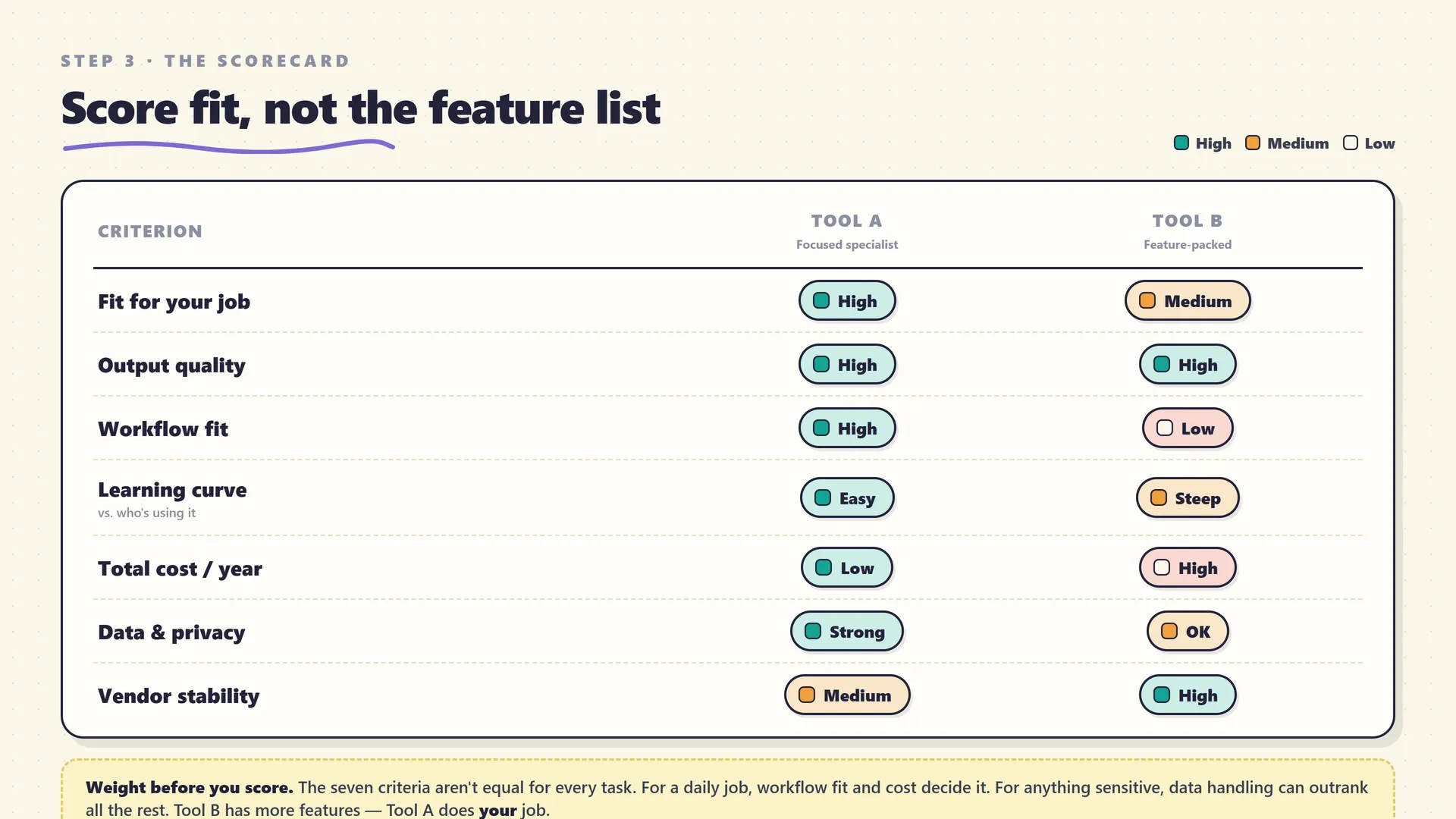
A word on weighting, because it’s what turns this from a checklist into a decision: the seven criteria are not equally important for every job. For a task you’ll do fifty times a day, workflow fit and total cost dominate and a small quality edge is worth a lot. For a one-off creative project, output quality is nearly everything and cost barely registers. For anything touching client data or regulated information, criterion six can outrank the other six combined. Decide which two or three criteria actually matter for this job before you start scoring, and the winner usually becomes obvious.
Step 4: Cut to a shortlist of two or three
Narrow to a genuine shortlist — two or three tools, not ten — before you invest any real evaluation time. This is a hard cap on purpose. The point of a shortlist is to move the expensive part of choosing (actually using the tools) onto as few candidates as possible.
How to get there fast without a deep dive on each:
- Take the category’s top few, not the whole list. A good directory category already surfaces the strongest handful rather than every option — this site deliberately caps each category at around five or six genuinely different tools for exactly this reason. Start from that curated set, not from an open search that returns hundreds.
- Disqualify on your non-negotiables first. Apply your hard requirements — a specific integration, a data-residency rule, a real free tier, a price ceiling — before anything else. Non-negotiables are the cheapest, fastest filter you have, because they rule tools out in seconds without any testing.
- Prefer meaningfully different candidates. Put a general-purpose option and a specialist on the same shortlist, rather than three near-identical specialists. Comparing genuinely different approaches teaches you more about what your job actually needs than splitting hairs between clones.
If you can’t get below three or four candidates on paper, that’s usually a sign step one wasn’t specific enough — go back and sharpen the job definition until the field narrows on its own.
Step 5: Run a cheap, honest trial
This is the step that separates a good decision from a lucky one, and the single most useful hour in the whole process. Everything before it was on paper; this is where you find out what a tool actually does on your work, not on the vendor’s. Almost every AI tool has a free trial or a free tier — that’s not generosity, it’s the norm — so the real cost of testing is your time, not your money. Spend it deliberately.
Test on real tasks, never on the demo task. The demo is engineered to show the tool at its best on an input chosen to flatter it. That tells you almost nothing about your average Tuesday. Instead, pull five to ten real tasks you’d otherwise do by hand — including the awkward, messy ones you’d be tempted to skip — and run each candidate on exactly those. This mirrors a trick worth stealing from more technical AI evaluation: build a small, honest test set of real examples and re-run it against each option, so you’re comparing tools on identical, representative work rather than on vibes.
Judge the output the way you’ll actually use it. Don’t grade a tool on whether the result is impressive; grade it on how much work is left after it hands you something. An image generator that produces a stunning picture of the wrong thing is worse than a plain one that nails the brief. A writing tool whose draft you have to heavily rewrite hasn’t saved you the time it claims to. The real measure is finished-work-per-effort, not raw wow.
Time-box it. Give the trial a hard deadline — an afternoon for something simple, up to two weeks for a tool you’d wire into daily work — and decide when it’s up. Open-ended trials are how you end up with six half-used subscriptions and no decision. Most tools reveal their real ceiling within the first serious session; you’ll usually know well before the deadline.
Watch for the friction, not just the features. During the trial, notice where the tool fights you: the export that’s clumsy, the format it won’t quite produce, the step that always needs a manual fix. Friction on a task you’ll do once is trivial; friction on a task you’ll do daily is the thing you’ll come to resent. Feature lists don’t capture friction. Only real use does.
Step 6: Decide, commit, and design the stack
Make the call, then actually commit to it for a defined period instead of leaving the question open. A decision you keep reopening every time a new tool trends is barely a decision — it’s the tool-hopping loop wearing a disguise, and it costs more time than any single wrong pick. Choose the tool that best fits the two or three criteria that matter most for your job, commit to it for a set stretch (a quarter is a sensible default), and stop shopping.
Committing well also means being deliberate about how many tools you run at once — your stack, not just the single choice. The instinct in an abundant market is to collect tools; the discipline is to keep only the ones doing genuinely different jobs.
- For most individuals and small teams, the right stack is small: one strong general-purpose assistant, plus one or two specialists for the tasks you do often and where a generalist visibly underperforms. That combination covers a surprising amount of ground.
- Add a tool only when it does a job your current stack does badly — not because it’s new, not because it’s slightly better at something you already handle fine. “Slightly better at a job I already cover” is rarely worth a new subscription, a new login, and a new thing to maintain.
- When two tools clearly overlap, drop one. Overlap is where the wasted spend and the mental overhead hide. Keep the one that fits your workflow better and cancel the other, even if the other is marginally more capable in the abstract.
- Put a review on the calendar. Revisit the whole stack quarterly: what got used, what didn’t, what could be consolidated. This is the single habit that prevents the slow accumulation of forgotten subscriptions, and it takes fifteen minutes.
Commitment isn’t permanence. It’s refusing to re-litigate the decision daily. When the review comes around, you re-evaluate deliberately, with the same framework — which is a completely different activity from switching on impulse because a demo looked shiny.
The question underneath every choice: general or specialist?
Almost every AI-tool decision eventually collapses into one question: is a general-purpose assistant enough, or do you need a dedicated tool? Getting a clear-eyed answer to this saves more money and time than any other single judgment, because the honest truth is that the general assistants have quietly absorbed a huge amount of what used to need separate tools.
A modern general-purpose assistant — ChatGPT, Claude, or Gemini — can now draft and edit writing, answer research questions, analyze a spreadsheet, help with code, summarize a document, and generate images, all from one subscription. For occasional work across many of those, it is genuinely the best-value choice, and reaching for a specialized tool would be over-buying. This is the starting position the framework should nudge you toward: default to the general tool you already have, and specialize only where you feel real, repeated friction.
The friction that justifies a specialist is specific and recognizable:
- Volume. You do the task so often that small improvements in speed or quality compound into real time saved. A dedicated tool’s efficiency starts to pay for itself.
- Output format or fidelity. The job needs a specific, high-quality output the general tool only approximates — polished video, broadcast-clean voice, accurate long-form transcription, or genuinely production-ready image generation.
- Integration. The task lives inside a specific app, and a specialist that works there — a coding assistant inside your editor, an email assistant inside your inbox — beats a general tool you have to copy-paste to and from.
- Control and consistency. You need governed, repeatable results — brand-controlled writing, consistent house style, approval workflows — that a general assistant can’t reliably enforce on its own.
If none of those apply, you probably don’t need the specialist yet, no matter how good its demo is. And notice that these signals map almost exactly onto your step-one answers about frequency, output, and who’s doing the job. The general-versus-specialist call isn’t a separate decision; it’s what falls out of defining the job properly in the first place.
Pricing and total cost, honestly
Price is where AI tools do their most misleading work, because the number on the pricing page is rarely the number you’ll pay. Judge cost over a year of realistic use, and pay attention to the model, not just the figure.
Three pricing models dominate, and they behave very differently:
- Per-seat (a flat monthly fee per user). Predictable and easy to budget, which is its strength. The trap is paying full price for seats that go barely used — the classic source of wasted software spend. Per-seat suits tools a defined group uses regularly.
- Per-usage or per-credit (you pay for what you consume). Cheap to start and fair for light use, but the bill scales with success — heavy use can cost far more than a flat plan, and credits have a way of running out mid-task. Model your expected volume honestly before assuming usage-based is cheaper.
- Freemium (a free tier plus paid upgrades). The best way to validate fit at zero cost — but read the free tier’s real limits, not its marketing. Some free tiers are genuinely useful indefinitely; others are a demo with a watermark, designed to push you to upgrade the moment you do anything serious. Know which kind you’re on before you build a habit on it.
Beyond the sticker, three costs are routinely underestimated. Onboarding time — the hours to learn the tool and wire it in — is real money, especially for a team. Integration cost — connecting it to your other systems — can quietly exceed the subscription. And switching cost, the one from the top of this article, is the tax you’ll pay later if you choose wrong now, which is the strongest argument for testing properly before you commit.
The market backdrop is worth keeping in mind as a discipline, not a worry. With enterprise AI spending tripling year over year and a large share of software spend generally going to unused licenses, the pressure is all toward buying more. The corrective is boring and effective: prefer month-to-month until a tool has earned its place, use free tiers to validate before paying, and review every subscription quarterly. Buying for the actual bottleneck rather than the feature list is the whole game — the same principle behind building an AI tool stack without wasting money.
Data, privacy, and staying out of trouble
For any task involving information you wouldn’t post publicly, data handling isn’t one criterion among seven — it’s a gate the tool has to pass before the other criteria even matter. The convenience of pasting something into a free AI tool is exactly what makes it easy to hand over data you shouldn’t.
Three questions settle most of it:
- Does the vendor train on your inputs? Policies vary widely and change often. Many consumer free tiers may retain and learn from what you submit; many business and enterprise tiers explicitly don’t. The only reliable move is to check the tool’s current privacy page rather than assume — and to treat anything you put into a consumer free tier as potentially retained.
- Is there a tier with real data protections? For confidential work, a paid business or enterprise plan with clear data-handling terms is often worth the upgrade purely for the guarantees, independent of any extra features.
- Where does the data live, and does that matter for compliance? If you’re bound by rules about where data is stored or processed, data residency and certifications become hard requirements, not nice-to-haves — and a genuine reason to rule a tool out.
The simplest rule of thumb: match the sensitivity of the data to the tier and vendor you’d trust with it, and keep genuinely sensitive material out of casual consumer tools entirely. For the fuller picture on using these tools at work without creating problems, we’ve covered that separately. Get this criterion wrong and no amount of output quality makes up for it.
The framework in action: three worked examples
Abstract frameworks are easy to nod along to and hard to apply, so here’s the same six steps run on three genuinely different tasks. Notice how the process is identical even though the answers aren’t.
Turning a weekly podcast into social clips. The job: take one 45-minute recording each week and produce several captioned vertical clips, done by someone who isn’t a video editor. Category: this is a repurposing job on the video side, so it points at content repurposing and video tools rather than a general assistant. Criteria that matter: workflow fit and output quality dominate, because it’s weekly and the clips ship publicly; cost matters but is secondary. Shortlist and trial: two or three clip tools, tested on last week’s actual episode — the messy one with cross-talk — not a clean sample. Decision: whichever leaves the least manual re-trimming wins; a general chatbot was never a real contender here, which the job definition made clear immediately.
Drafting routine marketing emails. The job: first drafts of weekly marketing emails in the company’s voice, written by a marketer who isn’t especially technical. Category: writing, or possibly a general chat assistant. Criteria: here the honest question is whether a specialist is needed at all. For a single marketer drafting occasionally, a general assistant with a good, reusable prompt often wins — this is a case where the framework should talk you out of a purchase. A dedicated brand-voice writing tool only earns its cost once there are several writers who must stay consistent, or the volume is high enough that the general tool’s friction adds up. Decision: start general; specialize only if consistency across people becomes the real problem.
Getting reliable coding help. The job: a developer wants faster help writing and debugging code that fits an existing codebase, used daily inside their editor. Category: coding assistants. Criteria: integration is close to everything — a tool that lives inside the editor and understands the surrounding code beats a marginally smarter one you paste into a browser. Data handling also matters, since proprietary code is going in. Trial: test on real tickets from the actual codebase, not toy problems. Decision: the daily-use, in-editor, high-frequency profile is a textbook case where a specialist clearly beats the general assistant — the exact inverse of the marketing-email example, and for reasons the job definition spelled out in step one.
Same framework, three different answers — including one where the right answer was “don’t buy anything new.” That’s the framework working as intended. It’s not a machine for justifying purchases; it’s a machine for matching a job to the tool it actually needs, up to and including the one you already own.
Where people get this wrong
A handful of mistakes come up often enough to name directly, because avoiding them is half the value of having a process at all.
Shopping before defining the job. By far the most common and most expensive error. If you start by comparing tools, every tool looks reasonable and the comparison never ends. Define what “done” looks like first and most of the field eliminates itself. Skipping step one is why tool research feels bottomless.
Buying on features instead of fit. A longer feature list is not a better tool for your job; it’s often a worse one, because breadth usually costs depth and simplicity. The tool that does your specific task cleanly beats the one that does forty things adequately.
Trusting the demo over your own test. Demos are marketing artifacts, built on inputs chosen to flatter. The only output that tells you anything is the output on your real work. Never commit on the strength of a demo you didn’t design.
Chasing novelty. A new tool with a slick launch triggers a reflex to switch. But newer rarely means better for your established job, and the switching cost is real every single time. Let a new tool prove it clears a meaningful bar before you disrupt a working setup — that’s what the quarterly review is for.
Ignoring total cost until the bill arrives. The headline price is the beginning of the cost, not the end. Usage-based bills scale with success, per-seat plans waste money on unused seats, and onboarding and switching are real costs that never appear on the pricing page.
Collecting tools instead of using them. Every tool you add is another subscription, another login, another thing to maintain and eventually cancel. A small, deliberate stack beats a large accidental one in both cost and clarity, every time.
Treating the choice as permanent — or as never settled. Both failure modes are real. Marrying a tool forever means missing genuinely better options; re-deciding every week means never getting any compounding benefit from mastering one. Commit for a defined period, then review deliberately. That’s the middle path the framework is built around.
The bottom line
The number of AI tools is going to keep climbing, and no list of “the best tools” will stay current long enough to be worth memorizing. What stays current is the way you choose. Start with the job, not the tool. Match it to a category before a brand. Judge candidates on the criteria that actually decide outcomes — fit, real-world quality, workflow, true cost, and data safety — not the length of the feature list. Test on real work, commit for a defined stretch, and keep your stack small and deliberate.
Do that, and the endless churn of new tools stops being stressful and becomes almost irrelevant. A new option shows up, you run it through the same six steps, and you get a clear answer in an afternoon instead of losing a week to comparison anxiety. The tools are the fast-moving part. The judgment is the durable part — and the judgment is the thing worth building.
When you’re ready to go from framework to specifics, the AI tool directory is the other half of this: the same jobs, organized by category, with the individual tools compared on exactly the criteria above. This article is how to choose. The directory is what to choose from. Use them together, and “which AI tool should I use?” finally becomes a question with a real, defensible answer — your answer, for your job.
Frequently asked questions
What's the single most important factor when choosing an AI tool?
Fit for the specific job you're doing, not raw capability or brand name. A tool that does one narrow task well beats a more powerful general tool that does it awkwardly. Before comparing any tools, write down what 'done' looks like for your task -- the input, the output, how often you'll do it, and who's doing it. Almost every bad AI-tool purchase traces back to skipping that step and buying on features instead of fit.
Should I just use ChatGPT or Claude for everything instead of specialized tools?
For occasional, general work -- drafting, brainstorming, summarizing, quick research -- a general-purpose assistant like ChatGPT, Claude, or Gemini genuinely covers a lot, and it's the right first stop. Reach for a specialized tool when a task is high-volume, needs a specific output format or integration, or where the general model's 'pretty good' isn't good enough -- image generation, transcription, coding inside your editor, or brand-controlled writing. The honest default: start general, specialize only where you feel real friction.
How long should I test an AI tool before committing?
Long enough to run it on real work, not a demo -- usually a few days to two weeks on a free trial. Give it five to ten actual tasks you'd otherwise do by hand, including the messy ones, and judge the output honestly. Most tools reveal their real limits within the first afternoon of genuine use. A polished demo tells you what a tool does on its best day; your own real tasks tell you what it does on an average one.
How do I avoid wasting money on AI subscriptions I won't use?
Buy for the bottleneck that's actually costing you time this month, not for a feature list. Prefer month-to-month over annual until a tool has earned its place in your routine, use free tiers to validate fit before paying, and set a calendar reminder to review every AI subscription quarterly. Industry estimates put a large share of software spend -- often around a quarter to a third -- on licenses nobody meaningfully uses, and AI tools are especially easy to sign up for and forget.
Is it better to use one AI tool or a stack of several?
It depends on how many genuinely different jobs you're doing. One well-chosen general assistant plus one or two specialists covers most individuals and small teams -- more than that and you're paying for and maintaining overlap. A larger stack only earns its keep when each tool does a distinctly different job that a generalist does badly. When two tools clearly overlap, keep the one that fits your workflow better and drop the other.
How much should data privacy weigh in the decision?
Heavily, if you're feeding the tool anything confidential -- client data, financials, unreleased work, personal information. Check whether the vendor trains on your inputs, whether there's a business or enterprise tier with data protections, and where data is stored for compliance. For low-stakes personal tasks it matters far less. When in doubt, assume anything you paste into a consumer free tier could be retained, and keep genuinely sensitive material out of it.
Related articles
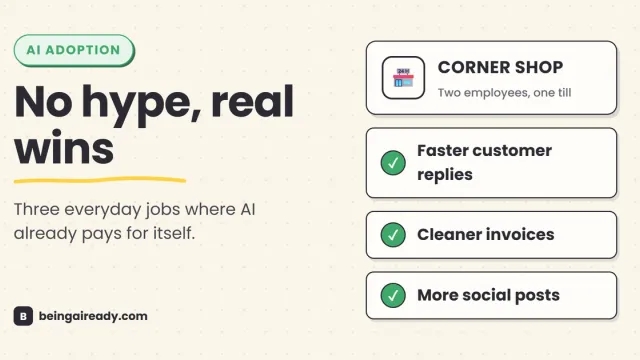
AI for Small Business: A Practical Starter Guide
A grounded, no-hype guide to using AI in a small business: where it actually helps, which tasks to start with, what it really costs, and how to stay safe.
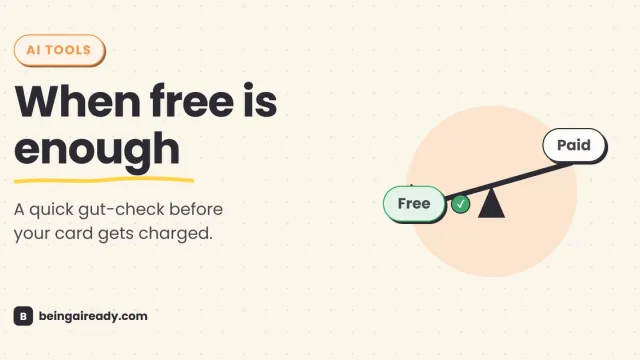
Free vs Paid AI Tools: What's Actually Worth Paying For
Free AI tools do more than ever, but a few paid upgrades quietly pay for themselves. A grounded, no-hype test for knowing which is which, tool by tool.
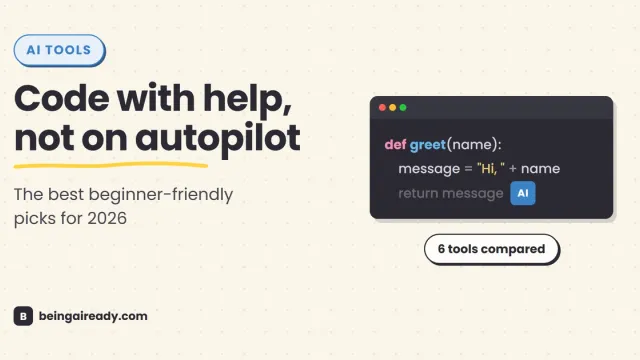
Best AI Coding Assistants for Beginners in 2026
A practical comparison of the best AI coding assistants for beginners, including GitHub Copilot, Replit, Cursor, Antigravity, Amazon Q, and JetBrains AI.