
Sunsama
Daily planning app built around a guided morning-planning and evening-shutdown ritual, pulling tasks from your other tools into one intentional daily view rather than auto-scheduling them.
Visit website (opens in a new tab)Independent editorial listing. Features, pricing, and privacy terms can change; confirm details on the vendor site before buying or rolling out a tool.
What it does
Sunsama takes a more deliberately manual approach than the auto-schedulers elsewhere in this category. Each morning, it walks you through pulling tasks from your connected tools — Jira, Asana, Trello, Todoist, and others — into a single daily view, assigning realistic time estimates, and committing to a plan; if you plan more work than fits in your target hours, it warns you rather than silently letting the day overflow. An evening shutdown routine closes the loop, prompting a reflection on what got done and a deliberate decision about what moves to tomorrow. It’s built for people who want a structured ritual around planning their day, not full automation of it.
Ideal users
- People who want to consciously choose and commit to a realistic day rather than have a calendar auto-fill for them
- Anyone who tends to over-plan their day and wants a tool that actively warns when too much is scheduled
- People who want a deliberate end-of-day shutdown routine to reduce unfinished work spilling into the next day
Who should avoid it
- You want scheduling automated rather than done by hand each day — Motion or Akiflow remove more manual effort
- You don't want a daily planning ritual — Sunsama's core value depends on actually doing the morning/evening routine consistently
- You're price-sensitive — there's no free tier, and pricing rose in 2026
Key features
- Guided daily planning ritual for pulling tasks from connected tools into one committed view
- Evening shutdown routine for reflecting on the day and moving unfinished work forward intentionally
- Workload warnings when planned tasks exceed your realistic target hours for the day
- Focus mode and weekly objectives
- 20+ integrations (Jira, Linear, Asana, Trello, Todoist, Google Calendar, Outlook, Slack)
- AI time estimates and task channels; AI text assistant, MCP/API access, and Zapier triggers, all included in the single Pro plan
Pros / Cons
Pros
- Workload warnings actively discourage over-planning, a genuinely different philosophy from tools that just fill your calendar
- Evening shutdown ritual is a distinctive feature that helps close out a day intentionally rather than letting tasks silently roll over
- Broad integration list makes it workable as a single daily view across many different task sources
- Real automation hooks (API, Zapier, MCP) are included in the single Pro plan rather than gated behind a pricier tier
Cons
- No free tier — the only way to try it is a 14-day trial before a required paid plan
- Requires more manual daily engagement than fully automated schedulers like Motion
- Sunsama raised prices in 2026 for the first time in five years, which is worth factoring into long-term cost expectations
- Less useful for people who don't want to follow a structured daily ritual consistently
Pricing
Paid — $17/month (Pro, billed annually)
Confirmed directly on sunsama.com/pricing and Sunsama's pricing manifesto (help.sunsama.com), July 2026: Sunsama now sells a single Pro plan at $17/month billed annually ($204/year) or $22/month billed monthly, with unlimited usage across all integrations, time blocking, the shutdown ritual, and AI, MCP, and Zapier features included — the separate, higher-priced 'Power Pro' tier no longer appears on the current pricing page. Enterprise remains custom-quoted for SSO/SAML, SCIM, audit logs, and custom data requirements. No free tier; a 14-day trial with full feature access is available.
Typical workflows
- Each morning, a user opens Sunsama, pulls in tasks from Asana and Slack, assigns time estimates, and commits to a realistic day — if the plan exceeds their target hours, Sunsama warns them before they overcommit.
- At the end of the day, a user runs Sunsama's shutdown routine, reflecting on what got done and deliberately moving unfinished tasks to tomorrow's plan rather than letting them pile up unnoticed.
Integrations
- Jira, Linear, Asana, Trello, and Todoist
- Google Calendar and Outlook
- Slack
- Zapier and API/MCP access (included in the Pro plan)
Frequently asked questions
Does Sunsama automatically schedule my tasks, like Motion?
No — Sunsama is intentionally more manual. It pulls tasks into one daily view and helps you plan and commit to a realistic day, including warning you when you've planned too much, but a person actively chooses and arranges the day's tasks rather than an algorithm doing it automatically.
What's the 'workload warning' feature?
If the tasks you plan for a day exceed the realistic target hours you've set, Sunsama warns you before you commit to an overloaded plan — a deliberate design choice meant to build a habit of planning achievable days instead of aspirational ones.
Is there a free plan?
No — Sunsama offers a 14-day free trial but requires a paid subscription afterward, unlike Reclaim, which has a permanent free tier.
Best alternatives
Motion
PaidAI scheduling app that takes your tasks and projects and automatically timeblocks them onto your calendar, replanning your day whenever something changes.
Akiflow
PaidTask aggregation and timeblocking app that pulls tasks from 30+ other tools into one prioritized daily list you drag directly onto your calendar.
Related tutorials
Best AI Scheduling & Calendar Tools in 2026 (Reclaim and Alternatives)
A practical comparison of the best AI scheduling tools and calendar apps in 2026, including Reclaim, Motion, Morgen, Calendly, Akiflow, SkedPal, Trevor AI, and Sunsama.
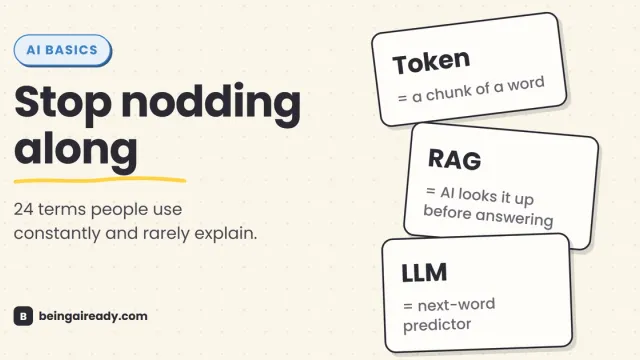
AI Terms Explained: A Plain-English Glossary of 24 Words
The 24 AI terms everyone uses but nobody defines — LLM, tokens, RAG, agents and more — explained in plain English, with analogies that actually stick.