
Akiflow
Task aggregation and timeblocking app that pulls tasks from 30+ other tools into one prioritized daily list you drag directly onto your calendar.
Visit website (opens in a new tab)Independent editorial listing. Features, pricing, and privacy terms can change; confirm details on the vendor site before buying or rolling out a tool.
What it does
Akiflow solves a specific problem: tasks scattered across a dozen different apps, with no single place to see and prioritize all of them. It pulls tasks in from more than 30 tools — Asana, Todoist, Jira, Notion, Trello, GitHub, Slack, Gmail, and others — into one prioritized daily list, then lets you drag each item directly onto your calendar as a real timeblock, synced bidirectionally so completing a task in Akiflow marks it done in the original app too. Unlike a fully automated scheduler, it’s a fast manual workflow: Akiflow makes timeblocking quick, but a person still decides what goes where.
Ideal users
- People whose tasks are scattered across many apps (Asana, Todoist, Jira, Notion, Trello, GitHub, Slack, Gmail) and want one unified daily list
- Heavy timeblocking practitioners who want a fast, keyboard-first way to drag tasks onto a calendar
- Individuals who want a guided morning planning ritual to choose the day's priorities
Who should avoid it
- You want the scheduling done for you automatically — Akiflow is a fast manual timeblocking tool, not an autonomous scheduler like Motion
- You want a free tier to try long-term — Akiflow only offers a 7-day trial with no permanent free plan
- Your task list already lives in one tool and doesn't need aggregating from many sources
Key features
- Task aggregation from 30+ apps into a single prioritized inbox, with bidirectional sync back to the source app
- Side-by-side calendar view with drag-and-drop timeblocking from the task list
- Bidirectional sync with Google Calendar and Outlook, so timeblocked tasks appear as real calendar events
- Guided daily planning view for selecting and ordering the day's tasks each morning
- Keyboard-first design with extensive shortcuts for fast task processing
- Aki, an AI assistant layered on top of the task-and-calendar workflow
Pros / Cons
Pros
- Genuinely broad integration coverage (30+ apps) makes it strong for people with tasks scattered across many tools
- Bidirectional sync means checking off a task in Akiflow updates the original app too, not just a copy
- Fast, keyboard-driven workflow is well suited to people who process a high volume of tasks daily
- Single fully-featured plan with no locked capabilities, so pricing is simple to understand
Cons
- No permanent free tier — only a 7-day trial, unlike Reclaim's usable free plan
- Manual timeblocking (even if fast) requires more ongoing user effort than Motion's fully automatic scheduling
- Pricing is on the higher end for an individual tool if paying month-to-month rather than committing annually
- Less useful if your tasks already live in a single tool and don't need aggregating
Pricing
Paid — $19/month (Pro, billed yearly)
As of mid-2026, confirmed directly on akiflow.com/pricing: $34/month billed monthly, $19/month billed yearly, or $14.90/month with a two-year ('Believer') commitment. A 7-day free trial with full feature access is available; no permanent free tier. The single Pro plan includes unlimited integrations, unlimited tasks, unlimited meetings, and access to Aki, the AI assistant.
Typical workflows
- Each morning, a user opens Akiflow's guided planning view, pulls in tasks that arrived overnight from Asana, Gmail, and Slack, and drags the day's priorities directly onto open calendar slots.
- A consultant working across several client tools (Jira for one client, Trello for another) uses Akiflow to see and timeblock all of their tasks in one place instead of checking each tool separately.
Integrations
- Google Calendar and Outlook/Microsoft 365 (bidirectional sync)
- Asana, Todoist, Jira, Linear, Notion, Trello, GitHub, Slack, Gmail, and 30+ more
Frequently asked questions
Does Akiflow schedule my day automatically, like Motion does?
No — Akiflow is a fast manual timeblocking tool. It aggregates and prioritizes your tasks and makes dragging them onto your calendar quick, but a person still decides where each task goes, unlike Motion's fully automated scheduling engine.
What happens to a task in the original app when I complete it in Akiflow?
Akiflow's sync with most connected apps is bidirectional, so checking off a task in Akiflow also marks it complete in the original tool (like Notion or Trello) rather than only updating a local copy.
Is there a free plan?
No permanent free tier — Akiflow offers a 7-day free trial with full feature access, after which a paid plan is required to continue.
Best alternatives
Motion
PaidAI scheduling app that takes your tasks and projects and automatically timeblocks them onto your calendar, replanning your day whenever something changes.
Reclaim.ai
FreeAI scheduling assistant for Google Calendar and Outlook that automatically defends focus time, habits, and tasks on your calendar from being crowded out by meetings.
Related tutorials

Best AI Scheduling & Calendar Tools in 2026 (Reclaim and Alternatives)
A practical comparison of the best AI scheduling tools and calendar apps in 2026, including Reclaim, Motion, Morgen, Calendly, Akiflow, SkedPal, Trevor AI, and Sunsama.
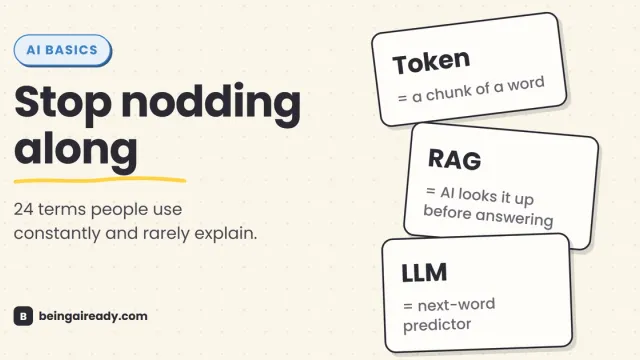
AI Terms Explained: A Plain-English Glossary of 24 Words
The 24 AI terms everyone uses but nobody defines — LLM, tokens, RAG, agents and more — explained in plain English, with analogies that actually stick.