
Reclaim.ai
AI scheduling assistant for Google Calendar and Outlook that automatically defends focus time, habits, and tasks on your calendar from being crowded out by meetings.
Visit website (opens in a new tab)Independent editorial listing. Features, pricing, and privacy terms can change; confirm details on the vendor site before buying or rolling out a tool.
What it does
Reclaim.ai works directly inside Google Calendar or Outlook to automatically defend time that would otherwise get eaten by new meetings — focus time, personal habits like workouts or reading, and tasks pulled in from tools like Todoist or Asana. Rather than scheduling your whole day from scratch the way a full auto-scheduler does, it continuously re-negotiates your existing calendar to protect the commitments you’ve told it matter, moving them around meetings instead of letting them silently disappear.
Ideal users
- Individuals and small teams on Google Calendar or Outlook whose focus time keeps getting eaten by new meeting invites
- People who want habits (workouts, breaks, recurring personal commitments) automatically protected as real calendar time
- Small teams that want lightweight shared scheduling — out-of-office, meeting quality, delegated access — without a full work-management platform
Who should avoid it
- You need a full task-to-calendar auto-scheduler rather than calendar defense specifically — Motion or Akiflow go further
- You're a large enterprise needing org-wide analytics and SSO from day one — check whether Enterprise pricing and features fit before starting on a lower tier
- Your calendar platform isn't Google Calendar or Outlook — Reclaim is built specifically around those two
Key features
- AI Focus Time that automatically finds and defends blocks of uninterrupted work time
- AI Habits for recurring personal commitments (workouts, breaks, learning time) that flex around meetings rather than getting bumped
- AI Tasks that schedule task work directly onto your calendar, with integrations to tools like Todoist, Asana, ClickUp, Jira, and Linear
- AI Scheduling Links for external meeting booking
- Smart Meetings and meeting-quality analysis
- Team out-of-office calendar and delegated access (Business tier)
Pros / Cons
Pros
- Free Lite plan is genuinely usable long-term for a single user, not just a time-limited trial
- Habit protection is a distinctive feature most competitors don't offer as directly
- Unlimited task-manager integrations from the Starter tier up, useful if your tasks live in several different tools
- Noticeably cheaper than Motion at comparable feature depth for individuals and small teams
Cons
- Free tier limits scheduling range to one week ahead, which can feel short for people who plan further out
- Built specifically around Google Calendar and Outlook — no support for other calendar platforms
- Less full-featured as a project/task manager than Motion — it schedules tasks pulled in from elsewhere rather than being a standalone task manager itself
- Enterprise-tier features (SSO, SCIM, org-chart-aware scheduling) require the top tier
Pricing
Free — $10/month (Starter, monthly billing)
As of mid-2026: Lite is free forever (1 user, 5 AI Agents, Focus Time, Habits, Buffer Time, Smart Meetings, 1-week scheduling range, 1 calendar sync). Starter is $10/month monthly or $12/month billed yearly-equivalent (up to 10 seats, 10 AI Agents/seat, 8-week scheduling range, 3 calendar syncs, unlimited task-manager integrations). Business is $15/month monthly or $18/month yearly-equivalent (up to 100 seats, 100 AI Agents/seat, unlimited scheduling range/syncs, team OOO calendar, delegated access). Enterprise is $22/month, yearly billing only (unlimited AI Agents, SSO, SCIM, org-chart-aware scheduling). Confirmed directly on reclaim.ai/pricing: these are the standard listed prices — the page also runs a rotating limited-time promotional banner (e.g., an extra percentage off with a discount code) on top of them, but that promotion doesn't change the standard rates above.
Typical workflows
- A busy professional sets up AI Habits for a recurring workout and reading time; Reclaim automatically finds room for both around meetings each week rather than letting them get silently dropped.
- A small team enables Reclaim's shared out-of-office calendar and delegated access so managers can see and adjust each other's availability without a heavier work-management platform.
Integrations
- Google Calendar and Outlook/Microsoft 365
- Todoist, Asana, ClickUp, Jira, and Linear (task sync)
- Slack
Privacy & security notes
Reclaim's privacy policy states it will not use Personal Data, including Calendar Data or App Data, to train large language or other generative AI models unless a user has separately and explicitly given prior consent, and retains data only as long as reasonably necessary for the purposes described in the policy or as required by law.
Frequently asked questions
Is the free plan actually usable, or just a trial?
It's a genuine free-forever tier (Lite), not a time-limited trial — it includes core features like Focus Time, Habits, and Smart Meetings for one user, though with a shorter one-week scheduling range and fewer calendar syncs than the paid tiers.
Does Reclaim work with Outlook, or only Google Calendar?
Both — Reclaim supports Google Calendar and Outlook/Microsoft 365, but doesn't support calendar platforms outside those two ecosystems.
What are 'AI Agents' in Reclaim's pricing?
Reclaim's own documentation describes AI Agents as specialized automations — Focus Time, Habits, Buffer Time, Smart Meetings, and Meeting Quality — that each continuously optimize a specific part of your schedule. The per-seat count (5 on Lite up to unlimited on Enterprise) reflects how many of these specialized agents can run, rather than a raw usage-volume metric.
Best alternatives
Motion
PaidAI scheduling app that takes your tasks and projects and automatically timeblocks them onto your calendar, replanning your day whenever something changes.
Akiflow
PaidTask aggregation and timeblocking app that pulls tasks from 30+ other tools into one prioritized daily list you drag directly onto your calendar.
Related tutorials

Best AI Scheduling & Calendar Tools in 2026 (Reclaim and Alternatives)
A practical comparison of the best AI scheduling tools and calendar apps in 2026, including Reclaim, Motion, Morgen, Calendly, Akiflow, SkedPal, Trevor AI, and Sunsama.
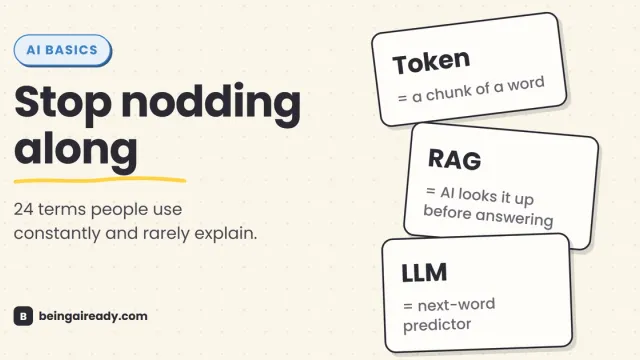
AI Terms Explained: A Plain-English Glossary of 24 Words
The 24 AI terms everyone uses but nobody defines — LLM, tokens, RAG, agents and more — explained in plain English, with analogies that actually stick.