
Storydoc
An AI-native tool for interactive, narrative-driven sales and pitch content — closer to a trackable microsite than slides — with CRM, e-signature, and payments built in.
Visit website (opens in a new tab)Independent editorial listing. Features, pricing, and privacy terms can change; confirm details on the vendor site before buying or rolling out a tool.
What it does
Storydoc generates interactive sales and pitch content rather than a traditional slide deck — the output behaves more like a trackable microsite, with animations, hover states, embedded video, and forms, than a set of slides you click through on stage. That format is built around a specific goal: helping a prospect act on a proposal without leaving the document, which is why higher tiers add DocuSign e-signature and Stripe payment collection directly inside it, alongside CRM integrations that keep document activity linked to the right deal record. It’s a better fit for asynchronous, one-to-one sales follow-up than for a live, presented pitch.
Ideal users
- Sales teams that want a shared deck to double as an interactive proposal, with next steps built in
- Founders and RevOps teams that want a pitch document connected directly to HubSpot or Salesforce
- Teams that want to close a deal inside the deck itself, using built-in e-signature and payment collection
- Anyone replacing static PDF decks with an interactive, trackable format
Who should avoid it
- You want a traditional slide-by-slide format for live, on-stage presenting — Storydoc's format is closer to an interactive document than a deck you click through
- You're on a tight budget and only need basic analytics — CRM integrations, e-signature, and payment collection are locked behind the custom-quoted Team tier
- You're building an investor deck specifically for fundraising, not sales — Slidebean or Alai are built around that narrower use case
Key features
- AI-generated interactive documents (not flat slides) with animations, hover states, and embedded video
- Built-in analytics on document views, time spent per section, and drop-off points
- CRM integrations (HubSpot, Salesforce) on Pro and above
- E-signature (DocuSign) and payment collection (Stripe) built into the document (Team plan)
- Version automation for updating a live document without resending a new link
Pros / Cons
Pros
- Interactive format (hover states, embedded video, forms) is more engaging than a static deck for one-to-one sales follow-up
- Deal-closing features (e-signature, payment) mean a prospect can act without leaving the document
- Extended analytics show where specific viewers spent time or dropped off within the document
- Version automation avoids re-sending links when content changes
Cons
- AI image and text credits are tightly capped even on the Pro tier (50 image / 125 text generations per month)
- CRM integrations, e-signature, and payments require the custom-quoted Team plan, not just Pro
- Format isn't built for live, click-through presenting the way a traditional deck is
- Pricing has drawn complaints about unclear extra costs (e.g., custom subdomains) not listed on the main pricing page — confirm total cost before committing
Pricing
Paid — $19.80/month (Starter plan, billed annually)
Confirmed directly on storydoc.com/pricing: Starter is $19.80/month billed annually (5 active documents, 20 AI image + 25 AI text credits/month, basic analytics, no CRM/e-signature/payments); Pro is $36/month billed annually (30 active documents, 50 AI image + 125 AI text credits/month, extended analytics, CRM integrations included, still no e-signature or payment processing); Team is custom-quoted and adds unlimited documents plus full CRM integrations, e-signature, and payment processing. Some third-party reviews report additional undisclosed fees (e.g., custom subdomains) not itemized on the public pricing page; confirm full costs directly with Storydoc before purchasing. A 14-day free trial is offered but there is no permanent free tier.
Typical workflows
- A sales rep sends a prospect an interactive proposal instead of a PDF, with pricing, a short demo video, and an e-signature block built into the same document, then checks analytics to see which sections the prospect actually read before a follow-up call.
- A RevOps team connects Storydoc to HubSpot so that every interactive deck a rep sends is automatically logged against the right deal record, with engagement data flowing back into the CRM.
Integrations
- HubSpot and Salesforce (CRM)
- DocuSign (e-signature)
- Stripe (payments)
- Google Analytics 4, Google Tag Manager, Zapier
Privacy & security notes
Storydoc's privacy policy (storydoc.com/privacy-policy) confirms ISO 27001 certification and GDPR/CCPA-aligned data handling, with retention tied to legitimate business need rather than a fixed schedule.
Frequently asked questions
Is Storydoc a slide deck tool or something else?
It generates interactive documents rather than traditional slides — closer to a trackable microsite with animations, embedded video, and forms than a deck you click through slide by slide on stage.
Can prospects sign or pay directly inside a Storydoc document?
Yes, on the Team plan, which adds DocuSign e-signature and Stripe payment collection built into the document itself.
Does Storydoc replace my CRM?
No, it connects to HubSpot and Salesforce so document activity and deal data stay linked, rather than replacing the CRM itself.
How is this different from Pitch?
Pitch is closer to a traditional slide deck with team collaboration and link analytics; Storydoc's format is an interactive, form-and-video-capable document built specifically around closing a sales deal.
Best alternatives
Pitch
FreeCollaborative presentation platform built for sales and fundraising teams, combining AI-assisted deck creation with a shared brand library and per-slide link analytics that show who viewed a deck and for how long.
Alai
FreeAI presentation design tool trained specifically on pitch decks, with pitch-relevant layouts (traction timelines, competitive matrices, TAM pyramids), engagement analytics, and an API for pulling in live traction data.
Related tutorials

How to Choose the Right AI Tool: A Buyer's Framework
A calm, no-hype framework for choosing the right AI tool for any task: define the job, judge the real criteria, run a cheap trial, and avoid costly switching.
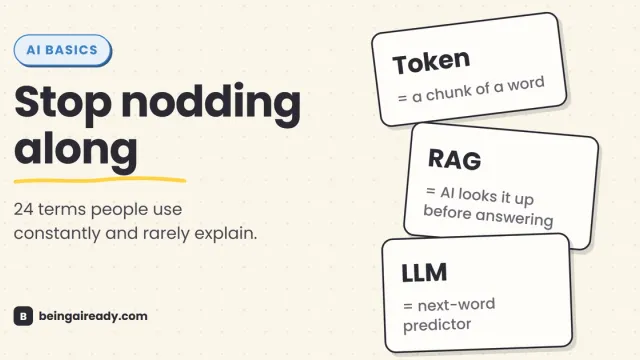
AI Terms Explained: A Plain-English Glossary of 24 Words
The 24 AI terms everyone uses but nobody defines — LLM, tokens, RAG, agents and more — explained in plain English, with analogies that actually stick.