
Guru
An AI knowledge platform built on small, verified 'knowledge cards' surfaced through a browser extension and AI search — for support and sales teams needing fast, reliable answers.
Visit website (opens in a new tab)Independent editorial listing. Features, pricing, and privacy terms can change; confirm details on the vendor site before buying or rolling out a tool.
What it does
Guru is an AI knowledge platform built around small, verified “knowledge cards” rather than long wiki pages, aimed at teams — support and sales especially — that need a fast, trustworthy answer in the middle of a live conversation rather than a document to read. Its verification workflows flag cards for periodic review, addressing one of the most common failure modes of internal wikis: content that quietly goes stale because no one owns keeping it current. Guru surfaces its knowledge through a browser extension, Slack and Teams integrations, AI-powered search, and an MCP server that lets external AI assistants query the same verified layer, positioning it less as a place to write long documentation and more as a governed answer layer sitting across the tools a team already uses.
Ideal users
- Support and sales teams that need quick, verified answers while on a live call or chat, not a long wiki page to read
- Organizations that want an explicit verification workflow so outdated answers get flagged and fixed
- Teams that want AI answers surfaced directly inside Slack, their browser, or their CRM rather than a separate destination
- Companies wanting to expose a governed knowledge layer to external AI tools via MCP
Who should avoid it
- You want long-form, structured documentation with deep hierarchy — Confluence or Document360 fit that better
- Your team is small enough that a shared doc or lightweight wiki already works fine — Guru's per-seat cost may not be justified
- You need to search broadly across many unrelated company systems rather than a curated knowledge layer your team builds — see Glean
- Budget is tight — every person who needs to read content generally needs a paid seat
Key features
- Knowledge "cards": small, atomic units of verified information organized into collections
- Verification workflows that flag cards for review on a schedule so stale answers get caught
- AI-powered search and "Knowledge Agents" that answer in natural language, citing the underlying verified cards
- Browser extension that surfaces relevant cards inside the tools employees already work in
- Slack and Microsoft Teams integration for asking questions without leaving chat
- MCP Server support so external AI tools (e.g. ChatGPT, Claude, Cursor) can query Guru's verified knowledge
Pros / Cons
Pros
- Verification workflows directly address the common wiki problem of outdated, unmaintained pages
- Card format is fast to scan and well suited to real-time lookup during a call or chat
- Strong presence inside the tools teams already use (Slack, browser, CRM) rather than requiring a separate destination
- Guru states customer data is not used to train its AI models
Cons
- No public self-serve pricing tiers as of the current pricing page — enterprise sales process required for most deployments
- Per-seat licensing means every reader, not just contributors, typically needs a paid seat
- Card-based structure is less suited to long, deeply structured documentation than a page-based wiki
- Value depends on ongoing content upkeep — verification workflows help, but someone still has to own them
Pricing
Paid — Custom, quote-based pricing only — Guru's own pricing page lists no public self-serve tier or starting price as of July 2026; some third-party sites cite an older ~$25/user/month self-serve Starter plan, but that is not reflected on Guru's current site. Confirm current pricing directly with Guru's sales team before budgeting.
A 30-day free trial has been reported by third parties; confirm current trial availability on getguru.com.
Typical workflows
- A support agent gets an AI-surfaced answer card mid-chat with a customer, verified as current, instead of searching a long internal wiki or asking a teammate.
- A knowledge manager sets review cycles on key policy cards so subject-matter experts are automatically prompted to confirm or update them before they go stale.
Integrations
- Slack and Microsoft Teams
- Browser extension (Chrome and others)
- Salesforce and Zendesk
- Google Workspace
- MCP Server for connecting external AI assistants to Guru's verified knowledge
- 100+ integrations, per Guru's own integrations page at getguru.com/integrations
Privacy & security notes
Guru states that customer content is not used to train its AI models and lists SOC 2 Type II, HIPAA, and GxP compliance along with SSO/SCIM access controls and permission-aware answers among its enterprise governance features. Its security page also states zero-day retention for third-party LLM processing — content sent to the LLM is removed immediately after the response returns — with customer data stored in a dedicated AWS environment isolated per team ID.
Frequently asked questions
What's the difference between a Guru "card" and a Confluence page?
A card is intentionally small — a single answer or fact, like "how do we process a refund" — rather than a long document. This makes cards fast to scan and easy to keep current, but less suited to long-form documentation than a full wiki page.
Does everyone in the company need a paid seat?
Generally yes — Guru is priced per seat, and that typically applies to anyone reading content, not just people creating it, which is a key cost driver to plan around.
Is there a free plan?
No — Guru does not offer a permanent free plan, and its current pricing page does not list a free trial; engagement starts with a sales conversation to scope a custom quote.
Can Guru's knowledge be used by other AI tools like ChatGPT or Claude?
Guru offers an MCP Server that lets connected AI assistants query its verified knowledge layer, so answers those tools give can be grounded in your organization's verified Guru content rather than the assistant's general knowledge.
Best alternatives
Confluence
PaidAtlassian's structured team wiki — pages and spaces for company documentation — now with Atlassian Intelligence and the Rovo AI assistant built in for search, summarization, and chat across your content.
Glean
PaidAn enterprise AI search and assistant platform that connects to the dozens of apps a company already uses and lets employees search or ask questions across all of them from one place.
Related tutorials
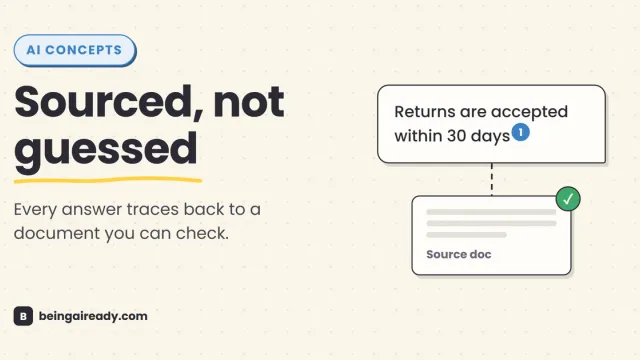
What Is RAG? Retrieval-Augmented Generation in Plain English
RAG is why some AI tools give a straight, sourced answer while others just guess with confidence. Here's what it is and how it works — without the jargon.