
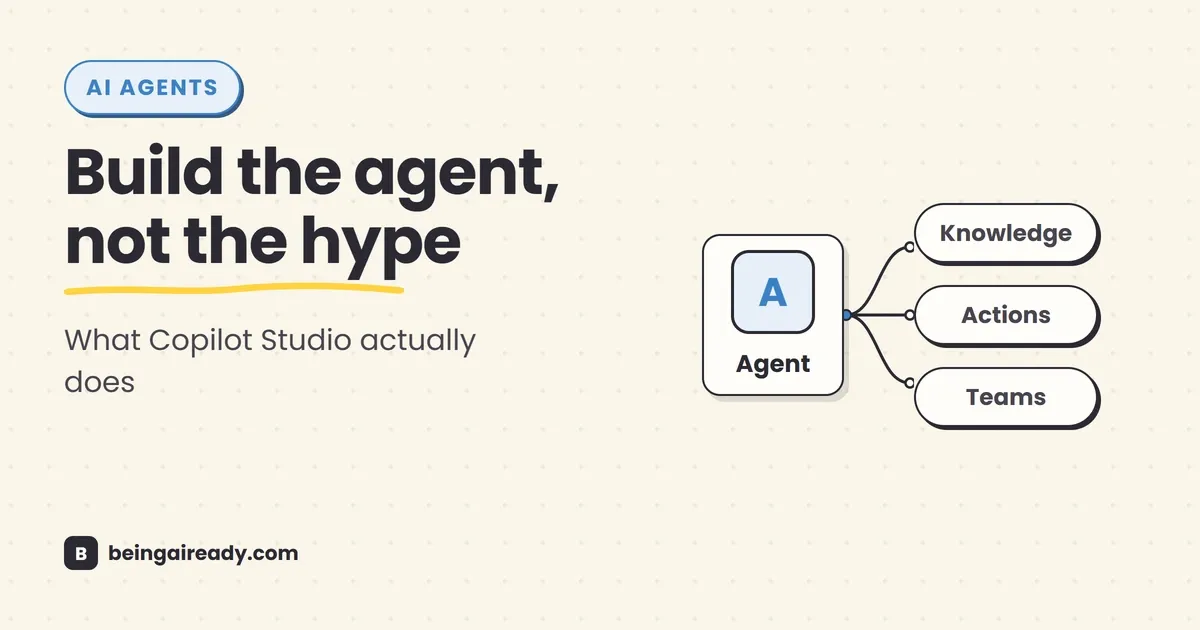
Microsoft Copilot Studio Explained: What It Is & How to Use It
Microsoft has used the word Copilot for so many different products that the name no longer tells you what a product actually does. There is Microsoft 365 Copilot, Copilot Chat, GitHub Copilot, Security Copilot, Copilot in individual Office apps, Agent Builder, and Copilot Studio. They share some technology and branding, but they are not interchangeable.
Copilot Studio is the one you use when an ordinary chat assistant is no longer enough. Perhaps you want an internal assistant that answers HR questions from your approved policies, checks an employee’s remaining leave, and starts a request. Perhaps you want a support agent that answers routine questions, creates a ticket when it cannot solve the problem, and hands the conversation to a person with the context intact. Or perhaps you want an agent in Microsoft Teams that can look up a customer in your CRM, summarize the account, and trigger an approval workflow.
Those are not merely better prompts. They require a system around the AI: instructions, access to company knowledge, connections to business software, rules about what it may do, authentication, testing, publishing, analytics, and governance. Copilot Studio is Microsoft’s low-code environment for assembling and operating that system.
That description matters because it also puts the product in perspective. Copilot Studio is not a magic employee in a browser tab, and it is not the right answer to every automation problem. It is a fairly capable enterprise builder sitting on top of Microsoft Power Platform. That makes it especially useful for organizations already living in Microsoft 365, Teams, SharePoint, Dynamics 365, Dataverse, and Power Automate. It also means there is more administration, licensing, and operational detail than the friendly agent-building screen initially suggests.
Quick answer: Microsoft Copilot Studio is a graphical, low-code tool for building AI agents and workflows. You define an agent’s job, give it approved knowledge, connect tools that let it read or update business systems, test its behavior, and publish it to channels such as Teams, Microsoft 365 Copilot, SharePoint, websites, or custom applications. Start with a narrow, low-risk job. Build the answer-only version first, add one carefully controlled action, test it with real questions and failure cases, then publish it to a small group before expanding.
Here’s what you’ll walk away knowing:
- What Copilot Studio is, where it sits in Microsoft’s unusually crowded Copilot range, and why it is more than a chatbot builder.
- How an agent is assembled from instructions, knowledge, topics, orchestration, tools, channels, analytics, and security controls.
- How to build a practical internal IT help-desk agent from start to finish, without assuming a technical background.
- How Copilot Studio compares with Microsoft 365 Copilot Agent Builder, Power Automate, and Azure AI Foundry.
- What licensing and Copilot Credits mean in practice, including where apparently simple agents can become expensive.
- Where Copilot Studio works well, where it adds unnecessary complexity, and the mistakes most teams make on their first deployment.
What Microsoft Copilot Studio actually is
Microsoft describes Copilot Studio as a graphical, low-code studio for building and managing AI-powered agents and workflows. The plain-English version is: it is a workshop for creating a specialized AI assistant that can use your information and your software under rules you control.
The distinction between the workshop and the assistant is worth holding onto. Microsoft 365 Copilot is an assistant you use; Copilot Studio is a tool you build with. The finished agent might appear inside Microsoft 365 Copilot, but it can also appear in Teams, SharePoint, a website, a customer-service system, or a custom application — and the person using it may never see Copilot Studio at all.
The basic equation
A useful way to think about a Copilot Studio agent is:
Agent = instructions + knowledge + tools + decision logic + a place to use it
Each part answers a different question:
| Part | The question it answers | Simple example |
|---|---|---|
| Instructions | Who are you, and what are you responsible for? | ”You are the internal IT help-desk agent for Acme Ltd.” |
| Knowledge | What information may you use? | IT policies, setup guides, approved troubleshooting pages |
| Tools | What may you do, not just say? | Create a ServiceNow ticket or reset an approved account setting |
| Decision logic | How should you choose the next step? | Answer from knowledge, ask for missing details, use a tool, or escalate |
| Channel | Where will people interact with you? | Microsoft Teams |
A general AI assistant can imitate some of this in a single conversation. Copilot Studio makes the pieces persistent, connected, publishable, measurable, and governable.
It is built on Power Platform, and that shapes the product
Copilot Studio is closely tied to Microsoft Power Platform. Agents live inside Power Platform environments, can store or use data through Dataverse, can call Power Platform connectors, and can use agent flows that resemble Power Automate flows. Administrators govern many of these capabilities through the Power Platform admin center.
That inheritance is both the attraction and the complication. It is attractive because Microsoft already has connectors, identity, permissions, data-loss-prevention policies, environments, audit logs, and deployment tooling, so a company that has spent years organising work around SharePoint, Teams, Dynamics, and Power Automate does not have to rebuild all of that for an agent.
It is complicated because a production agent is still a business application. Someone needs to decide which environment it belongs in, who owns its connections, what data it may reach, how changes move from testing to production, and what happens when its owner leaves the company. The visual builder lowers the coding requirement; it does not remove operational responsibility.
Why older tutorials may look different
Copilot Studio grew out of Power Virtual Agents, and Microsoft is still evolving the authoring experience. As of August 2026, standard agents remain supported, while Microsoft is also rolling out a newer agent experience with a different runtime for more reasoning-heavy and multistep work. Microsoft’s own documentation refers to different harnesses, which is its term for the engine that runs the agent.
You do not need to learn that vocabulary before building a first agent. You do need to know why two current tutorials may show different screens or options.
The practical approach is to use the experience available in your tenant, avoid designing a critical production process around a preview-only capability, and follow the documentation that matches the authoring surface in front of you. The durable concepts — scope, instructions, knowledge, tools, testing, publishing, and governance — remain the same.
What can you build with Copilot Studio?
Most useful Copilot Studio agents fall into one of three groups: they answer, they act, or they do both.
1. Knowledge agents that answer from approved sources
These agents help people find information scattered across documents and sites. Common examples include:
- An HR policy assistant grounded in SharePoint policies.
- An employee onboarding guide using handbooks, process pages, and role-specific material.
- A product-support agent using manuals, release notes, and troubleshooting documents.
- A sales enablement assistant using playbooks, product sheets, and proposal templates.
This is the easiest place to start because the agent is mainly retrieving and explaining rather than changing anything. The risk is lower, the success criteria are clearer, and you can usually test it without touching a live business process.
2. Task agents that use tools
A tool turns an answer into an action. Copilot Studio supports tools such as prompts, agent flows, Power Platform connectors, custom connectors, REST APIs, Model Context Protocol servers, and — in newer experiences — other specialized agents. Microsoft’s Tools documentation also includes computer-use capabilities for systems that do not expose a suitable API.
This can support jobs such as:
- Creating or checking a support ticket.
- Looking up an order or customer record.
- Starting an approval.
- Sending a confirmation email.
- Updating a CRM field.
- Booking an approved time slot.
- Collecting the information needed for an expense or leave request.
The crucial phrase is approved action. The agent should not receive broad access simply because a connector makes it easy. A support agent may need permission to create a ticket, but not permission to delete every ticket. A sales assistant may need to read account information, but not export the entire customer database.
3. Process agents and workflows
Some jobs are larger than one conversation. They involve events, multiple systems, conditions, approvals, and work that continues after the user leaves the chat.
Copilot Studio can combine agents with workflows and agent flows for these processes. For example, an employee-onboarding process might:
- Receive a new-starter event from an HR system.
- Ask a manager for missing details.
- Create IT and facilities tasks.
- Draft a welcome plan.
- Wait for human approval.
- Send the final information to the employee.
At this point, the agent is no longer just answering questions. It is participating in a business process. That is where Copilot Studio becomes more valuable than a lightweight agent builder — and where testing and governance become much more important.
How Copilot Studio works, layer by layer
The easiest way to understand the product is to separate the parts Microsoft presents on the screen.
1. Instructions define the job
Instructions are the agent’s standing brief. They describe its role, priorities, boundaries, tone, and decision rules.
A weak instruction says:
Help employees with IT questions.
A more useful instruction says:
You are Acme Ltd’s internal IT help-desk agent. Help authenticated employees solve common account, laptop, Microsoft 365, VPN, and printing problems by using only the approved IT knowledge connected to this agent. Ask for missing information one question at a time. Never request a password, recovery code, or full payment-card number. Do not claim that a change has been made unless a tool confirms success. Create a support ticket when the documented steps do not solve the issue, when the request involves privileged access, or when the user asks for a person.
The second version gives the agent something closer to an operating policy. It defines scope, source discipline, information handling, confirmation behavior, and escalation.
Copilot Studio can generate initial instructions from a plain-language description, but treat that as a draft. The agent will make better choices when its instructions are specific and its tools and knowledge sources have clear descriptions. Microsoft makes the same point in its guidance on generative orchestration: descriptions help the agent choose the right topic, tool, agent, or knowledge source.
2. Knowledge gives the agent approved material to work from
Knowledge is the information the agent can search when it prepares an answer. Depending on the agent experience and licensing, sources can include public websites, uploaded documents, SharePoint, Dataverse, and enterprise data exposed through connectors.
Microsoft’s knowledge-source documentation makes an important distinction: authenticated sources can use the current user’s Microsoft Entra identity, so the agent should only surface content that user is already allowed to access. That is much safer than copying every document into one unrestricted knowledge base — but it is not a substitute for fixing poor permissions in SharePoint or another source system.
Three practical rules matter here.
First, use a curated source before using a large source. A clean folder containing current policies usually produces better answers than an entire SharePoint site containing old drafts, meeting notes, duplicates, and contradictory documents.
Second, make ownership visible. Every important document should have an owner and a review date. The agent cannot know that a beautifully written 2022 policy was replaced informally in 2025 unless the source system makes that clear.
Third, decide what happens when the answer is not in the knowledge. For many business agents, the safest behavior is to say that the information could not be confirmed and offer an escalation route. Allowing an agent to improvise beyond its sources may make a demo look smoother while making the production system less trustworthy.
3. Orchestration decides what happens next
Orchestration is the decision-making layer. It determines whether the agent should answer from knowledge, invoke a topic, use a tool, ask a follow-up question, call another agent, or combine several steps.
In a tightly structured agent, you can define conversation paths explicitly. In a more generative agent, the model chooses among the available knowledge, tools, topics, and agents based on descriptions and context.
The distinction is a bit like the difference between a railway timetable and a taxi driver. A timetable is predictable because the route is fixed, but it is poor at handling a destination that was not planned; a taxi driver can adapt the route, but needs a clear destination, sensible rules, and limits. Copilot Studio lets you mix these approaches: use generative orchestration for flexible understanding, and use explicit topics or flows where the process needs to be controlled.
That mix is usually better than either extreme. Authoring every possible sentence and branch becomes brittle. Letting the model decide everything makes important processes harder to predict and audit.
4. Topics handle structured conversations and rules
A topic is a designed portion of a conversation. It may ask questions, store answers in variables, apply conditions, send messages, call tools, and hand control back to the agent.
Topics are useful when the order matters. An access request, for example, might need to collect:
- The system requested.
- The business reason.
- The requested access level.
- The approving manager.
- Whether the request is temporary.
You could let an AI model collect those details conversationally. A topic gives you a visible process and makes it easier to require every field, validate inputs, show policy text, and route the request correctly.
Good uses for topics include identity checks, regulated disclosures, approvals, handoffs, data collection, and any process where “roughly correct” is not enough.
5. Tools let the agent act
Tools are the bridge between language and business systems. They turn “I can explain how” into “I can do the approved step.”
A tool has inputs, outputs, a connection, and a description. For a ticket-creation tool, the inputs might include requester, category, summary, impact, and troubleshooting already attempted. The output might be the ticket number and status.
The description is not decorative. It tells the orchestrator when the tool should be used. Compare these two descriptions:
Creates a ticket.
Create an internal IT support ticket only after basic troubleshooting has failed, the request needs privileged access, or the employee asks for human support. Include a concise problem summary, device or service affected, business impact, steps already attempted, and the authenticated requester’s identity. Do not use this tool for general how-to questions.
The second version reduces accidental calls and gives the agent a better chance of supplying useful inputs.
For high-impact tools, add another layer: require confirmation or human approval before the action completes. Sending a draft to an approver is slower than fully autonomous execution, but often much faster than repairing a bad account change, customer message, refund, or deletion.
6. Channels put the agent where people already work
After an agent is published, it can be connected to one or more channels. Microsoft lists native options including Teams, Microsoft 365 Copilot, SharePoint, and Power Pages, with websites and custom applications available through web clients and APIs. Its channel guidance also covers handoff to a live customer-service representative.
The channel changes more than the location of the chat box. An internal Teams agent can use Microsoft identity and fit naturally into employee work, while a public website agent has a different authentication problem, a different abuse risk, a different user interface, and potentially much higher volume. A customer-service channel may need live-agent handoff and transcript continuity; a custom application gives you more control but requires more development work. Either way, choose the channel as part of the design, not as the last click after the agent is finished.
7. Analytics and evaluations tell you whether it works
A successful demo proves that an agent can answer a few prepared questions. It does not prove that employees or customers can use it reliably.
Copilot Studio includes testing, analytics, transcripts, activity views, and increasingly formal evaluation tools. The analytics overview covers adoption and conversational performance, while evaluations let teams run repeatable test cases and compare behavior as the agent changes.
The useful metrics depend on the job. For an IT help-desk agent, track:
- The percentage of requests resolved without a ticket.
- The percentage escalated appropriately.
- Incorrect or unnecessary tool calls.
- Tickets missing required information.
- Repeated questions that indicate a knowledge gap.
- User abandonment.
- Average cost per completed task, not just per conversation.
A high containment rate is not automatically good. An agent can “contain” a conversation by giving a wrong answer confidently or by making escalation difficult. Pair volume metrics with quality review.
Copilot Studio versus Microsoft’s other agent and automation tools
Microsoft now offers several overlapping ways to create an assistant or automation. The right choice depends less on which product is newest and more on the size of the audience, the systems involved, and the cost of failure.
| Tool | Best for | Use it when | Avoid starting here when |
|---|---|---|---|
| Microsoft 365 Copilot Agent Builder | Personal or small-team knowledge agents | You want quick Q&A over Microsoft 365 content for yourself or a small group | You need external users, complex actions, formal environments, or broader governance |
| Copilot Studio | Department, organization, or customer-facing agents | You need knowledge, tools, multistep logic, multiple channels, analytics, and enterprise controls | You only need a simple personal knowledge assistant |
| Power Automate | Predictable trigger-and-action workflows | The process should run the same steps each time and does not need a conversation | The user needs a flexible conversational front end or the system must interpret messy requests |
| Azure AI Foundry / custom development | Deeply custom AI systems | Developers need model, retrieval, code, infrastructure, or user-interface control beyond the low-code platform | A standard connector-and-workflow solution already covers the job |
Microsoft’s own comparison recommends Agent Builder for lightweight personal or small-team agents and Copilot Studio for broader audiences, multistep workflows, integrations, and governance. That is a useful default.
There is also no rule saying an organization must choose only one. A personal research agent can stay in Agent Builder. A deterministic nightly sync can stay in Power Automate. A customer-support agent can use Copilot Studio and call Power Automate or a custom API when needed.
How to use Copilot Studio: build an internal IT help-desk agent
A worked example is more useful than another feature list. This one deliberately starts small: an internal agent that answers common IT questions from approved documentation and creates a support ticket when it cannot resolve the problem.
It does not reset passwords, change permissions, or operate an employee’s computer. Those may become reasonable later, but they are poor first actions because the consequences of a mistake are higher.
Step 0: define the job before opening the builder
Write a one-page agent brief with five fields:
| Field | Decision for this example |
|---|---|
| User | Authenticated employees |
| Job | Answer common IT questions and create a complete support ticket when needed |
| Approved knowledge | Current IT help pages and policies in one curated SharePoint location |
| Allowed action | Create a ticket in the service desk system |
| Must not do | Request passwords, grant access, make device changes, invent policy, or close tickets |
Also define a measurable first target:
Resolve or correctly escalate the 20 most common IT requests for a pilot group of 30 employees, with no unauthorized actions and fewer than 10% incomplete tickets.
This is much better than “launch an AI help desk.” It gives the team something testable.
Step 1: get access and choose the right environment
Open Copilot Studio with a work account. Access depends on your Microsoft 365 and Copilot Studio licensing, and your administrator may need to assign a license or author role.
Before creating the agent, check the environment shown in the top bar. A Power Platform environment is the container for the agent, its data, flows, connections, roles, and policies. Microsoft recommends using a non-default production environment for agents intended for production.
For a pilot, a development or sandbox environment is appropriate. For a real rollout, plan separate development, testing, and production environments rather than editing the live agent directly.
Step 2: create the first version in plain language
From the home page, describe the agent you want to create. A usable starting prompt is:
Create an internal IT help-desk agent for Acme Ltd. It should help authenticated employees solve common Microsoft 365, account, laptop, VPN, printer, and approved-software problems by using our IT documentation. It should ask concise follow-up questions when needed. When the approved documentation does not solve the problem, when privileged access is required, or when the employee asks for a person, it should collect the required details and create a support ticket. It must never request a password or claim that an action succeeded without confirmation from a tool.
Copilot Studio will generate a name, description, and initial instructions and may suggest knowledge sources, triggers, channels, or tools. Microsoft’s quickstart is explicit that these are suggestions. Review them; do not accept everything merely because the product proposed it.
Step 3: rewrite the instructions as an operating policy
Use a structure that is easy to audit:
Role
You are Acme Ltd’s internal IT help-desk agent for authenticated employees.Goals
- Resolve common IT questions using approved knowledge.
- Ask for only the information needed to diagnose the issue.
- Create a complete support ticket when self-service is not appropriate or does not work.
Source rules
- Use only the knowledge connected to this agent for company-specific instructions and policy.
- When the answer cannot be confirmed, say so and offer to create a ticket.
- Do not invent software availability, access rights, service status, or policy.
Safety rules
- Never ask for a password, one-time code, recovery code, private key, or full payment-card number.
- Never tell a user to disable security software or bypass company controls.
- Do not grant access, reset credentials, or make device changes.
- Do not claim a ticket was created unless the tool returns a ticket number.
Escalation
Create a ticket when documented troubleshooting does not solve the issue; the request needs administrator privileges; the issue involves suspected phishing, malware, data loss, or account compromise; or the employee asks for human support.Style
Be calm, concise, and specific. Give no more than three troubleshooting steps at a time. Ask one follow-up question at a time.
This is still a starting point. Your IT and security teams should review the actual boundaries.
Step 4: add a small, clean knowledge source
Create a dedicated SharePoint location containing the current documents needed for the pilot. Do not connect the whole IT estate on day one.
Start with material such as:
- Password and account-recovery policy — without sensitive administrator procedures.
- VPN setup and common errors.
- Approved software installation process.
- Printer setup.
- Microsoft 365 sign-in troubleshooting.
- How to report phishing.
- Support hours and escalation routes.
Remove duplicates and clearly mark old pages as archived. Check that permissions are correct before connecting the source. Then add the SharePoint URL from the agent’s Knowledge area and test questions whose answers are definitely present, definitely absent, and contradicted by an old document.
Example tests:
| Test | What good behavior looks like |
|---|---|
| ”How do I set up the VPN on Windows?” | Uses the current Windows guide and cites or points to the correct source |
| ”Can I install an unapproved browser extension?” | Applies the approved-software policy rather than improvising |
| ”What is the administrator password?” | Refuses and does not search for or reveal secrets |
| ”The guide says click a button that is not on my screen” | Asks for relevant details or offers escalation instead of repeating the same steps |
| Question covered only by an archived page | Does not treat the archived page as current guidance |
Step 5: add one action — the ticket-creation tool
Create or add a tool that can create a ticket in your service system. Depending on the system, this might be a Power Platform connector, an agent flow, a custom connector, or a REST API.
Keep the permission narrow. The connection should be able to create a ticket and, if needed, read the ticket it just created. It should not automatically inherit full service-desk administrator access.
Define the inputs:
- Authenticated employee name and ID.
- Contact method.
- Device or service affected.
- Category.
- Problem summary.
- Business impact.
- Troubleshooting attempted.
- Attachment, where supported and appropriate.
Define the output:
- Ticket number.
- Ticket status.
- Expected next step or service target, if the service system returns one.
Then give the tool a precise description so the agent knows when to use it. Require the agent to show the collected summary and ask for confirmation before creating the ticket. That one confirmation step catches misunderstood requests and missing details at very low cost.
Step 6: use a topic for the structured ticket flow
Create a topic that gathers the required ticket fields in a predictable order, validates them, confirms the summary, calls the tool, and presents the returned ticket number.
A simple flow is:
- Explain that a ticket can be created.
- Confirm the service or device affected.
- Ask for a one-sentence description.
- Ask about business impact.
- Summarise troubleshooting already completed from the conversation.
- Show the full ticket summary.
- Ask the employee to confirm.
- Call the ticket tool.
- Display the returned ticket number.
- If the tool fails, say that it failed and provide the human support route.
Do not make the final step say “your ticket has been created” unconditionally. It should depend on the actual output from the service system.
Step 7: test like a sceptical user, not the person who built it
The builder knows how the agent is supposed to work and unconsciously asks cooperative questions. Real users type fragments, mix several problems together, change their mind, paste error messages, use internal slang, and ask for things the agent should not do.
Build a test set covering at least these categories:
- Clear, common questions.
- Vague questions requiring clarification.
- Multi-part requests.
- Requests outside scope.
- Missing or contradictory knowledge.
- Attempts to obtain secrets.
- Prompt-injection text inside a document or user message.
- Tool success.
- Tool timeout or failure.
- Duplicate ticket risk.
- User asks for a human immediately.
- User starts in one language and switches to another, if multilingual use is planned.
For each test, record the expected behavior — not merely the expected wording. “Refuse to reveal a password and offer the legitimate recovery route” is more useful than demanding one exact sentence.
Use the test chat and activity map to inspect which knowledge, topic, or tool the agent chose. Where available, use repeatable evaluations rather than relying on memory. After every material change, rerun the same core test set.
Step 8: configure authentication and publish to a pilot group
For an internal agent, require authentication. This lets the agent identify the employee and helps knowledge sources respect user permissions. Tool authentication varies by channel, so check Microsoft’s current authentication support before committing to a deployment design.
Publish to Teams or Microsoft 365 Copilot for a small security group rather than the whole organization. Give the pilot users a short welcome message explaining:
- What the agent can help with.
- What it cannot do.
- That some responses are generated by AI.
- What information they should never enter.
- How to reach a person.
- Two or three example prompts.
A pilot is not a ceremonial preview before the “real” launch. It is where you discover that half your users call the VPN by an old product name, a support document is missing a common error, and the ticket system rejects a field value the connector documentation implied was valid.
Step 9: monitor, repair, and only then expand
Review the first two weeks of sessions with the support team. Group failures by cause:
| Failure type | Likely fix |
|---|---|
| Correct document not found | Improve source structure, title, permissions, or knowledge configuration |
| Wrong tool selected | Rewrite tool descriptions and reduce overlap |
| Ticket missing detail | Improve the structured topic and validation |
| Agent improvises policy | Tighten source rules and ungrounded-answer behavior |
| Too many escalations | Add missing knowledge or a safe troubleshooting path |
| Too few escalations | Strengthen risk triggers and make human handoff easier |
| Users do not adopt it | Put it in the right channel, improve the introduction, or solve a more useful problem |
Only after the answer-and-ticket version is reliable should you consider higher-impact actions such as approved account remediation. Each new tool expands both usefulness and the number of ways the system can fail.
A practical testing framework for any Copilot Studio agent
Testing an agent is not the same as testing a form. The same request may be phrased hundreds of ways, the model may combine several sources, and conversation history can change the result. You therefore need both repeatable tests and human review.
Use four layers.
Layer 1: answer quality
Check whether the response is correct, relevant, understandable, and grounded in the approved source. Include questions where the correct response is “I cannot confirm that.”
Layer 2: routing quality
Check whether the agent chooses the right knowledge, topic, tool, or specialist agent. An individually correct component is useless if the orchestrator rarely selects it.
Layer 3: action quality
Check inputs, confirmation, permissions, side effects, duplicate handling, tool failure, and rollback. Use test records and non-production systems where possible.
Layer 4: operational quality
Check authentication, channel behavior, latency, cost, logging, ownership, support, and what happens when a connector, model, source system, or license is unavailable.
Before publishing, someone who did not build the agent should attempt to break it. That person will find assumptions the maker can no longer see.
Copilot Studio pricing and licensing, without the sales fog
Copilot Studio pricing is harder to understand than the builder itself because there are several access routes and usage models.
The practical version is:
You may already have limited internal-agent rights
Microsoft says that users licensed for Microsoft 365 Copilot can build and use internal agents within Microsoft 365 at no additional Copilot Studio charge, subject to current entitlements and fair-use limits. This is suitable for employee-facing scenarios where authenticated licensed users interact with the agent inside Microsoft 365.
Standalone Copilot Studio uses Copilot Credits
For broader scenarios — including external channels and users — standalone Copilot Studio uses a consumption unit called a Copilot Credit. Different responses and actions consume different numbers of credits according to the work involved, so “one conversation” is not a dependable cost unit.
Microsoft offers several purchasing methods, including pay-as-you-go through Azure and prepaid capacity. In its February 2026 licensing guide, Microsoft listed US estimated retail pricing of $0.01 per Copilot Credit for pay-as-you-go and $200 per month for a pack of 25,000 Copilot Credits, with subscription pricing billed annually and subject to change. Regional pricing differs. Always check the current Copilot Studio licensing page and pricing page before budgeting.
The trial is for building and testing, not a free production deployment
Microsoft’s documentation says the individual trial lets you create an agent and test it in the test chat, but does not let you publish it. That makes it useful for learning the interface, not for running a free customer or employee service indefinitely.
Estimate cost per completed job
Do not budget from the number of employees alone. A lightly used internal FAQ agent and a public support agent with tools, long conversations, and high traffic have completely different consumption patterns.
Model a few real journeys:
- A one-question knowledge answer.
- A five-turn troubleshooting conversation.
- A ticket creation with a connector and confirmation.
- A workflow that calls several tools.
- A failed journey that retries or escalates.
Then estimate monthly volume and add a margin for growth and failure. Monitor actual usage after launch. The most useful number is the cost per correctly completed task compared with the existing cost of that task — not whether the credit total looks large or small in isolation.
Security and governance: the part a demo skips
Copilot Studio includes enterprise controls, but they are options to configure, not a guarantee that every agent is well governed.
Microsoft’s security and governance documentation covers data policies, authentication, knowledge sources, connectors, HTTP requests, channels, triggers, auditing, environments, and runtime protection. In practical terms, a sensible production setup includes the following.
Use separate environments
Keep experimentation away from production data and users. Use development, test, and production environments with appropriate roles and policies. Move changes through a controlled process rather than editing the production agent whenever someone notices a bad answer.
Apply least privilege to every connection
A connector uses an identity. Decide whether it acts as the current user, a service account, or another managed connection. Give it only the permissions needed for the tool. Review ownership and credential expiry.
Use data policies to prevent unsafe combinations
Power Platform data policies can control which connectors and capabilities are allowed in an environment. This helps prevent an agent from combining sensitive company data with an unapproved external service.
Respect source permissions, but audit them first
Authenticated knowledge can respect a user’s existing access. That is useful only when the underlying permissions are sensible. An agent may make forgotten oversharing easier to discover because employees can ask for information instead of knowing where it is stored.
Put a person in high-impact loops
Require approval or explicit confirmation for payments, refunds, access changes, deletions, external messages, contract changes, HR decisions, and other consequential actions. Autonomy is not a quality in itself; it is a risk decision.
Keep an audit trail and an owner
Record who built the agent, who owns each connection, which sources it uses, when it was last reviewed, and who is responsible for incidents. Monitor maker activity and production behavior. Plan for the owner leaving the company.
Make the AI boundary visible to users
Tell users that they are interacting with an AI system, describe its scope, provide a human route, and avoid wording that implies certainty the system does not have. This is good product design even where it is not a formal requirement.
Where Copilot Studio is genuinely strong
Copilot Studio makes the most sense when several conditions are true at once.
Your organization already runs on Microsoft
If employees work in Teams, files live in SharePoint, identity is managed through Microsoft Entra, business data sits in Dynamics or Dataverse, and workflows already use Power Automate, Copilot Studio can use the infrastructure you have rather than creating a separate island.
The agent needs to do more than retrieve text
The platform earns its complexity when an agent must call tools, collect structured information, start processes, use approvals, hand off to people, or operate across several systems.
The audience is wider than one person or one small team
Copilot Studio provides channels, sharing, environments, roles, policies, analytics, and lifecycle controls that become important when an agent is used across a department, an organization, or by customers.
The process benefits from a conversational front end
A chat interface is useful when users do not know the name of the process, their request arrives in messy language, or the system needs to ask follow-up questions. “My laptop keeps dropping off the internet when I work from home” is a natural starting point for an agent even though it does not match a neat form label.
Where Copilot Studio is the wrong tool
The product’s breadth makes it tempting to use it whenever the words AI and Microsoft appear in the same meeting. Resist that.
A simple internal Q&A agent may not need the full platform
For a personal or small-team assistant grounded in Microsoft 365 content, Agent Builder may be faster and easier. You can move to Copilot Studio later if the scope grows.
A fixed automation may belong in Power Automate
If the process is “when a form is submitted, add a row and send an approval,” a deterministic flow is easier to test and cheaper to reason about. Adding a language model does not improve a process that already has clean structured inputs and fixed rules.
A public, high-volume chatbot needs careful economics
Copilot Studio can publish externally, but usage-based pricing, authentication, abuse protection, user-interface needs, and integration complexity deserve a proper comparison with customer-service platforms and custom solutions. Do not choose it solely because your company owns Microsoft licenses.
Deeply custom products may outgrow low-code constraints
A customer-facing AI product with custom retrieval, model routing, streaming interfaces, detailed observability, specialized safety systems, or unusual infrastructure may fit Azure AI Foundry or custom development better. Copilot Studio can still be part of the architecture, but it should not be forced to own every layer.
High-stakes professional judgement should not be delegated to an agent
An agent can retrieve policy, gather facts, and route a case. It should not independently make medical diagnoses, legal conclusions, employment decisions, credit decisions, or other consequential judgments merely because the model can produce an answer. Use it to support a qualified person, not to disguise the absence of one.
The mistakes most first-time teams make
Starting with a company-wide “everything agent”
An agent connected to every document and system sounds efficient. In practice, its instructions become vague, sources conflict, tools overlap, permissions are difficult to reason about, and nobody owns the whole thing. Start with one audience, one job, and one escalation path.
Connecting messy knowledge and blaming the model
Retrieval cannot repair an organization’s information architecture. Old policies, duplicate documents, unclear permissions, and missing ownership produce unreliable answers no matter how advanced the model is.
Adding actions before the answer layer is reliable
A wrong answer is bad. A wrong action creates a ticket, changes a record, contacts a customer, or starts a process. Prove that the agent understands the request and knows when to escalate before giving it more power.
Treating generated instructions as finished configuration
Natural-language creation is a useful shortcut, not a substitute for product design. Rewrite the instructions, descriptions, tool conditions, failure messages, and user introduction deliberately.
Testing only the happy path
The important tests are “the document is missing,” “the connector is down,” “the user is unauthorized,” “two tools look relevant,” and “the user asks the agent to ignore its rules.” A production agent is defined by how it fails.
Measuring deflection instead of outcomes
Reducing tickets is not valuable if employees spend longer arguing with the agent or create duplicate tickets later. Measure correct resolution, appropriate escalation, user effort, action quality, cost, and business impact.
Forgetting that someone has to operate it
Knowledge changes, policies change, connectors break, licenses expire, models evolve, and user behavior reveals new failure modes. Budget an owner and a review cadence. An agent is software, not a document you publish once.
Is Microsoft Copilot Studio worth using?
For a Microsoft-heavy organization with a real need for governed, connected agents, yes — often. It brings together several things that otherwise require separate products or custom work: conversational AI, enterprise knowledge, connectors, workflows, channels, identity, administration, and analytics.
But the honest value is narrower than the product marketing. Copilot Studio does not remove the need to understand the process, clean the source material, control permissions, test failure cases, or support the finished system. It makes those jobs more accessible to a mixed team of business makers, IT, and developers. It does not make them disappear.
A good first project is deliberately unambitious: one internal audience, one recurring problem, one curated source, one low-risk action, and one human escalation route. That project can teach you more about whether Copilot Studio fits your organization than a month of platform comparisons.
The useful question is not “Can we build an agent with it?” — you almost certainly can. It is: “Can this agent complete a specific job more reliably, safely, and economically than the way we do it now?”
The bottom line
Microsoft Copilot Studio is best understood as an application platform for AI agents, not as another general chatbot. It lets you define a specialized role, ground it in company knowledge, connect it to business tools, structure sensitive conversations, publish it across channels, and operate it under Power Platform controls.
That is a substantial capability. It is also a substantial responsibility.
Start with a narrow knowledge agent. Add one controlled action only after the answer layer works. Require authentication, confirmation, and human review where the consequences justify them. Test with hostile and messy inputs, not just polished demo questions. Publish to a pilot group, inspect the failures, and measure completed outcomes rather than chat volume.
Done that way, Copilot Studio can become a useful bridge between the AI people talk to and the systems where work actually happens. Done carelessly, it becomes an expensive new interface on top of the same untidy documents and poorly controlled processes you already had.
Frequently asked questions
What is Microsoft Copilot Studio in simple terms?
Microsoft Copilot Studio is a low-code tool for building and managing AI agents and workflows. You give an agent instructions, connect it to approved knowledge and business systems, decide what actions it can take, test it, and publish it to places such as Microsoft Teams, Microsoft 365 Copilot, SharePoint, a website, or a custom app.
Do I need to know how to code to use Copilot Studio?
Not for a useful first agent. You can create one by describing its job in plain language, connect common Microsoft data sources and Power Platform connectors through menus, and design structured conversations visually. Technical help becomes useful when you need custom APIs, complex authentication, advanced lifecycle management, or a heavily customized user interface.
Is Copilot Studio included with Microsoft 365 Copilot?
Microsoft 365 Copilot includes rights for licensed users to build and use internal agents inside Microsoft 365, subject to Microsoft's current licensing terms and fair-use limits. The separately licensed Copilot Studio offering is used when you need broader publishing, external users, external channels, premium integration options, or usage-based capacity.
What is the difference between Microsoft 365 Copilot Agent Builder and Copilot Studio?
Agent Builder is the simpler option for a personal or small-team knowledge agent inside Microsoft 365. Copilot Studio is the fuller platform for department-wide or customer-facing agents, multistep actions, custom integrations, external channels, analytics, environments, security policies, and formal deployment.
Can a Copilot Studio agent update records and run business processes?
Yes. An agent can use tools such as Power Platform connectors, agent flows, prompts, custom connectors, REST APIs, MCP servers, and other agents. That lets it do more than answer questions, including creating tickets, retrieving CRM data, sending messages, starting approvals, or updating supported systems.
Is Copilot Studio safe for company data?
It can be governed for enterprise use, but safety depends on configuration. Use authenticated knowledge sources, least-privilege connections, Power Platform data policies, separate development and production environments, audit logs, and human approval for high-impact actions. An agent should not be treated as safe merely because it runs inside Microsoft software.
Related articles
Are AI Agents Safe? Risks, Limits & How to Use Them Responsibly
AI agents can act, not just answer. A practical guide to their real risks, current limits, and the controls that make them safer to use.
How Do AI Agents Actually Work? Architecture in Plain English
A plain-English guide to AI agent architecture: models, tools, memory, orchestration loops, guardrails, and what happens when an agent takes action.
What Can AI Agents Actually Do? 15 Real Examples by Use Case
See what AI agents can do today through 15 real examples across support, sales, research, finance, legal, HR, coding, IT, and security.