
ChatPDF
The tool that popularized 'upload a PDF and chat with it' — a simple, no-signup-required way to ask questions about a single document.
Visit website (opens in a new tab)Independent editorial listing. Features, pricing, and privacy terms can change; confirm details on the vendor site before buying or rolling out a tool.
What it does
ChatPDF was one of the first tools to popularize the “upload a PDF, ask it questions” workflow, and its interface reflects that origin: drop in a document, get a chat window, and start asking. It doesn’t require an account for casual use, doesn’t support scanned documents or multi-document conversations, and doesn’t offer team or workspace features — but for a fast, single-document question, it remains one of the simplest tools in the category to reach for.
Ideal users
- Students and casual users who want quick answers from a single PDF without creating an account
- Anyone with an occasional, one-off document question — a syllabus, a manual, a short report
- People who want the simplest possible interface, without workspace or team features
Who should avoid it
- You need to analyze scanned documents without a text layer — ChatPDF does not support OCR
- You need to ask questions across multiple documents at once — it handles one PDF per conversation
- You need team workspaces, shared documents, or admin controls — Humata fits better
- You work with very long or complex documents regularly and need higher page limits by default
Key features
- Chat interface for asking questions about an uploaded PDF
- Page-level citations pointing to where an answer came from in the source document
- No account required for basic use
- Multilingual question-and-answer support
- Support for larger page counts and additional file types (e.g. PPTX, ePub) on paid tiers
Pros / Cons
Pros
- Extremely simple to start using — no signup required for a quick question
- Fast responses even on long documents
- Citations make it easy to verify where an answer came from
- Low barrier to entry for casual, infrequent use
Cons
- No OCR — scanned or image-only PDFs aren't supported
- No multi-document conversations — one PDF per chat
- Free tier is capped on documents per day and pages per document
- Fewer collaboration and admin features than team-oriented alternatives
Pricing
Free — Paid plan (ChatPDF Plus) — see chatpdf.com/pricing for current rates
The free tier allows 2 PDFs per day, up to about 120 pages and 50 questions per document — consistent across independent sources. Paid tiers raise this to unlimited document analysis with files up to roughly 2,000 pages and 32MB each.
Typical workflows
- A student uploads a syllabus or reading and asks ChatPDF to summarize key points or clarify a confusing section before class.
- Someone receives a long report or manual by email, uploads it as a PDF, and asks a handful of specific questions instead of reading it end to end.
Integrations
- Google Workspace add-on (works within Google Docs/Drive context)
- Official Chrome extension ("ChatPDF - AI for Documents"), a desktop app (download.chatpdf.com), and an iOS mobile app are available in addition to the web app
Privacy & security notes
ChatPDF states that document content is used only to answer your questions and provide the service, and files are processed on its servers (temporarily, to extract text) rather than staying local to your device. ChatPDF says it does not train its underlying AI models on your private documents unless you explicitly opt in, and documents are stored with a SOC 2 Type II-certified storage provider; exact retention timelines for deleted documents are not published, so confirm current specifics on ChatPDF's own privacy policy before uploading confidential material. The Google Workspace add-on variant reportedly keeps data within your Google account rather than ChatPDF's own database, which may be preferable for sensitive files.
Frequently asked questions
Do I need to create an account to use ChatPDF?
No — basic use is available without signing up, which is part of why it's a common first choice for a quick, one-off document question.
Can ChatPDF read scanned PDFs?
No — it relies on a text layer in the PDF and does not include OCR, so scanned or image-only documents won't work. Tools like PDF.ai or Sharly AI that include OCR are better suited for scanned material.
Can I ask questions across two different PDFs in one conversation?
No — ChatPDF is built around one document per conversation. If you need to compare or synthesize across multiple files, look at a tool with explicit cross-document or multi-file support.
How accurate are ChatPDF's answers?
It provides page-level citations so you can check an answer against the source text directly, which is the best way to verify accuracy — treat any AI-generated summary or answer as a starting point to confirm against the original document, not a final authority.
Best alternatives
PDF.ai
PaidA broader AI document tool that adds OCR for scanned files, document editing and conversion, and an API alongside its core chat-with-PDF feature.
AskYourPDF
FreeAn AI document chat tool with a broad free tier, a Chrome extension, and plugins for tools like Zotero and ChatGPT, aimed at frequent everyday document Q&A.
Related tutorials
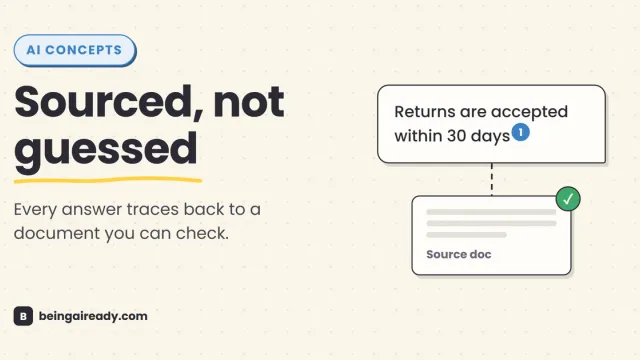
What Is RAG? Retrieval-Augmented Generation in Plain English
RAG is why some AI tools give a straight, sourced answer while others just guess with confidence. Here's what it is and how it works — without the jargon.