
42 Underrated AI Tools Worth Using in 2026
Ask ten people what “using AI” means and nine of them will describe the same thing: typing into a chat box, on one of two or three websites. That’s a bit like saying you use software because you have a browser open. Technically true, and it tells you almost nothing about what’s actually possible right now.
The interesting AI tools in 2026 aren’t chatbots. They’re the boring, specific ones built to do one job well — clean up a bad recording, turn a spreadsheet question into an actual answer, watch your calendar so you don’t have to. Nobody posts about them, because they’re not exciting to talk about. They’re just useful, which turns out to be a different thing entirely.
This is a working list of 42 of them, organized by the job you’re actually trying to get done rather than by category buzzwords. All of them were checked and cross-referenced in mid-2026. A few had already changed names or owners by the time this piece was finished, which is itself the first thing worth learning from a list like this — more on that toward the end.
Quick answer, if you’re skimming: most “best AI tools” roundups are ChatGPT plus a dozen image generators, reordered. This one covers 42 tools across 14 everyday jobs — research, meeting notes, spreadsheets, video, scheduling, and more — with a plain description of what each one does, what it costs, and whether it has a genuine free tier.
The full list, at a glance
| Job | Tool | Best for | Free tier |
|---|---|---|---|
| Research | Perplexity | Search that shows its sources | Yes |
| Research | Consensus | Answers pulled only from academic papers | No |
| Research | Elicit | Automating a literature review | No |
| Notes | NotebookLM | Chatting with your own documents | Yes |
| Notes | Reflect | Fast, linked daily notes | No |
| Notes | Fabric | One searchable inbox for everything | Yes |
| Meeting notes | Fathom | Free, unlimited meeting recordings | Yes |
| Meeting notes | Granola | Notes without a visible bot on the call | No |
| Meeting notes | tl;dv | Searching across months of past calls | No |
| Writing | Lex | Long-form writing sessions | No |
| Writing | Wordtune | Rewriting a sentence you already wrote | No |
| Writing | Sudowrite | Fiction and creative writing | No |
| Coding | Windsurf | A full AI-native code editor | Yes |
| Coding | Cline | Open-source, pay-only-for-what-you-use coding agent | Yes |
| Coding | Bolt | Prompt to a deployed web app | Yes |
| Design | Recraft | On-brand vector graphics | Yes |
| Design | Ideogram | Images with actually readable text | Yes |
| Design | Uizard | Sketch to clickable app mockup | Yes |
| Fixing a photo | Photoroom | Product photo backgrounds | Yes |
| Fixing a photo | Cleanup.pictures | Erasing unwanted objects | Yes |
| Fixing a photo | Magnific | Upscaling and adding detail | No |
| Video | Descript | Editing video like a text document | Yes |
| Video | Opus Clip | Turning long videos into short clips | No |
| Video | Submagic | Viral-style animated captions | No |
| Voice & audio | ElevenLabs | Realistic AI voices | Yes |
| Voice & audio | Adobe Podcast | Free studio-quality audio cleanup | Yes |
| Voice & audio | Suno | Generating full songs from a prompt | Yes |
| Slides | Gamma | Prompt to a full presentation | Yes |
| Slides | Beautiful.ai | Templates that resist ugly slides | No |
| Slides | Decktopus | Cheapest option, with an AI rehearsal coach | No |
| Data | Julius | Chatting with a spreadsheet in plain English | Yes |
| Data | Rows | AI built into the formula bar itself | Yes |
| Data | Formula Bot | Plain English into a real spreadsheet formula | Yes |
| Automation | Make | Visual, no-code automation | Yes |
| Automation | n8n | Self-hosted automation, no per-task pricing | Yes |
| Automation | Gumloop | AI steps built into an automation | Yes |
| ChatPDF | Asking one PDF questions | Yes | |
| Humata | Long, dense documents like contracts | No | |
| AskYourPDF | Querying a whole folder of PDFs at once | Yes | |
| Focus | Reclaim | Auto-scheduling habits around your meetings | Yes |
| Focus | Motion | AI plans your entire day | No |
| Focus | Cal.com | Open-source scheduling links | Yes |
Why most “best AI tools” lists are useless
Most of them are the same fifteen tools in a different order, usually written by someone who’s actually used about three of them. They rank things by affiliate payout, not by whether the tool solves your actual problem, and because this market moves faster than any content calendar can keep up with, a lot of them are quietly wrong within months — a tool gets acquired, renamed, or just stops being free.
This list is organized differently: by the job, not the category. “Best AI video tools” is a category. “I have a two-hour recorded webinar and need three shareable clips by Friday” is a job. The second framing is the only one that actually helps you pick something, which is why everything below is grouped that way.
A few terms, quickly
Not everyone reading this spends their day around AI products, so before diving in:
LLM (large language model) is the technology under most of these tools — the same underlying idea as ChatGPT, trained on huge amounts of text to predict what comes next. Most tools on this list aren’t built from scratch. They’re a specific, carefully designed wrapper around one of a handful of these models, usually from OpenAI, Google, or Anthropic.
Agent, in this piece, means a tool that doesn’t just answer a question but takes multi-step action on its own — writing code across several files, or rearranging your calendar — usually asking permission before each step rather than doing everything silently.
Free tier means an actual, ongoing free plan, not a seven-day trial that starts asking for a credit card on day eight. The ones that genuinely have one are marked, and it’s fewer than you’d think.
No-code means dragging and connecting things visually instead of writing code. The automation tools further down (Make, n8n, Gumloop) are all no-code — you don’t need to know how to program to use any of them.
Research: getting an answer you can actually check
A regular search engine hands you ten links and leaves the reading to you. A chatbot gives you a confident answer and won’t always tell you where it came from, which matters a great deal once you’re using it for something more serious than trivia. These three sit in between: they answer the question and show their work.
Perplexity — a search engine that answers your question directly instead of making you dig through blue links, and shows exactly which page each fact came from. Worth knowing: it states things confidently even when it’s wrong, so treat it as a fast first draft of research, not the final word.
Consensus — searches only published academic papers and summarizes what the actual research says on a question, instead of blending in blog posts and marketing copy. Worth knowing: excellent for “what does the evidence actually say about X” questions, and useless for anything that hasn’t been formally studied.
Elicit — built for the specific, genuinely tedious job of reading through dozens of papers and pulling the relevant findings into a table. Worth knowing: overkill unless you’re doing real research work. This is a grad-student or analyst’s tool, not a general search replacement.
Notes: a memory that gives it back
Everyone has a graveyard of notes somewhere — an app, a folder of screenshots, half-read PDFs — written once and never looked at again. These three exist to make that pile searchable by meaning, not just by exact keyword, so a note from eight months ago actually resurfaces when it’s relevant.
NotebookLM — you upload your own documents (PDFs, slides, notes) and it only answers from what you gave it, so it doesn’t wander off and invent things from the wider internet. Worth knowing: free, made by Google, and one of the few tools here that will plainly tell you when the answer isn’t in your documents rather than guessing.
Reflect — a private, fast notes app built around the idea that today’s note should automatically link to related ones, closer to how your own memory actually works. Worth knowing: no free plan, and it’s a text-only tool — no importing PDFs or images to search through later.
Fabric — one inbox for everything you’d normally lose: meeting notes, saved articles, PDFs, voice memos, later searchable by meaning (“that thing about pricing from a few months ago”) instead of by exact file name. Worth knowing: newer and smaller than Notion or Evernote, so it connects to fewer other apps.
Meeting notes: never take minutes again
This is the easiest AI habit to adopt, because it asks almost nothing of you. Join a call, let it record and summarize, move on. The real differences between these three come down to how visible the recording process is, and what you actually do with the notes afterward.
Fathom — joins your video calls, records them, and hands you a clean summary and action list within a minute of the call ending, for free. Worth knowing: the free plan is genuinely generous, which is rare enough in this category to call out specifically.
Granola — does the same job without a visible bot joining the call. It listens locally and blends its notes into whatever rough notes you were already typing. Worth knowing: it started Mac-first, with Windows arriving later and feeling newer; it works best if you already jot a few notes manually and want AI to fill the gaps.
tl;dv — built more for teams who want to search across months of past meetings (“what did we agree with that client back in March”) rather than just today’s call. Worth knowing: the free tier is thinner than Fathom’s. It earns its cost once you actually have a library of past calls worth searching.
Writing: draft, tighten, unblock
General chatbots write fine, generic prose. These three are built around a narrower job — helping with a piece of writing you’re already doing, rather than generating one from scratch — and it shows in how much more specifically useful they are.
Lex — a plain, distraction-free writing tool, like Google Docs with the toolbar clutter stripped out, where typing +++ continues your sentence and highlighting a rough paragraph gets it rewritten. Worth knowing: built for long writing sessions like essays and newsletters, not fast marketing copy.
Wordtune — highlight a sentence you’ve already written and it offers a few rewritten versions: shorter, more formal, punchier. You pick; it doesn’t write from scratch. Worth knowing: it’s an editing tool, not a first-draft generator, so pair it with something else for that step.
Sudowrite — built specifically for fiction. It understands character, plot, and pacing in a way general chatbots don’t, because that’s the only thing it’s trained to help with. Worth knowing: if you’re not writing a novel or short story, skip this one entirely — it won’t help with anything else.
Coding: shipping without doing all the typing yourself
The gap between “AI that suggests your next line of code” and “AI that plans and writes an entire feature while you watch” has closed faster than almost anything else on this list. These AI coding tools are for people who already write code and want to move faster, not for people trying to skip learning to code altogether.
Windsurf — a code editor that doesn’t just autocomplete, it can plan and write an entire feature across multiple files while you watch, then let you approve or undo each change. Worth knowing: its parent company renamed the product Devin Desktop in June 2026, so don’t be thrown if the branding looks different by the time you check it out — same tool, same web address.
Cline — the open-source version of the same idea. You plug in your own key for whichever AI model you want and pay only for what you actually use, instead of a flat monthly fee. Worth knowing: it takes more setup than the polished paid tools. Worth it mainly if you’re cost-conscious or dislike being locked into one vendor.
Bolt — describe an app in plain English and it builds and deploys a working version in your browser, no local setup required. Worth knowing: great for prototypes and weekend projects, not a replacement for an actual engineering team shipping production software.
Design: on-brand visuals without a design degree
Most AI image generators are built for one striking, unrepeatable picture. These three solve a more specific, practical problem: getting a consistent, usable visual — an icon set, a clickable mockup, an image with legible text in it — rather than a one-off.
Recraft — generates images, but also vector graphics, the kind you can resize infinitely without going blurry, and keeps a consistent style across a whole set of icons or illustrations. Worth knowing: the vector output is the entire reason to pick this over something like Midjourney. If you only need a raster image, look elsewhere.
Ideogram — the AI image tool that’s actually good at rendering readable text inside an image: posters, logos, memes with real words instead of garbled AI-text soup. Worth knowing: solid outside of text-heavy work, but not the sharpest general image quality on the market.
Uizard — turns a rough hand-drawn sketch or a plain-text description into an actual app or website mockup you can click through. Worth knowing: a good starting point for designers and non-designers alike, not a replacement for a real design system once you’re building for production.
Fixing a photo: rescue it instead of retaking it
This is the category where AI has quietly gotten good enough to replace what used to take real Photoshop skill. Small, boring jobs — remove a background, erase a stranger, sharpen a blurry photo — done in seconds instead of an afternoon.
Photoroom — built specifically for product photos. It cuts out the background, drops in a clean one, and handles shadows and lighting so the result doesn’t look pasted in. Worth knowing: if you sell anything online, this is one of the few tools on this whole list worth paying for immediately.
Cleanup.pictures — point at anything you want gone from a photo (a stranger in the background, a power line, a watermark) and it fills in what should logically be there instead. Worth knowing: genuinely free for casual, occasional use, no account required for a quick job.
Magnific — takes a small or blurry image and both sharpens it and invents plausible extra detail, so a low-resolution AI image can be blown up to poster size. Worth knowing: this used to be a standalone $39-a-month tool. By 2026 it had been folded into what used to be Freepik, which then renamed its entire company Magnific — a tidy example of how fast this category consolidates.
Video: editing and repurposing without the learning curve
Long-form video and short-form video are basically two different jobs now, and most people making long recordings don’t have time to also cut them into a dozen short clips by hand. These three split that job in half.
Descript — edits video by editing a transcript. Delete a sentence in the text and the matching video clip disappears too, which is a genuinely different way of working than dragging clips on a timeline. Worth knowing: the learning curve is real if you’re used to a traditional editor like Premiere. Give it an afternoon before judging it.
Opus Clip — feed it a long podcast or webinar recording and it finds the most shareable moments, cutting them into short vertical clips ranked by how likely they are to perform well. Worth knowing: you don’t get much creative control over exactly which moment it picks. Fine for volume, frustrating if you’re precious about your footage.
Submagic — handles the second half of that job. Once you have a short clip, it adds the bouncy, word-by-word animated captions you see on nearly every viral video now. Worth knowing: pair it with Opus Clip rather than choosing between them; they solve two different halves of the same problem.
Voice & audio: studio quality without a studio
Whether you’re recording a voiceover, a podcast, or a song, AI voice and audio tools have reached the point where the bottleneck is no longer sound quality. It’s deciding what you actually want to say.
ElevenLabs — the most realistic AI voice generator available to the public. Type a script, pick or clone a voice, and get back audio that doesn’t sound robotic. Worth knowing: also the tool most associated with voice-cloning misuse, so it raises real ethical questions if you’re cloning someone else’s voice without their permission.
Adobe Podcast — free, browser-based, and does one thing extremely well: takes audio recorded on a bad microphone in an echoey room and makes it sound like it was recorded in a proper studio. Worth knowing: it’s an enhancement tool, not a full editor. Record elsewhere, clean up here.
Suno — type a genre, a mood, and some lyrics, and it generates a complete song, vocals included, in under a minute. Worth knowing: genuinely fun for personal projects, but the copyright situation around AI-generated music is still unsettled, so think twice before using it commercially.
Slides: a deck without the layout wrestling
Making a presentation has always tangled two separate problems together: figuring out what to say, and making it look presentable. These three each untangle that a little differently.
Gamma — give it an outline, or even just a topic, and it generates a full, reasonably good-looking presentation (or document, or webpage) that you then edit like a normal deck. Worth knowing: PowerPoint export has improved a lot, but at heart this is still a web-first tool that wants to live as a shareable link rather than a .pptx file.
Beautiful.ai — takes a different approach. Its templates are built so it’s genuinely hard to make an ugly slide, automatically adjusting layout and spacing as you add content. Worth knowing: better for people who need a professional, presentable deck fast, rather than something highly custom or creative.
Decktopus — the cheapest of the three, and it adds a feature the others don’t: an AI coach that quizzes you on your own deck before you present it. Worth knowing: the design templates are more limited than Gamma’s or Beautiful.ai’s.
Spreadsheets and data: answers without wrestling with formulas
Most people who use spreadsheets don’t actually want to learn VLOOKUP. They want an answer. These three each remove a different piece of the friction between “I have data” and “I understand what it’s telling me.”
Julius — upload a spreadsheet and just ask questions about it in plain English (“what were our top five months by revenue?”) and it writes and runs the analysis, chart included. Worth knowing: genuinely good at exploratory questions. For anything that needs to be exactly right for a board meeting, double-check its work.
Rows — a spreadsheet with AI built directly into the formula bar, plus the ability to pull in live data from other apps and websites without exporting CSVs by hand. Worth knowing: if your whole team already lives in Excel or Google Sheets, the switching cost is the real barrier here, not the tool itself.
Formula Bot — solves one specific, extremely common annoyance: describe what you want a formula to do in plain English, and it writes the actual formula for you to paste into Excel or Sheets. Worth knowing: it doesn’t try to be a whole new spreadsheet app, which is exactly why it’s useful — you keep using the tool you already know.
Automation: wiring your apps together
If you’ve ever manually copied something from an email into a spreadsheet, or from a form into a CRM, that’s the exact kind of job these three exist to eliminate permanently, once you set it up.
Make — connects apps together visually (“when a new email arrives, add a row to my spreadsheet and send a Slack message”) without writing code, using a flowchart-style builder. Worth knowing: more powerful than Zapier for complex flows, but the interface has a steeper learning curve to match.
n8n — the same basic idea as Make, but open-source, meaning you can run it on your own server and avoid the per-task pricing that adds up fast on hosted platforms. Worth knowing: worth the switch mainly once your automation habit gets expensive enough to justify the extra setup time.
Gumloop — built specifically to slot AI steps into an automation (“read this document, summarize it, then file it in the right folder”), where Make and n8n mostly treat AI as just one more app to connect. Worth knowing: a newer, smaller library of pre-built integrations than the other two.
PDFs: making a document answer questions
A hundred-page PDF is a genuinely bad interface for finding one specific fact. These three all do roughly the same core trick — read the document and answer questions about it — with different sweet spots depending on how many documents you’re dealing with and how often.
ChatPDF — upload a PDF and ask it questions instead of hitting Ctrl+F and hoping the exact phrase you remember is the one actually used. Worth knowing: fine for a single document, not built for cross-referencing a whole folder of files at once.
Humata — the same core job, but built for longer, denser documents like contracts or research papers, and it shows you the exact page and paragraph an answer came from. Worth knowing: the free tier is thin. This one earns its cost mostly for people reading contracts or papers on a regular basis.
AskYourPDF — a similar tool again, differentiated mainly by letting you query several documents in one folder at once, plus an API if you want to build the “ask a PDF questions” feature into your own product. Worth knowing: for one-off PDFs, ChatPDF is simpler. This one is for a recurring habit.
Focus: defending your calendar from itself
Calendars are good at recording what’s already been decided and bad at protecting time for things nobody’s scheduled yet — a workout, a block of deep focus, a batch of admin. These three each take a different amount of control away from you in exchange for that protection.
Reclaim — looks at your calendar and automatically finds time for the habits and priorities you’ve told it matter, rearranging them around meetings as they pop up. Worth knowing: it needs you to actually trust it enough to let it move things around, which is a bigger ask than it sounds.
Motion — a more opinionated version of the same idea. It rebuilds your entire day’s schedule each morning, including your to-do list, not just the gaps between meetings. Worth knowing: the most expensive tool on this whole list, worth it mainly if calendar chaos is genuinely costing you time, not just mildly annoying you.
Cal.com — an open-source alternative to Calendly. Same core function (share a link, people book a time) without the price creep Calendly is known for once you need more than the basics. Worth knowing: self-hosting takes some technical comfort. The hosted version is easier but closer in price to what you were trying to avoid.
The free tier reality
A “yes” in the table above means a real, ongoing free plan, not a trial. Roughly a third of this list qualifies, and it’s worth noticing which third: it skews toward utilities — background removal, PDF cleanup, scheduling — and away from anything that costs real compute per use, like video generation or long AI coding sessions.
That’s not a coincidence. Running a language model over your documents costs the company money every single time you do it, and “free forever” doesn’t survive contact with a genuinely popular product. If a tool’s free tier looks unusually generous, assume one of two things: it’s new and trying to build a habit before it needs to charge you, or it’s about to get less generous.
If you’re starting from zero
Ignore the other thirty-eight tools for a week and try four: Fathom for meetings, NotebookLM for anything you need to read and remember, Formula Bot the next time a spreadsheet formula annoys you, and Cleanup.pictures the next time a photo has something in it you wish weren’t there.
All four are free. All four solve an annoyance you already have, without asking you to change how you work. None of them require you to trust AI with anything you’re not already comfortable sharing. Everything else on this list is worth trying once that becomes a habit — not before.
This list will be wrong by Christmas
Three small things happened while writing this piece, and they’re worth mentioning because they’re not exceptions. They’re the normal state of this market.
Windsurf, one of the more popular AI coding tools, got renamed Devin Desktop by its new owner partway through 2026. Freepik, a stock-photo site most people have used at some point without thinking much about it, rebranded its entire company as Magnific — the name of a much smaller AI upscaling tool it had bought two years earlier. And Tome, which was genuinely one of the best AI presentation tools back in 2023, pivoted away from presentations altogether and now does something else entirely, which is why it isn’t on this list even though older versions of it are.
None of that means the tools are bad or that this list is wrong today. It means treating any list like this as a permanent index is a mistake, including this one. The tools change, get bought, get renamed, or quietly die about as often as they get better. What doesn’t change nearly as fast is the underlying job: you’ll still need to take meeting notes, clean up a bad photo, and get a spreadsheet to answer a question, regardless of which specific piece of software happens to be doing it for you eighteen months from now. Bookmark the jobs, not the brand names.
The point of a list like this was never to install all 42 tools. It’s the same reasoning as keeping more than one browser tab open: pick the thing built for the specific job in front of you, use it for exactly that, and go back to whatever you were already using for everything else.
If the single-image version of this list is easier to save to your phone, it’s on Instagram @BeingAiReady. And if pieces like this are useful, more of them are coming — one toolkit, one job, at a time.
Frequently asked questions
Do I have to pay for any of this?
No. Roughly a third of the tools on this list have a genuine free tier, and for most people that's plenty to start with. Begin with the four in the 'starting from zero' section — all free — before spending anything.
Is my data safe if I upload it to these tools?
There's no single answer. NotebookLM and Humata are both explicit that they only answer from what you gave them, rather than training on it or blending it with outside information. For anything genuinely sensitive — client contracts, health information — read that specific tool's privacy policy rather than assuming all AI tools handle data the same way. They don't.
What's actually different between these and just using ChatGPT for everything?
ChatGPT, Claude, and Gemini are generalists — good ones, but generalists. A tool built specifically for meeting notes, spreadsheet formulas, or background removal has usually made a hundred small decisions about that one job that a general chatbot hasn't: how a transcript should be formatted, what a good short clip actually looks like, how to keep an image's lighting consistent after editing it. Specialized tools tend to win on narrow, well-defined jobs; general chatbots win when the job is genuinely open-ended.
Which one tool should I try first?
Whichever one removes an annoyance you already have this week, not the one that sounds most impressive on a landing page. Fathom for meeting notes, NotebookLM for anything you need to read and remember, Formula Bot for a spreadsheet formula, or Cleanup.pictures for a photo you want fixed — pick whichever matches something that's genuinely bothering you right now.
How often will this list actually get updated?
More often than a list like this wants to admit. Tools in this space get renamed, acquired, or quietly changed within months — it happened three times while this piece was being written — so treat any specific recommendation as current for mid-2026 and expect some drift over time.
Related articles
The Complete AI Tool Stack for Solopreneurs
A practical, job-by-job AI tool stack for solopreneurs: what to use for writing, email, marketing, admin, and support, what it actually costs, and what to skip.
60 Websites You Wish You Knew Earlier (2026 Edition)
60 free, underrated websites for research, writing, design, video, productivity and job hunting — organized by what you're actually trying to do.
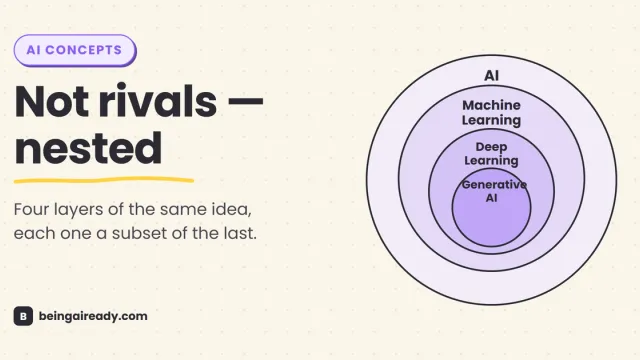
AI vs Machine Learning vs Deep Learning vs Generative AI
AI, machine learning, deep learning, and generative AI aren't rival technologies, they're nested layers. The plain-English map, with real history and examples.