
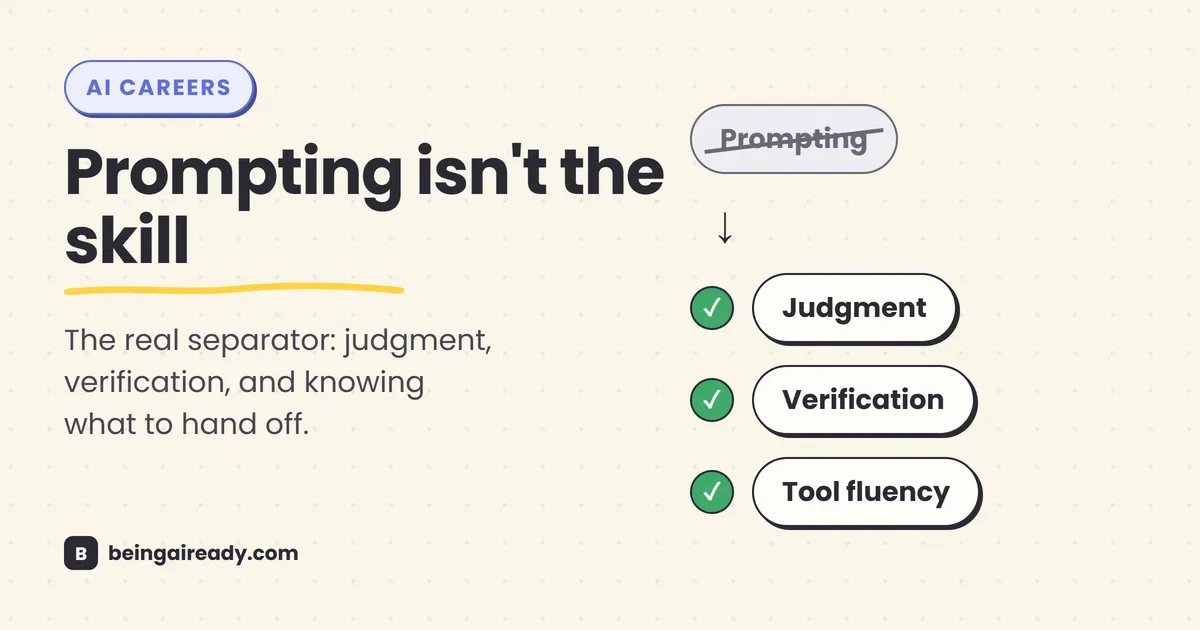
AI Skills Every Professional Needs in 2026
In May 2026, a survey of 2,500 workers and IT leaders found that 39% of them believe relying on AI has made them worse at their own jobs — measurably less sharp, in their own words. Around the same time, PwC published its 2026 Global AI Jobs Barometer, an analysis of more than a billion job postings across 27 countries, and found that workers with AI skills now earn a 62% wage premium over workers without them, up from 57% the year before.
Read those two findings side by side and AI looks like it’s doing two opposite things to the same workforce at once: quietly dulling people’s minds while making a specific subset of them considerably richer. Both findings are real. They’re just not measuring the same thing, and the gap between them is the entire subject of this article.
The workers getting the wage premium and the workers reporting they feel dumber are not, for the most part, different people doing different jobs. They’re often the same people, at different moments, doing the same job two different ways. One way treats the AI as a vending machine: type a request, take whatever comes back, move on. The other treats it as a fast, occasionally wrong collaborator that still needs a skilled human deciding what to ask for, what to check, and what to ignore. The pay gap and the skill gap both trace back to that same fork, not to who “uses AI” and who doesn’t.
This article is about what sits on the good side of that fork — the specific, learnable skills that separate people getting real value out of AI from people quietly getting a little worse at their jobs while it feels like they’re moving faster. None of it is prompt engineering in the LinkedIn-course sense. Most of it isn’t technical at all.
Quick answer: The AI skills that actually pay off in 2026 aren’t about crafting clever prompts. They’re judgment about what to delegate and what to keep, the ability to specify a task clearly enough that an AI can execute it, a working habit of verifying output before you act on it, enough data literacy to sanity-check what comes back, comfort with a handful of tools rather than mastery of one, and the willingness to redesign a workflow instead of just bolting AI onto the old one. Every one of these is backed by labor-market data below, not intuition.
Here’s what you’ll walk away knowing:
- Why two credible 2026 surveys can say AI is making people both richer and dumber, and how to tell which side of that you’re on.
- The six specific, learnable skills that show up across labor-market data, expert research, and real workplace incidents — not a vague call to “get AI literate.”
- A documented case of what happens when verification is skipped entirely: over 1,500 court cases now involve fabricated AI-generated citations, with real sanctions attached.
- What the World Economic Forum’s and PwC’s data say about technical skills versus human skills — and why the honest answer is “both,” not “pick one.”
- A practical, non-hype starting point for building these skills without needing to master ten different tools.
Two headlines about the same year, and why they’re both true
The 39%-feel-dumber statistic comes from GoTo’s Pulse of Work 2026 survey, reported by HR Dive, which polled 2,500 workers and IT leaders globally. It’s self-reported — people saying they feel less sharp, not a measured decline in any tested ability — and the number climbs to 46% among Gen Z workers specifically, the group with the heaviest daily AI use. Take it as a real signal about a real feeling, not a clinical diagnosis.
The 62% wage premium comes from a very different kind of source: PwC’s analysis of over a billion job postings, tracking what employers pay for roles that explicitly require AI skills versus otherwise-similar roles that don’t. It’s not a feeling. It’s what companies are actually willing to pay, and the premium is rising, not flattening — up from 57% the prior year, and as high as 118% in some sectors.
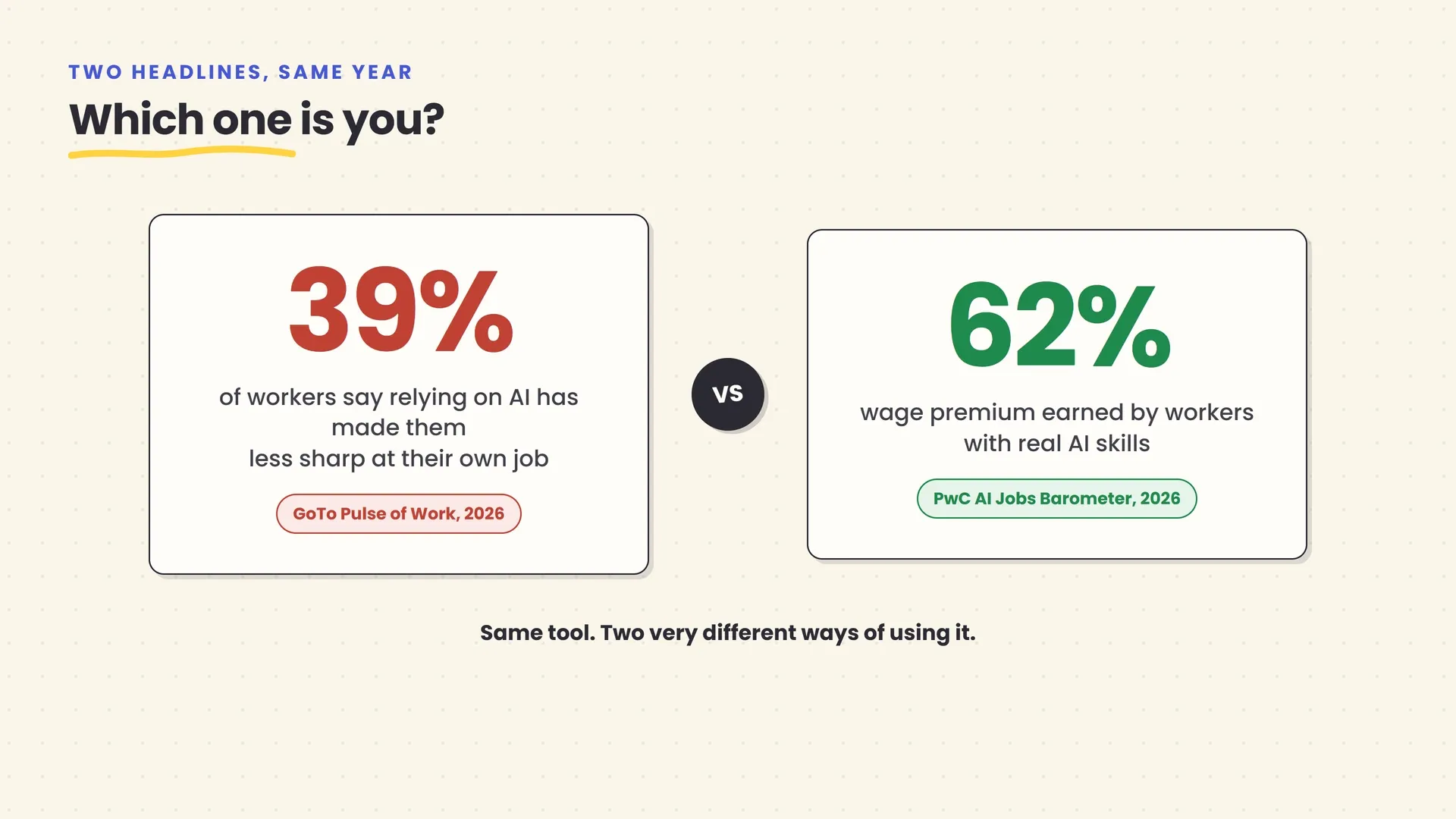
Here’s the reconciliation. A wage premium doesn’t get paid out for “using AI.” It gets paid for producing better outcomes with AI than a comparable person produces without it — which requires actually engaging with the problem, not just relaying it. The dulling effect, meanwhile, shows up specifically when AI use replaces thinking rather than accelerating it: when someone stops drafting their own first attempt, stops checking the output, stops holding the mental model of the problem in their own head. Same tool, same year, two completely different postures toward it.
That distinction — active operator versus passive passenger — is the thread running through every skill in this article. None of them are about being technical. All of them are about staying in the loop.
What “AI skills” means in 2026 (it’s probably not what you think)
If you asked someone in 2023 what an “AI skill” was, the honest answer was mostly prompt engineering — finding the right magic words to get a chatbot to behave. That framing hasn’t aged well, and it was never quite right even at the time.
DataCamp’s 2026 workplace AI and data literacy framework, built from a survey of working professionals ranking which skills matter to their jobs, puts this in useful relief. The highest-ranked skills weren’t technical at all: data-driven decision-making topped the list at 85%, followed by interpreting dashboards and visualizations at 82%, and data analysis and manipulation at 81%. “Prompt engineering and steering AI systems” placed lower, at 67% — a real skill, just not the central one. The framework’s own summary put it plainly: the highest-ranked skills across the board were “decision-making, interpretation, communication, and responsible use.”
That lines up with what Ethan Mollick, the Wharton professor and one of the most-cited researchers on practical AI use, has been arguing since AI tools moved from answering single questions to executing multi-step tasks on their own. Mollick’s framing is that the scarce skill isn’t wording a request cleverly — it’s the same thing that makes someone good at delegating to a competent human employee: setting a clear goal, giving useful feedback when the first attempt misses, and knowing what “good” looks like well enough to recognize it, or its absence, when it comes back. He calls this “management 101,” not computer science, and argues the people best positioned to direct AI well are the ones with real expertise in whatever the AI is being asked to do — not the ones who happen to know a framework or a coding library.
Put those two sources together and a shape emerges that has nothing to do with prompt syntax. Six specific, learnable skills, each backed by its own evidence, each doing a different job:
| Skill | What it means | Where it shows up when it’s missing |
|---|---|---|
| Judgment | Knowing what to hand to AI and what to keep for yourself | Delegating decisions that needed a human, not a draft |
| Instruction-writing | Specifying a task clearly enough that AI can execute it well | Vague requests, vague output, more re-tries than the task was worth |
| Verification | Checking AI output before you act on it or publish it | Fabricated citations, wrong numbers, quiet embarrassment |
| Data literacy | Sanity-checking whether an AI’s numbers make sense | Trusting a plausible-looking chart that’s actually wrong |
| Tool fluency | Knowing which tool category fits a task, across a few tools | Using one hammer for every job, badly |
| Workflow redesign | Rebuilding a process around AI instead of bolting it on | AI speeds up one step while the bottleneck moves elsewhere |
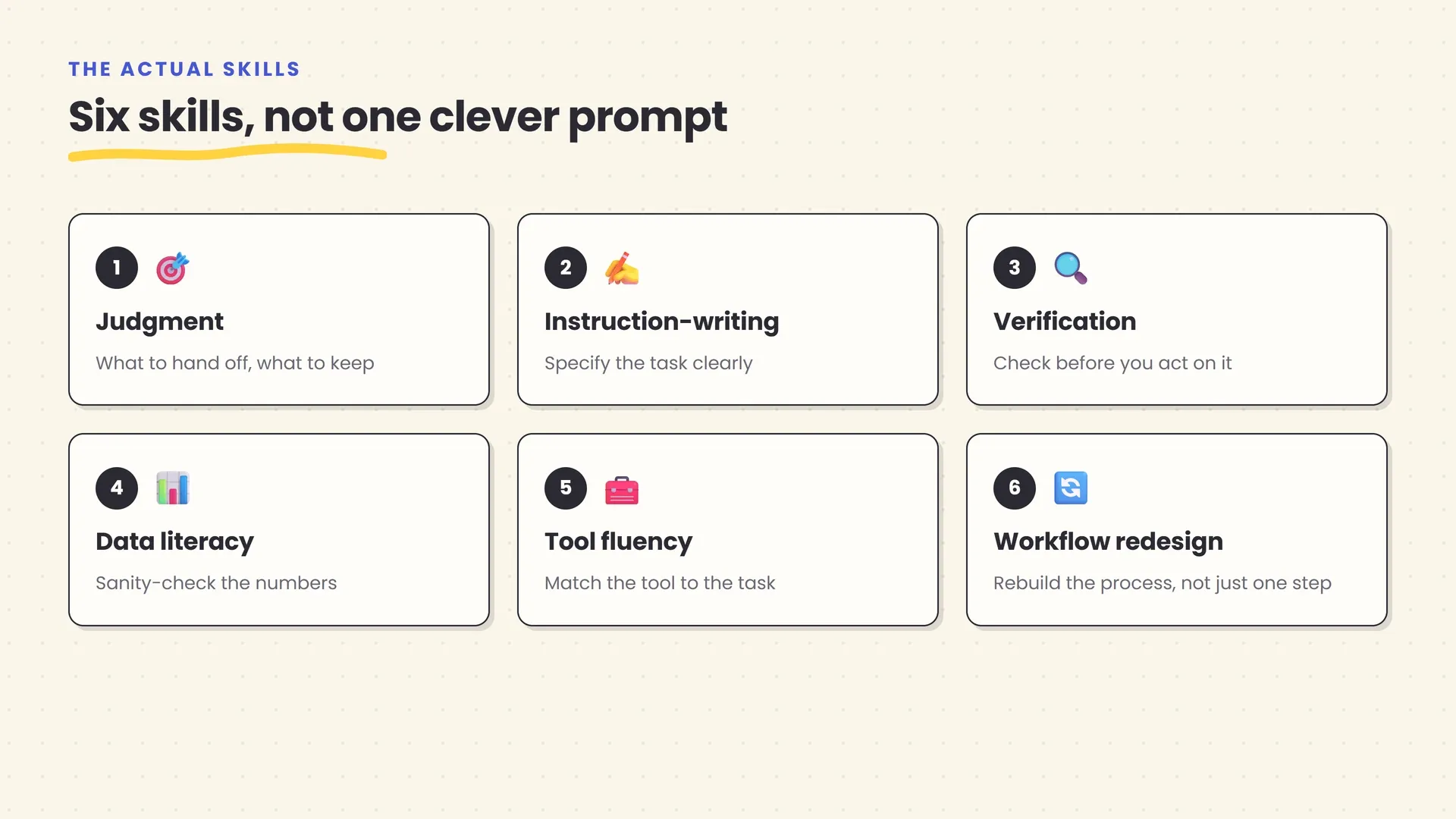
The rest of this piece walks through each one, in the order they tend to get used on a real task.
Skill 1: Judgment — knowing what to hand off, and what to keep
Every AI interaction starts before you type anything: with a decision about whether this particular piece of work should go to the AI at all, and if so, how much of it. That decision is judgment, and it’s the skill everything else depends on.
Mollick’s research reframes this specifically as a management problem rather than a technical one. A manager who’s good at delegating doesn’t hand every task to the same person regardless of fit — they match the task to whoever (or whatever) can do it well, and they keep the parts that genuinely need their own judgment. The same discipline applies to AI: a routine first draft, a summary of a long document, a repetitive reformatting job are all reasonable to hand off. A decision with real consequences — who gets fired, what a diagnosis means, whether a claim is true enough to publish — is reasonable to draft with AI’s help, but not to hand off entirely.
This is also, per Mollick, where subject-matter expertise turns out to matter more than technical skill. Someone who deeply understands the problem they’re delegating is better at judging what a good outcome looks like, what corners are safe to cut, and what the AI is likely to get wrong in their specific domain — regardless of whether they can write a line of code. That’s a genuinely different claim than “learn to code to work with AI,” and it’s better supported by the actual research than the more common advice.
The practical test: before you send a task to an AI, ask what happens if it comes back subtly wrong and you don’t catch it. If the honest answer is “not much,” delegate freely. If the honest answer involves a client, a patient, a number in a filing, or your own name on the output, keep enough involvement that “subtly wrong” gets caught before it goes anywhere.
Skill 2: Writing instructions an AI can execute
Once you’ve decided something is worth delegating, the next skill is saying what you actually want clearly enough that a system with no memory of yesterday and no ability to ask a clarifying follow-up (unless you invite one) can act on it. This is what used to get called prompt engineering, and the name undersold it from the start — it was never really about engineering, it was about specification.
A vague instruction gets a vague, generic result, and the AI has no way of knowing that’s not what you meant. “Write me a project update” produces something usable only by luck. “Write a three-paragraph project update for a nontechnical stakeholder audience, covering what shipped this week, what’s blocked and why, and what’s next — no jargon, no filler opening sentence” produces something you can send. The difference isn’t cleverness. It’s the same difference between a badly-briefed assignment and a well-briefed one, handed to a human report instead of a model.
We’ve covered the mechanics of this in more depth in our guide to prompt engineering for non-technical people, including specific structures for giving an AI context, constraints, and examples of the output you want. The short version worth internalizing here: treat every request like a brief you’d give a new hire who is smart, fast, and has zero context on your specific situation unless you supply it. Specificity is the actual skill. Cleverness was never the point.
Skill 3: Verification — the skill that keeps you out of the news
Every skill so far assumes you eventually get an output back and decide what to do with it. Verification is what happens in between, and it’s the single most expensive skill to skip.
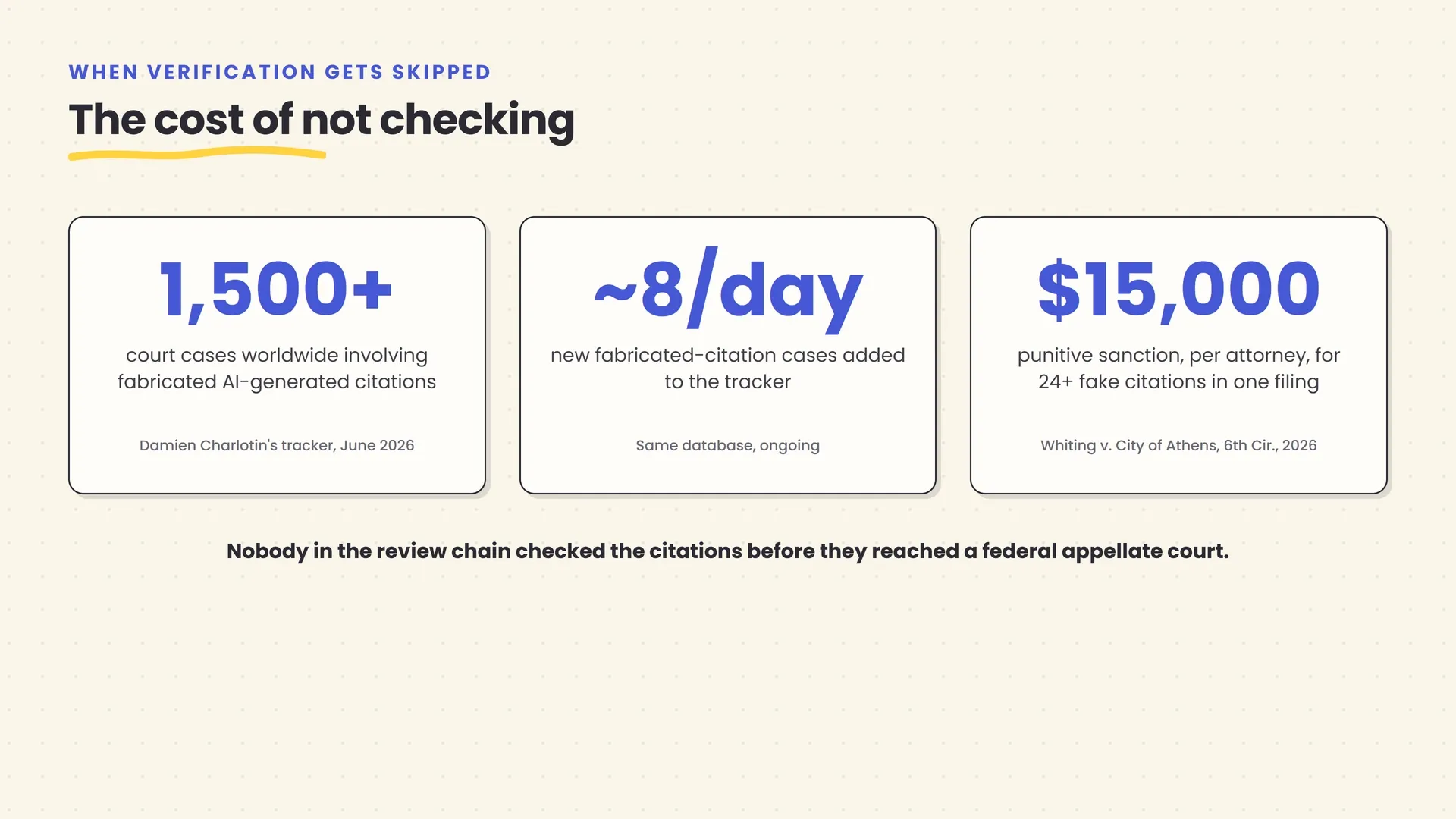
The clearest evidence for this comes from an unusually well-documented corner of professional life: courts. Damien Charlotin, a researcher who maintains a public database of AI hallucination cases, had documented over 1,500 court proceedings worldwide as of June 2026 in which a filing relied on fabricated AI-generated content — invented case citations, quotes attributed to real judgments that never said them, sources that simply don’t exist. The database grows by roughly eight new cases a day, and by the time you read this the true figure will be higher.
These aren’t hypothetical near-misses. In March 2026, the Sixth Circuit Court of Appeals sanctioned two attorneys in Whiting v. City of Athens after their briefs cited more than two dozen fake or misrepresented cases, ordering $15,000 in punitive sanctions against each attorney on top of reimbursed fees and doubled costs. The court’s language was blunt: it wanted to send “the loudest message” possible that this “is not allowed in our court or any other.” These were licensed professionals whose entire job is diligence, using a tool that produces confident, well-formatted, entirely fabricated citations — and nobody in the review chain caught it before it reached a federal appellate court.
The lesson generalizes well past law. Any AI system’s job is to produce a plausible-sounding answer, not a verified one, and it has no internal alarm that goes off when it’s making something up — the fabricated case citation reads exactly as confident as the real one. Fluency is not evidence. We’ve written a full, practical framework for checking AI output before you rely on it in our guide to how to fact-check anything an AI tells you, and the deeper mechanics of why models produce convincing falsehoods in the first place in why AI hallucinates. The specific, transferable habit worth building here: before a number, a quote, a citation, or a claim from an AI answer leaves your hands and enters someone else’s, confirm it against a source that has nothing to do with the AI that gave it to you. That one habit is the entire difference between the professionals in this section and the ones who aren’t.
Skill 4: Data literacy — reading what the AI gives you, not just what it says
Verification catches fabricated facts. Data literacy catches a quieter failure mode: an answer that’s real, sourced, and still wrong, because the underlying number doesn’t mean what it looks like it means.
This is exactly why DataCamp’s framework ranks data-driven decision-making and interpreting visualizations above prompt engineering in the first place — the bottleneck for most professional AI use isn’t getting a chart or a summary statistic out of the tool. It’s knowing whether that chart is telling you something true. An AI asked to summarize a spreadsheet will confidently report an average that’s being skewed by one outlier, or a trend that’s really a seasonal pattern, or a correlation it’s quietly implying is causal. None of that is a hallucination in the fabrication sense. It’s a correct calculation applied to a question you didn’t quite mean to ask.
The skill here isn’t statistics fluency in the academic sense. It’s a short list of habitual questions: is this an average or a median, and does that distinction matter here? Is the sample big enough for this number to mean anything? Does a correlation the AI just described actually imply the cause it’s suggesting? A working manager who can ask those three questions out loud, in front of a chart an AI just generated, catches most of what actually goes wrong. That habit is teachable in an afternoon. It just isn’t optional.
Skill 5: Tool fluency — knowing several tools, not mastering one
By 2026, “an AI tool” is no longer one category. A chat assistant like ChatGPT, Claude, or Gemini is built for reasoning through an open-ended problem and drafting. A meeting assistant is built to sit silently in a call and produce a transcript and action items. A dedicated writing tool handles long-form editing differently than a general chat assistant does. A spreadsheet-native AI feature answers a different kind of question than a chat window pasted with a CSV. Using the wrong category for a task isn’t a small inefficiency — it’s the equivalent of using a hammer on a screw because it’s the tool you already had open.
The useful skill isn’t mastering all of them. It’s knowing, roughly, which category a given task calls for, and having one solid option in each category you use. Our AI chat assistants directory covers the general reasoning-and-drafting layer; our AI meeting assistants directory covers tools built specifically to capture and summarize calls; our AI writing and AI data analysis directories cover the more specialized layers most professionals eventually need.
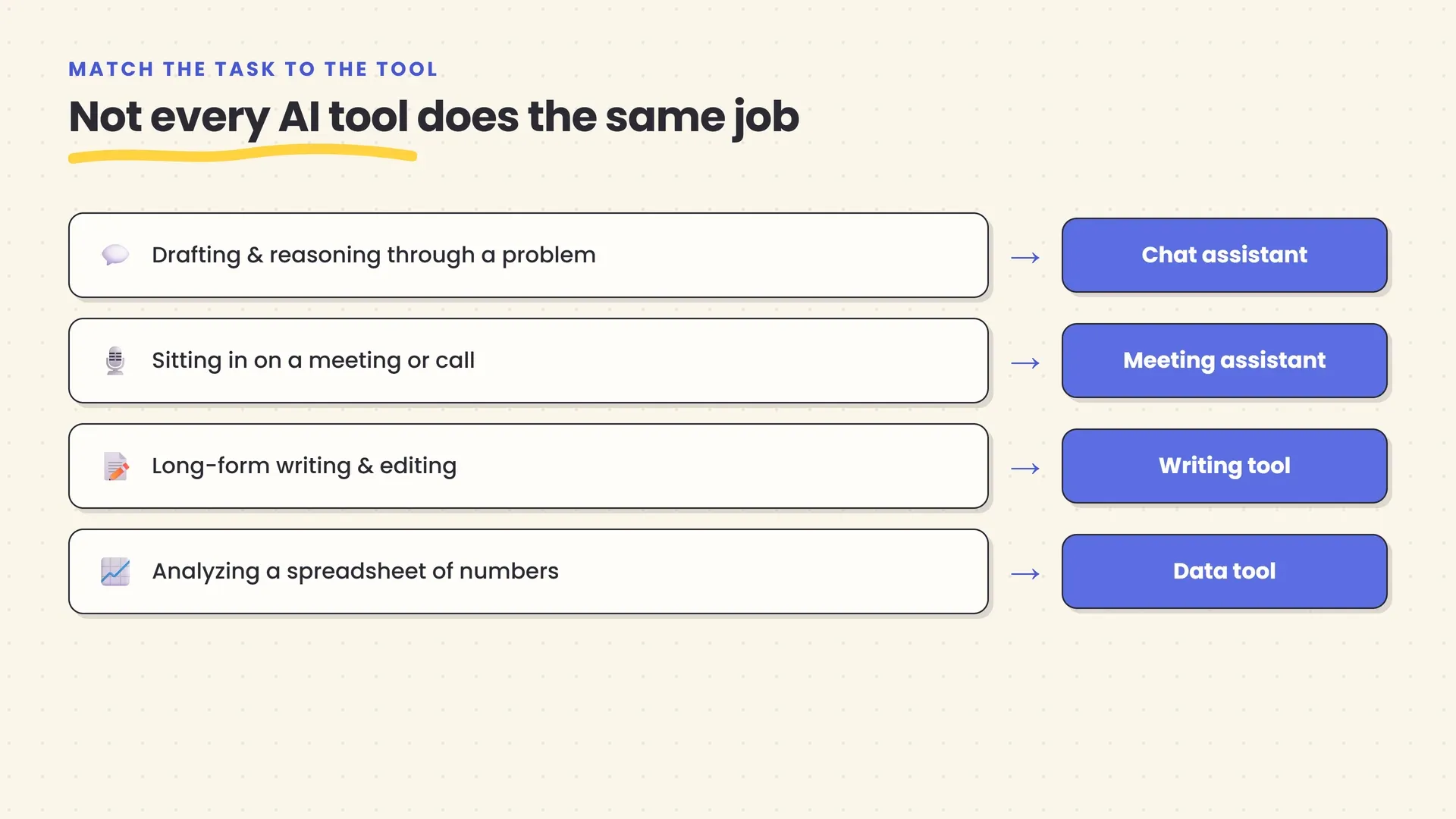
A reasonable target for most professionals: one general chat assistant you know well, plus whichever one or two category-specific tools your job calls for. Depth on three or four beats a shallow tour of every tool that trended on social media this quarter, and switching costs between reputable tools in the same category are usually smaller than people assume — the underlying skill of specifying a task clearly transfers regardless of which chat window you’re typing it into.
Skill 6: Redesigning the workflow, not just adding a chatbot to it
The first five skills apply to a single AI interaction. This one applies to the process the interaction sits inside, and it’s the one most professionals skip, because it’s the one that requires touching something other than the AI tool itself.
The common failure looks like this: someone adds an AI drafting step to an existing five-step process and the drafting step genuinely gets faster — but the bottleneck was never drafting. It was review, or approval, or a handoff between two people who don’t talk to each other often enough. Speeding up one step in a chain doesn’t speed up the chain; it just moves the wait to wherever the next slow step is, and if nobody notices, all that’s actually changed is where the frustration sits.
This matters more than it sounds structurally, not just anecdotally. The World Economic Forum’s Future of Jobs Report 2025 — a survey of over a thousand employers spanning 55 economies — projects that 39% of workers’ current core skills will change or become outdated by 2030, part of a broader churn the report estimates at 170 million jobs created and 92 million displaced globally, a net gain of 78 million but genuine disruption across roughly 22% of the jobs in its dataset. That’s not a forecast about AI getting smarter. It’s a forecast about processes getting rebuilt, and the people whose skill sets survive that rebuild tend to be the ones who took part in redesigning the process rather than waiting to be told how their role changed.
The practical version of this skill is asking, honestly, what the bottleneck in a workflow is before adding AI to the fastest-already part of it. If the bottleneck is review, the AI worth building is one that helps the reviewer, not one that produces more for the reviewer to review. That’s a genuinely different design decision, and it’s the one that actually compounds.
The other half of the story: human skills are rising too, not shrinking
Everything so far could read like a case for becoming more technical. The data doesn’t actually support that reading, and it’s worth being precise about why, because the “AI is coming for the human skills” framing is exactly the kind of thing this article is trying to avoid asserting without evidence.
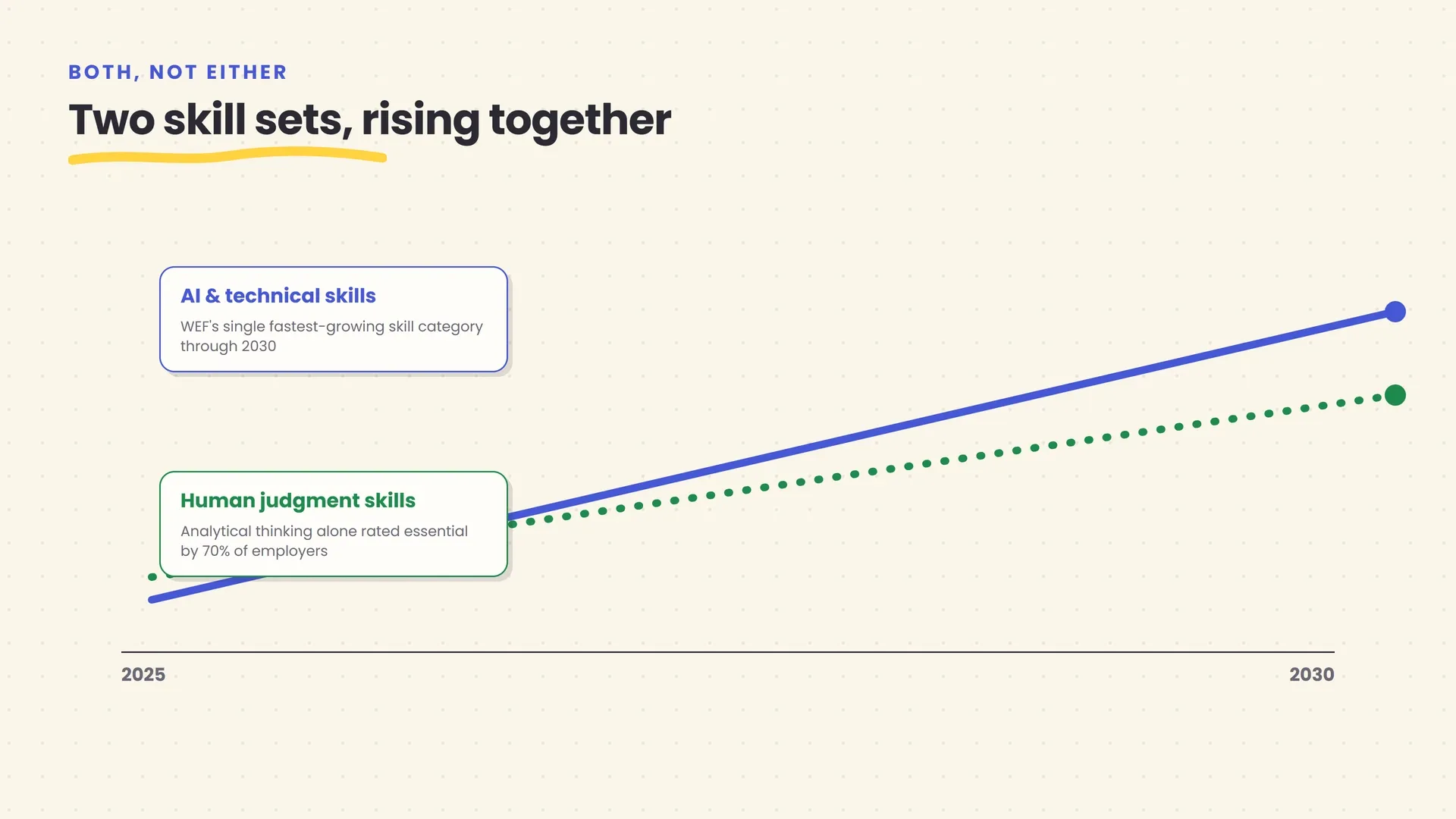
The World Economic Forum’s own data resists the either/or framing directly. AI and big data is ranked the single fastest-growing skill category through 2030 in its employer survey — and in the very same report, analytical thinking is the single most sought-after skill overall, rated essential by seven in ten employers, ahead of any specific technical skill on the list. The report’s own language is explicit that both categories — AI and big data alongside analytical thinking, creative thinking, resilience and flexibility, curiosity and lifelong learning — “are not only considered critical now but are also projected to become even more important” through 2030. Not one replacing the other. Both, rising together.
PwC’s data adds a sharper, slightly more uncomfortable layer to the same finding. Analyzing 2.4 million entry-level U.S. job postings, PwC found that entry-level roles in the most AI-exposed sectors are now roughly seven times more likely to require senior-level human skills — leadership, creative judgment, complex communication — than they were before, and these “upgraded” entry-level roles grew 35% since 2019 while ordinary entry-level roles shrank 10% over the same period. The honest caveat worth keeping attached to that number: it describes what employers are asking for, not what they’re necessarily paying for yet — there’s genuine uncertainty about whether entry-level compensation has caught up to the higher skill bar being demanded of people just starting out. Read it as evidence that human judgment is being asked for earlier in careers than it used to be, not as proof that it’s already being fully rewarded there.
Put plainly: nobody serious is arguing that AI skill and human skill are competing for the same slot in your résumé. The data says employers want more of both, at the same time, and the professionals doing best are the ones treating that as an addition rather than a trade.
The real risk isn’t falling behind on tools — it’s skipping the thinking
If the upside case is clear, the downside case deserves the same evidentiary honesty, because it’s real and it’s specific.
MIT Media Lab’s 2025 study, widely covered as “Your Brain on ChatGPT,” used EEG monitoring to track 54 participants writing essays across four months, split into three groups: one using an LLM, one using a search engine, one using neither. The LLM group showed measurably weaker brain connectivity than the other two groups, reported the lowest sense of ownership over their own essays, and — the detail that lands hardest — struggled to accurately quote work they’d supposedly just written themselves. The effects didn’t fully disappear once participants stopped using the tool.
It’s a small study — 54 people, one specific task, not a claim that AI use universally degrades cognition across every context. Treat it the way careful researchers treat it: as a real, specific signal about what happens when you let a tool do the thinking part of a task, not just the typing part. The GoTo workforce survey mentioned at the start of this piece — 39% of workers, 46% of Gen Z, reporting their own AI reliance has dulled their skills — is self-reported and imprecise in exactly the way self-report always is, but it’s pointing at the same underlying mechanism from a completely different angle: people who use AI as a passenger, not an operator, feel the difference themselves, even before any study measures it.
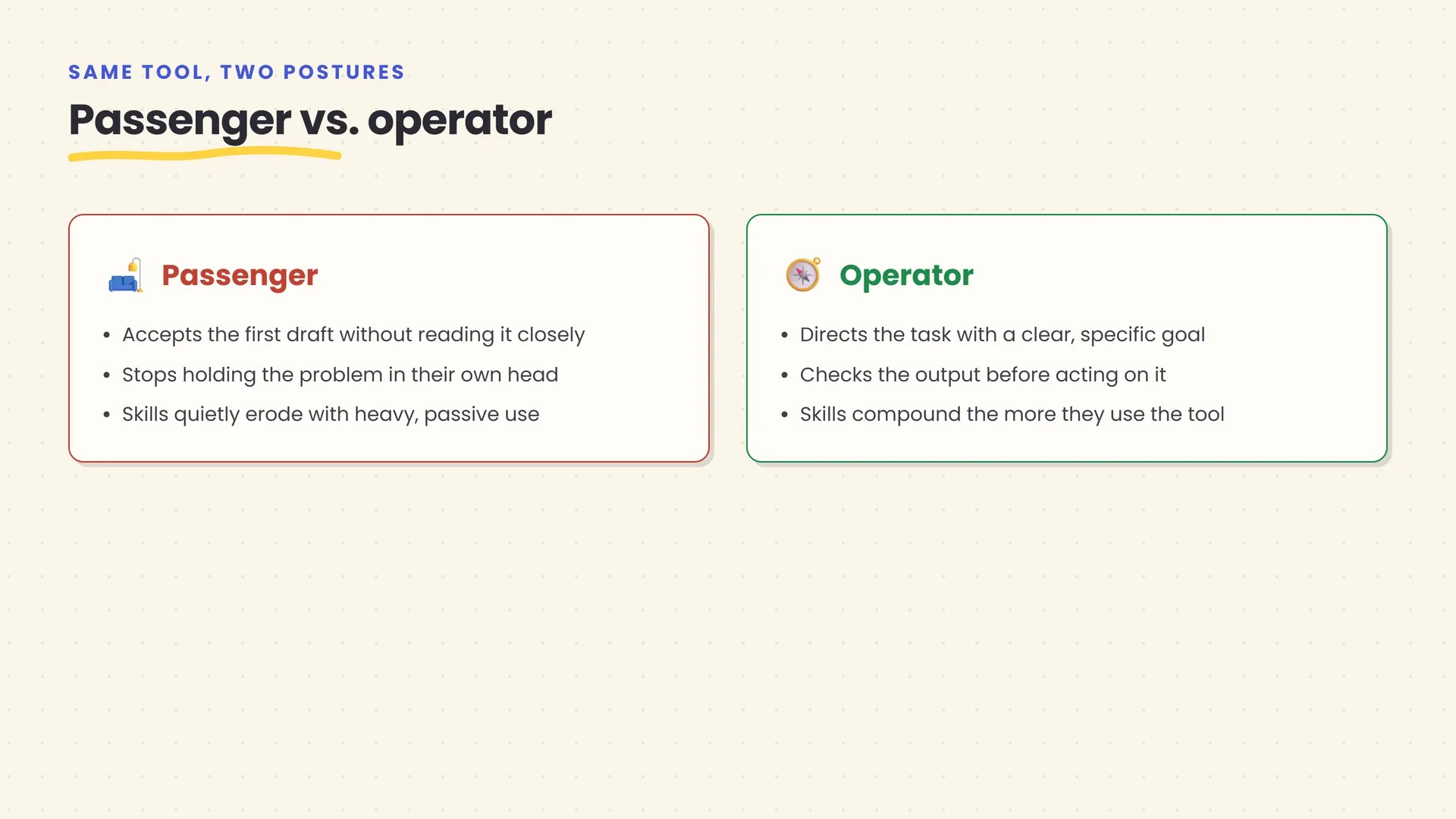
This is the same fork from the opening of this article, now with a name for each side. The passenger accepts the first draft, doesn’t hold the problem in their own head long enough to notice when something’s off, and outsources the parts of the job that were actually building their skill in the first place. The operator directs the task, keeps enough of the problem in view to catch a wrong turn, and treats the AI’s output as a fast first draft rather than a finished answer. Both people can be using the exact same tool, in the exact same week, at the exact same company. Only one of them is building the skills this whole article has been describing.
How to build these skills
None of the six skills above require a course, a certification, or months of dedicated study — which is exactly why “get AI literate” tends to be useless advice. It’s too vague to act on. Here’s the version that isn’t.
Practice on real work, not toy prompts. The skill you’re building is judgment about your own job, and that only transfers from doing your job with AI in the loop — not from experimenting with a chatbot on hypothetical questions that don’t matter if you get wrong.
Build a verification reflex around the two or three claim types that would actually cost you something. For most professionals that’s numbers, quotes, or citations — not every sentence an AI produces, which would make the tool useless, but specifically the load-bearing facts that would embarrass you if wrong. Make checking those an automatic step, not a maybe.
Keep a running note of what you’ve delegated and how it went. Not a formal log — a rough sense of which tasks the AI handled well unsupervised and which ones needed heavy correction. That pattern, over a few weeks, becomes your own personal judgment calibration, and it’s far more useful than any generic list of “tasks AI is good at.”
Pick two or three tools deliberately, and go deep rather than wide. One general chat assistant, plus whichever category-specific tool your role calls for, covers most real work. Depth compounds. Breadth without depth mostly produces a dozen half-remembered interfaces.
Ask what the bottleneck is before adding AI to a workflow. If AI is speeding up the fastest step in a process, it isn’t doing much. Find the slow step first.
The professionals showing up in PwC’s wage-premium data and the professionals showing up in MIT’s cognitive-debt data are very often capable of doing exactly the same tasks with exactly the same tools. The five habits above are the actual, practiced difference between which side of that split someone ends up on.
Why this gap is still wide open, even outside technical roles
One more piece of data changes how urgent all of this should feel, and it points the opposite direction from what you’d expect: most non-technical professionals haven’t started yet, which means the skills above are still a real edge rather than table stakes everyone already has.
Anthropic’s Economic Index, which tracks real, anonymized Claude.ai conversation data mapped against U.S. occupational categories, found that computer and mathematical occupations account for 37.2% of usage while making up only 3.4% of the workforce — a roughly eleven-fold overrepresentation. Transportation occupations, at the other end, make up 9.1% of the workforce and just 0.3% of usage. Real-world AI use today is still heavily concentrated in technical, computer-adjacent work, not spread evenly across professions the way the wage-premium headlines might suggest.
That’s not a reason to dismiss the stakes — PwC’s wage data says otherwise, clearly. It’s a reason to read the current moment correctly: if you work in sales, operations, healthcare administration, education, HR, or any of the dozens of professions where AI use is still comparatively rare, you are not late. You’re early, in a market where LinkedIn’s 2025 Workplace Learning Report found that 49% of learning-and-development professionals — the people whose actual job is closing skills gaps — say their own executives are worried the organization doesn’t have the skills to execute its strategy. Even the people paid to solve this problem are telling researchers they’re behind on it.
That combination — real, rising wage premiums; usage still concentrated in a narrow slice of occupations; and the organizations meant to be closing the gap admitting they haven’t — is what “wide open” actually looks like in labor-market data. It’s a genuinely unusual moment: the return on the six skills above is demonstrably real, and most of the field hasn’t claimed it yet.
The bottom line
The AI skill worth having in 2026 was never really about AI. It’s the same professional judgment that’s always mattered — knowing what to hand off, saying clearly what you want, checking what comes back, reading the numbers correctly, picking the right tool for the job, and rebuilding the process instead of just accelerating one step of the old one — applied to a tool that’s fast, occasionally wrong, and has no idea when it’s the one that’s wrong.
The data backs a specific, almost boring conclusion: the people getting paid more for AI skills and the people reporting their own skills are eroding are frequently the same people, at different moments, making a different choice about how much of the thinking they’re willing to hand over. That choice is available to everyone using these tools, every single day, and it’s a far more useful thing to control than which model happens to be best this quarter.
This is the kind of question BeingAiReady exists to answer plainly: not whether AI is good or bad, but what it actually takes to use it well. If this helped, our guides to prompt engineering, fact-checking AI output, and breaking into an AI-adjacent career without a technical background go deeper on three of the six skills above. Pick the one that’s weakest for you right now, and start there.
Frequently asked questions
Do I need to learn to code to be good at using AI at work?
No. DataCamp's 2026 workplace skills survey found programming ranked well below skills like data-driven decision-making, interpreting dashboards, and using AI responsibly. Ethan Mollick's research points the same way: subject-matter expertise, not coding ability, is what makes someone good at directing AI. Code helps if you're building tools; it isn't the entry requirement for using them well.
Is prompt engineering dead now that AI models understand plain language better?
The narrow version — hunting for magic phrasing — mostly is. What replaced it is less about wording and more about specification: setting a clear goal, giving the AI enough context to act on it, and being precise about what 'done well' looks like. Ethan Mollick calls this 'the new prompting,' and it's closer to briefing a competent employee than typing a search query.
Does using AI at work actually make people worse thinkers?
There's a real, if narrow, signal that it can. MIT Media Lab's 2025 EEG study found essay-writers who used ChatGPT showed weaker brain connectivity and recalled their own work worse than those who used a search engine or no tool. A 2026 workforce survey found 39% of workers feel their own reliance on AI has dulled their skills. Neither proves AI use always causes decline — both point at the same mechanism: outsourcing the thinking, not just the typing, is what costs you.
Which is worth more: technical AI skills or human skills like judgment and communication?
Both, and the data doesn't let you pick one. The World Economic Forum ranks AI and big data as the fastest-growing skill category through 2030, and in the same report, analytical thinking is the single most sought-after skill overall, rated essential by 70% of employers. PwC separately found AI skills carry a 62% wage premium. Neither is replacing the other — employers are asking for more of both at once.
How many AI tools should I actually learn to use?
Fewer than the marketing suggests, and more than just one. A handful — a chat assistant for reasoning and drafting, a meeting assistant if you sit in calls, a writing or data tool specific to your role — covers most professional work. Depth on a few beats a shallow tour of a dozen, and tool loyalty matters less than knowing which category of tool a given task calls for.
Can I still build a strong career without a technical background, given how central AI skills have become?
Yes. The clearest path in without a computer science degree runs through proof rather than credentials — a small number of real, deployed examples of your work with AI beats a resume line claiming familiarity with it. We cover this in full in our guide to [breaking into AI without a degree](/blog/break-into-ai-without-a-degree), and the same logic applies even if you're not aiming for a technical AI role specifically.
Related articles
How to Fact-Check and Verify Anything an AI Tells You
AI tools sound confident whether they're right or wrong. Here's a repeatable way to verify any AI answer, with playbooks for code, health, law, and money.
How to Break Into AI Without a Degree: A No-Hype Roadmap
You don't need a CS degree to get hired in AI — you need proof. A month-by-month roadmap of the skills, projects, and job-search moves that get you hired.
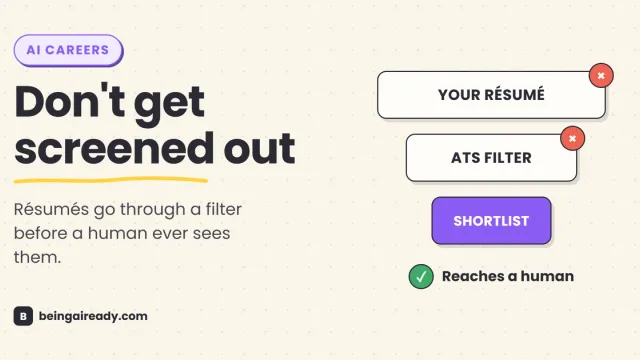
How to Use AI to Land a Job: A Practical 2026 Guide
AI can speed up your job search or quietly sink it. A no-hype guide to using AI for résumés, applications, and interview prep — without getting screened out.